A moving company owner misses a call at 6:42 p.m. while driving back from a job. The voicemail is solid. A customer needs a move next week, already has a rough inventory, and wants to book fast. The owner calls back later that night, then sends a quote the next morning after checking stair fees, travel time, and truck availability.
By then, the customer has already booked with the mover who answered first and priced the job on the spot.
This is the problem with moving company pricing software. It isn’t just about building cleaner estimates. It’s about whether your company can turn an inbound lead into a booked job before the lead cools off. Small and mid-sized movers don’t usually lose business because they can’t move furniture. They lose business because the front office is slow, inconsistent, or tied to one person’s phone.
I see this pattern constantly in 1 to 20 truck operations. The owner is still the backup estimator. The office manager knows the rate card but not every exception. Weekend calls stack up. Follow-ups happen late. Quotes sit in text drafts or notebooks. The leak isn’t one giant failure. It’s a dozen small delays.
Teams in other service businesses have seen the value of trimmed quote time because speed changes who wins the work. Moving is even less forgiving. Customers call two or three companies, not ten. The mover who responds clearly and confidently usually gets the job.
Modern pricing software matters because it can plug that leak. The good systems don’t just store prices. They help you respond faster, quote more consistently, and reduce the handoffs that kill conversions.
Introduction The Hidden Cost of a Slow Quote
A slow quote rarely looks dramatic from inside the office. It feels like normal busy-season chaos. One callback after lunch. One estimate left unfinished because dispatch needed help. One lead that said, “We’re still deciding.”
From the customer’s side, it looks different. They called with intent. They wanted clarity. They wanted someone to tell them what the move would likely cost and what happens next. If your process makes them wait, they keep shopping.
Where the leak actually happens
Most owners blame missed calls. That’s only part of it.
The bigger leak shows up in the space between first contact and final quote:
- Manual intake: Someone writes down the move date, addresses, and inventory, then re-enters it later.
- Pricing bottlenecks: One person knows how to apply stair charges, long carries, packing add-ons, or minimums correctly.
- Slow follow-up: The quote goes out after the customer has already talked to another mover.
- No after-hours coverage: Evening and weekend leads wait until your office opens.
Practical rule: If your company can answer a call but can’t price the job fast, you still have a conversion problem.
Why this hits small movers harder
A larger company can hide a weak quoting process behind volume. A smaller mover can’t. When you run a 1 to 5 truck operation, a few lost bookings change the whole week. When you run 6 to 20 trucks, front-office delays create scheduling gaps that crews feel a few days later.
That’s why moving company pricing software should be judged by one question first. Does it help you close work faster, or does it just organize quotes after the opportunity has already cooled off?
What Is Moving Company Pricing Software Really
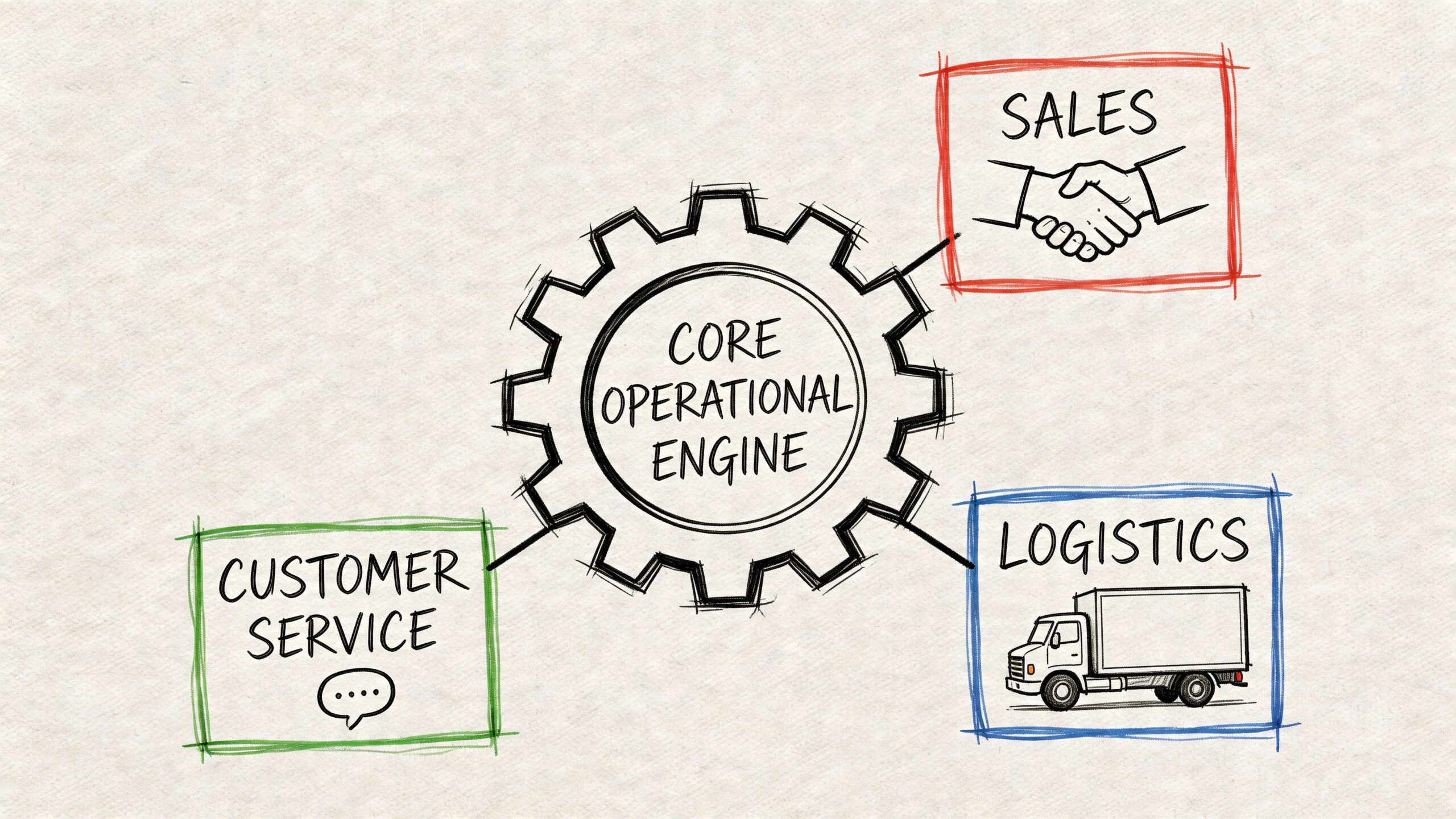
Most owners hear “pricing software” and think calculator. That’s too small. Good moving company pricing software is an operational engine that connects sales logic, job details, dispatch reality, and customer communication.
The broader market is moving in that direction. The moving software market is projected to grow from $2,978.6 million in 2025 to $5,935.05 million by 2033, driven by AI and cloud-based tools that support capabilities such as dynamic pricing and predictive analytics, according to Cognitive Market Research’s moving software market report.
It has to reflect how movers actually price jobs
Moving isn’t one pricing model. A useful system has to support the logic you already use in practice.
For local work, many movers price around hourly structures. That means the software has to account for things like crew size, truck count, minimum hours, travel time, and common variable charges. If it can’t handle those rules cleanly, your office still ends up making manual corrections.
For longer-distance or flat-rate work, the quote logic changes. You may rely on inventory volume, route factors, labor assumptions, special handling, or service combinations. A generic form builder won’t handle that well because it doesn’t understand moving-specific conditions.
The software needs to handle exceptions without breaking
At this point, weak tools crumble. Most jobs are not “standard” once the customer starts talking.
A system worth paying for should be able to work through variables like:
- Access conditions: Stairs, elevators, walk-ups, long carries, and tight loading areas
- Service layers: Packing, unpacking, storage, shuttle work, or overnight holds
- Specialty items: Pianos, safes, glass tops, gym equipment, and oversized pieces
- Timing factors: Rush bookings, date changes, peak-day pressure, and limited windows
The quote is only useful if your team trusts it enough to send it without rebuilding it by hand.
It should protect your own rate card
Many movers buy software, then bend their process to fit the software. That’s backwards.
The right system should let you map your company’s pricing rules into the platform. Your minimums, your travel logic, your labor assumptions, your add-ons. If the software forces you into generic pricing behavior, the estimate may look fast but still create margin problems later.
A good pricing engine does three things at once. It makes the quote faster, keeps it consistent across staff, and protects the economics of the job you’re going to run.
The Real ROI Calculating the Return on Automated Quoting
Owners usually ask the wrong first question. They ask, “What does the software cost?” The better question is, “What revenue am I failing to recover because my quoting process is too slow?”
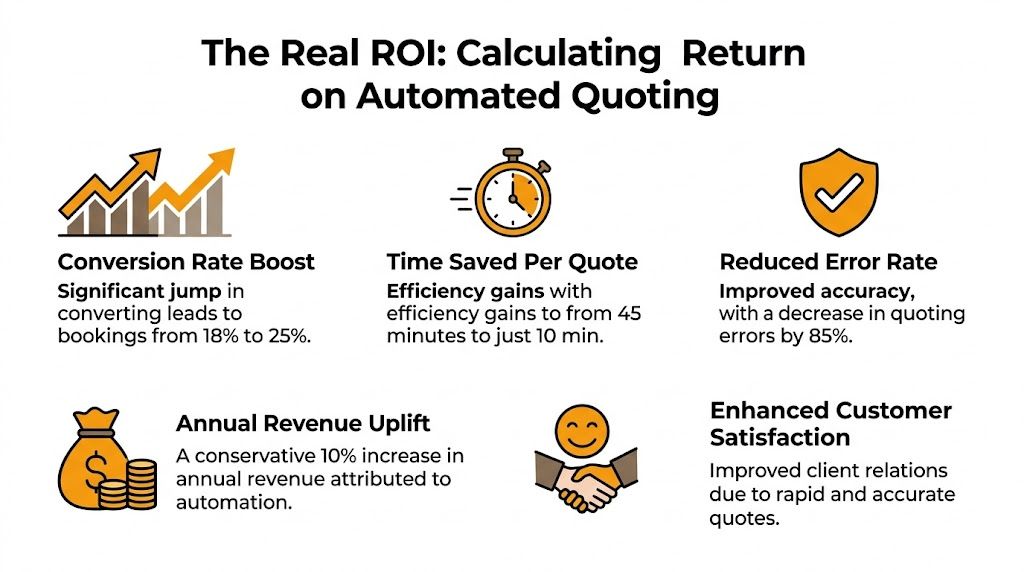
For small operators with 1 to 5 trucks, the overlooked issue is direct revenue leakage. Those operators can face $50K to $150K in annual losses from missed calls, and software in the $149 to $499 per month range can pay for itself with the recovery of a single booking, as noted in MoveitPro’s analysis of moving software comparisons and ROI.
Stop treating software like overhead
That single-booking payback point changes the whole conversation. It means pricing automation should be evaluated like a revenue recovery engine, not like office overhead.
If your current process lets even a small number of warm leads go cold, the financial question becomes simple. You don’t need software to transform the whole business on day one. You need it to recover enough missed opportunity to justify itself quickly.
Here’s the practical lens I use with movers:
| What to examine | What it tells you |
|---|---|
| After-hours calls | Whether leads are waiting too long for a quote |
| Weekend inquiries | Whether your team loses urgency when the office is closed |
| Quotes delayed for approval | Whether one person is still the bottleneck |
| Follow-ups sent manually | Whether booked jobs depend on office discipline instead of workflow |
| Unfinished estimates | Whether your system supports growth or just stores information |
A simple way to think about payback
You don’t need a complex finance model to judge moving company pricing software. You need an honest review of your current leak points.
Ask these questions:
- How often does a lead come in when no one can quote it immediately?
- How often does a quote wait on a callback, text, or handwritten note?
- How often does the customer have to hear “I’ll get that over to you” instead of getting pricing now?
- How often does your office re-check the same information before sending the estimate?
If those things happen regularly, your quoting workflow is costing you bookings. Owners can estimate their own break-even by comparing likely recovered jobs against current spend, and a dedicated moving software ROI calculator is a practical way to pressure-test that math.
A lot of movers don’t need more leads. They need to stop wasting the leads they already paid to generate.
Where the financial return usually shows up first
The first return doesn’t always appear as “more estimates sent.” It often shows up in tighter front-office operations.
Look for these signs:
- Fewer slow handoffs: The lead doesn’t wait for the owner to review every detail.
- Less quote abandonment: The customer gets enough clarity to keep moving toward booking.
- Better office time use: Staff spend less time rebuilding jobs from scattered notes.
- Faster booking decisions: Customers can say yes while intent is still high.
That’s why the ROI discussion matters. If one recovered booking covers the monthly cost, then the actual risk isn’t buying the software. The true risk is keeping a quoting process that lets ready-to-book customers drift away.
Key Features and Integrations Your Software Must Have
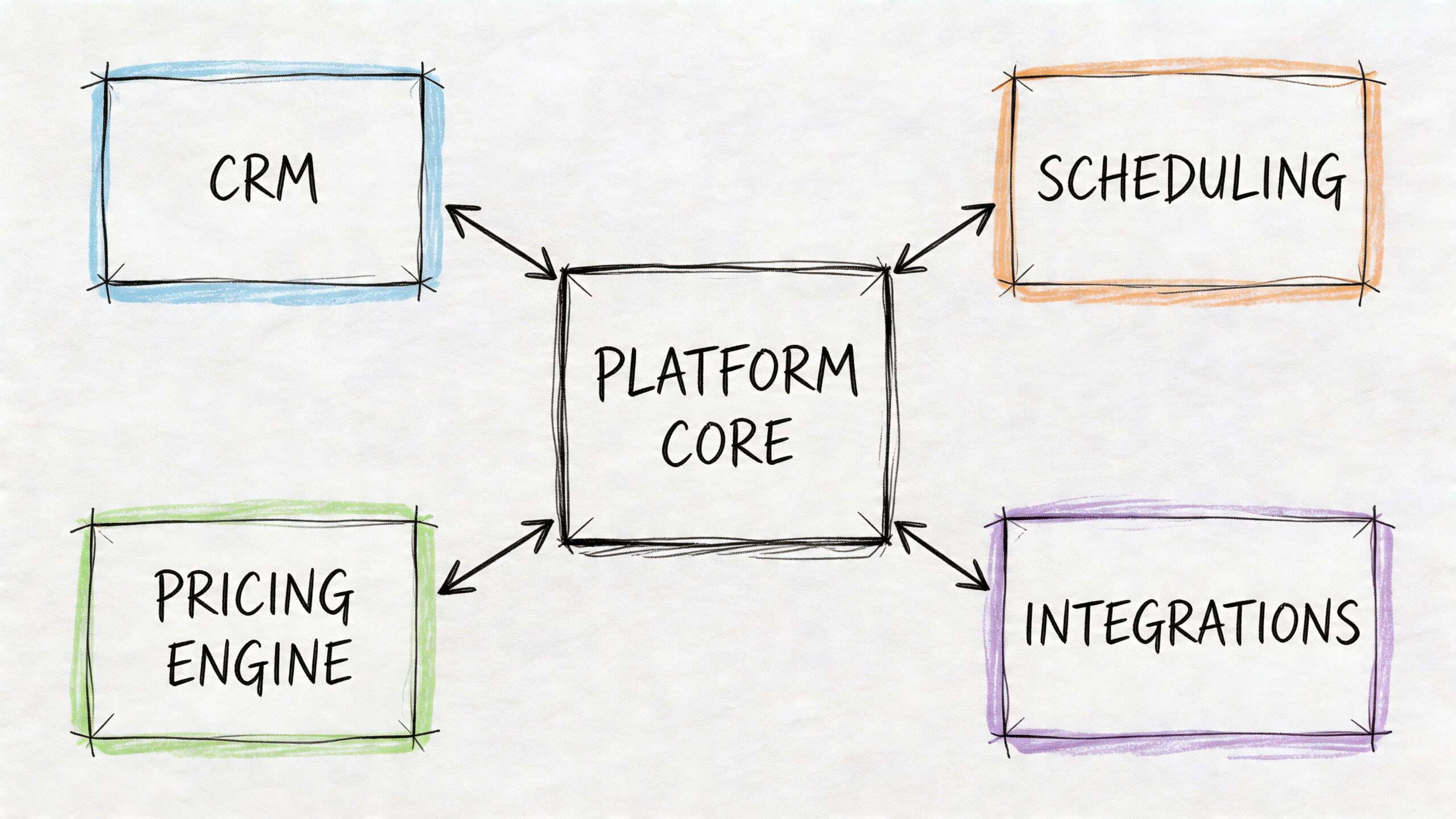
A standalone quoting tool sounds good in a demo. In an actual moving office, it often creates extra work. If the quote lives in one place, dispatch lives in another, and billing happens somewhere else, your team becomes the integration layer. That’s where errors start.
Integrated software platforms that combine dispatch, CRM, and billing can significantly reduce booking errors and lead response times. Research cited by Virtual Estimate’s guide to moving company software notes that removing manual data re-entry can shrink quote turnaround from hours to under 30 minutes.
The non-negotiable features
A pricing system should do more than produce a number. It should help your office trust the quote and move the customer forward.
Here’s what I’d treat as mandatory:
- Custom rate card support: The software must reflect your actual pricing logic, not a generic template.
- Local and flat-rate flexibility: If you handle more than one job type, the platform has to support both without awkward workarounds.
- Add-on logic: Packing, materials, specialty items, and access charges should be built into the workflow.
- Quote follow-up tools: A quote that goes out without reminders or next-step prompts often goes unaddressed.
- Booking workflow: The system should help convert approved quotes into actual jobs without retyping everything.
Integrations matter more than feature lists
A lot of owners get distracted by shiny features and ignore the handoff problem. The handoff is where revenue disappears.
If your pricing tool doesn’t connect to your CRM, scheduler, or calendar, the office has to copy details manually. That means names get misspelled, dates get entered wrong, pricing exceptions get lost, and dispatch works off outdated information.
Look for software that can fit into the systems movers already use. If you’re evaluating front-office tools broadly, this guide on CRM workflows for service businesses is useful because it shows what a connected intake-to-booking process should look like.
Field reality: The quote isn’t finished when the number is calculated. It’s finished when the right customer data, price, and scheduling details land in the right system without your staff re-entering them.
What works and what doesn’t
What works:
| Works well | Creates problems |
|---|---|
| One shared record for the lead, quote, and booking | Separate tools with duplicate entry |
| Native calendar or CRM sync | Manual copy-paste into scheduling |
| Pricing rules tied to real job conditions | Flat generic quote templates |
| Financial integrations that reduce reconciliation work | Quote data that never reaches billing |
What doesn’t work is “pretty good” connectivity. If your estimator still has to text the office manager details that should already be in the system, the workflow isn’t integrated. It’s patched together.
One practical example is a tool like MoveJoy, which is built to quote from a mover’s own rate card and book directly into systems such as SmartMoving, Supermove, MoveitPro, or Google Calendar. That kind of connection matters because it closes the gap between lead capture and actual job creation.
The AI Difference Generic Tools vs Job Closing Engines
A lot of owners hear “AI” and assume every tool does roughly the same thing. They don’t. In moving, the gap between a generic assistant and a purpose-built job-closing engine is enormous.
Here’s the issue. Most solutions can answer a phone. Far fewer can ask the right moving questions, build a usable quote, and move the customer toward booking while intent is still high.
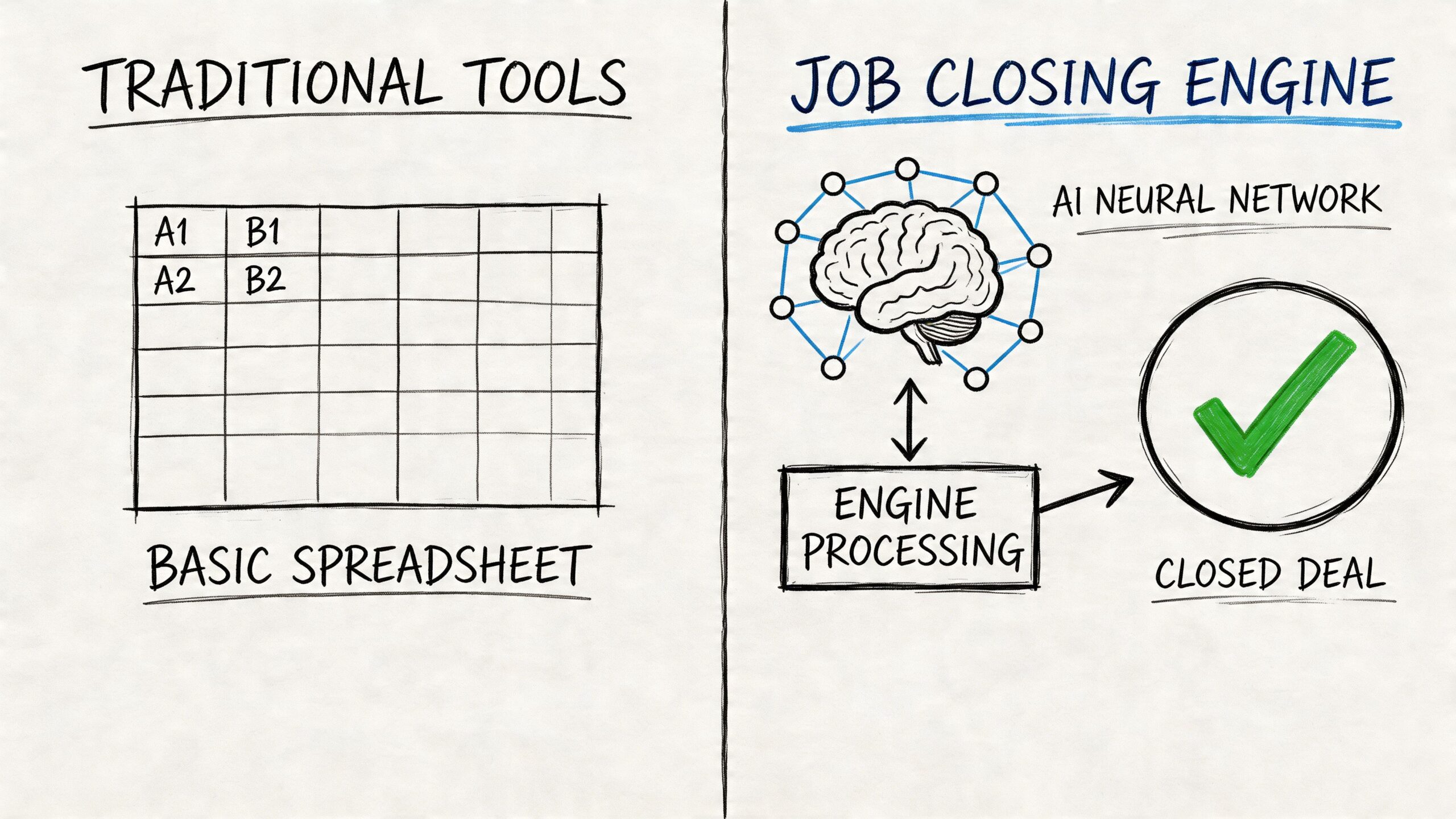
Three categories that look similar but aren’t
| Option | What it usually does well | Where it breaks down for movers |
|---|---|---|
| Human answering service | Picks up calls and sounds polite | Usually takes messages instead of pricing jobs |
| Generic AI voice tool | Captures contact info and basic intent | Doesn’t understand moving-specific quote logic |
| Purpose-built moving automation | Handles intake around move-specific rules | Requires clean rate-card setup and operational discipline |
A real-world scenario
A customer calls about moving out of a two-bedroom apartment. They mention stairs, a tight move window, and one piano.
A human answering service can take the message. That’s better than voicemail, but the lead still waits. Your office has to call back, ask the same questions again, build the quote, and hope the customer still hasn’t booked elsewhere.
A generic AI system may do one step better. It might gather names, addresses, and a rough move date. But if it can’t handle follow-up questions like walk-up access, long carry, specialty item handling, or pricing structure differences, it isn’t really quoting. It’s collecting lead data.
A purpose-built moving workflow handles the logic in sequence. It asks the questions your best office rep would ask. It distinguishes between what affects labor, what affects truck time, and what should trigger added charges or review. That’s the difference between “we captured the lead” and “we had a real chance to close the job.”
Capturing a phone number is not the same as moving a customer to yes.
What owners should watch for
When vendors talk about automation, ask them to walk through an actual moving call.
Use examples like:
- A local apartment move with stairs
- A house move with partial packing
- A job involving a piano or safe
- A customer who calls after hours and wants a quote now
- A lead that should be booked directly if the pricing fits
Listen for whether the tool can do these things in one flow:
- Ask relevant questions in plain language.
- Apply your pricing rules correctly.
- Deliver a usable quote.
- Trigger follow-up or booking without human cleanup.
If the system only takes a message, it’s not solving the front-end revenue problem. If it only captures lead info, it still leaves the hard part to your staff. For moving companies, the key value is in software that understands the job well enough to help close it.
How to Evaluate and Choose the Right Pricing Software
Buying moving company pricing software without a structured evaluation usually ends in one of two ways. Either the tool can’t handle your real pricing rules, or it can, but setup drags on and your team never fully uses it.
A practical buying process matters more than the demo itself. If you want a useful framework beyond moving, this article on choosing the right AI workflow automation tool is worth reading because it pushes buyers to evaluate workflow fit, not just features.
Start with your own rate card
Before you book demos, gather the actual pricing logic your office uses every week. Not the cleaned-up version. The actual one.
That means documenting things like:
- Minimums and labor assumptions: How you handle crew size, truck count, and base time
- Access rules: Stairs, elevators, long carries, shuttle situations, and building restrictions
- Add-ons: Packing, materials, storage, specialty items, and disassembly needs
- Approval thresholds: Which jobs can be quoted automatically and which need review
Then ask the vendor to show exactly how those rules will be configured. If they speak vaguely, keep digging.
Use a demo checklist that reflects move-day reality
Here are the questions I’d ask in every demo:
- Can you import and edit my exact rate card without forcing me into a template?
- How does the system handle exceptions like walk-ups, pianos, and partial packing?
- What happens after the quote is created?
- Does it book into my existing software or calendar, or will my staff still re-enter the job?
- How long does setup take in practice?
- What support is available on a busy weekend if something breaks?
You should also test whether the workflow makes sense for the people who will use it. Owners often buy for themselves. Office managers and dispatchers live with the system every day.
If the demo looks smooth but your office still has to do manual cleanup, the software isn’t ready for your operation.
Budget for fit, not just sticker price
Software costs vary with business size and complexity. For starter companies with 1 to 2 trucks, annual budgets are often under $4,000, while growing operations with 3 to 6 trucks may spend over $10,000, according to MoveitPro’s breakdown of moving software costs.
That pricing spread tells you something important. You’re not buying a number of features. You’re buying fit, speed, and reliability.
Many providers now price by company size rather than per user. That can be useful for smaller independents because it aligns cost more closely with the shape of the business. If you’re comparing options, this roundup of software choices for moving companies can help you think through where pricing tools fit within the rest of your operation.
Implementation and Avoiding Common Pitfalls
Most software failures in moving don’t happen because the product was terrible. They happen because the company never finished implementation. Someone imported partial pricing, trained one office person, and assumed the rest would sort itself out.
That never holds up in busy season.
The biggest mistakes after purchase
The first mistake is using default settings too long. If your stair fees, long-carry rules, specialty-item logic, or travel assumptions aren’t dialed in, the office stops trusting the system. Once that trust breaks, people go back to side calculations and handwritten fixes.
The second mistake is partial adoption. The quote may come from the software, but follow-up still happens by memory, sticky note, or random text. That leaves a dead zone between estimate and booking.
Common trouble spots include:
- Weak rate-card setup: The software exists, but the actual pricing logic still lives in one person’s head.
- No team training: The owner understands it. The person answering calls doesn’t.
- No workflow ownership: Nobody is responsible for checking quote speed, follow-up consistency, or booking handoff.
- Manual fallback habits: Staff keep bypassing the system for “just this one job.”
A better rollout approach
Start with one clear workflow and make it reliable. That usually means inbound lead, quote creation, quote delivery, and booking handoff.
Then train everyone who touches that process:
- Owner or sales lead: Approves pricing logic and exception handling
- Office staff: Learns how to trust and use the system consistently
- Dispatch or operations: Confirms booked jobs arrive with correct details
- Backup staff: Knows how to handle the workflow during peak periods
Software doesn’t remove management. It gives management a repeatable system to run.
Review early quotes closely. Look for where the system hesitates, where staff work around it, and where customers still wait too long. Good implementation isn’t “set it and forget it.” It’s tightening the process until the team can move from lead to booked job with less friction and fewer errors.
Frequently Asked Questions About Pricing Software
| Question | Answer |
|---|---|
| Do small moving companies really need pricing software? | If you’re handling quotes manually and leads wait on callbacks, yes. Small movers feel quoting delays faster because every missed booking hits capacity harder. |
| Is pricing software the same as a CRM? | No. A CRM manages lead and customer records. Pricing software handles quote logic. The strongest setups connect both so the quote and the booking live in the same workflow. |
| Can generic call tools replace moving-specific quoting software? | Usually not. Generic tools can collect contact details, but moving quotes depend on rate-card rules, access conditions, services, and item-specific logic. |
| Should the software quote every job automatically? | Not always. Good systems should handle standard jobs fast and route edge cases for review when needed. |
| What matters more, speed or accuracy? | You need both. Fast but sloppy quotes create margin problems. Accurate but delayed quotes lose jobs. The goal is a workflow that delivers usable pricing while the customer is still ready to decide. |
If your team is still taking messages, rebuilding quotes by hand, and chasing warm leads after they’ve cooled off, your front office is leaving money on the table. MoveJoy is one option built for that gap. It uses your own rate card to generate accurate moving quotes on the call and books jobs directly into your CRM or calendar, helping independent movers recover revenue instead of just managing leads.