A Guide to CRM for Your Moving Business
Every time your phone rings and you can't answer, you're handing a job—and cash—straight to your competition. For a moving company with 1-20 trucks, this isn't a small leak. It's a gusher in your revenue pipeline. A modern CRM for your service business is the single best tool to plug that hole, acting as the command center for capturing, managing, and winning every job that comes your way.
Stop Losing Jobs You Never Knew You Had
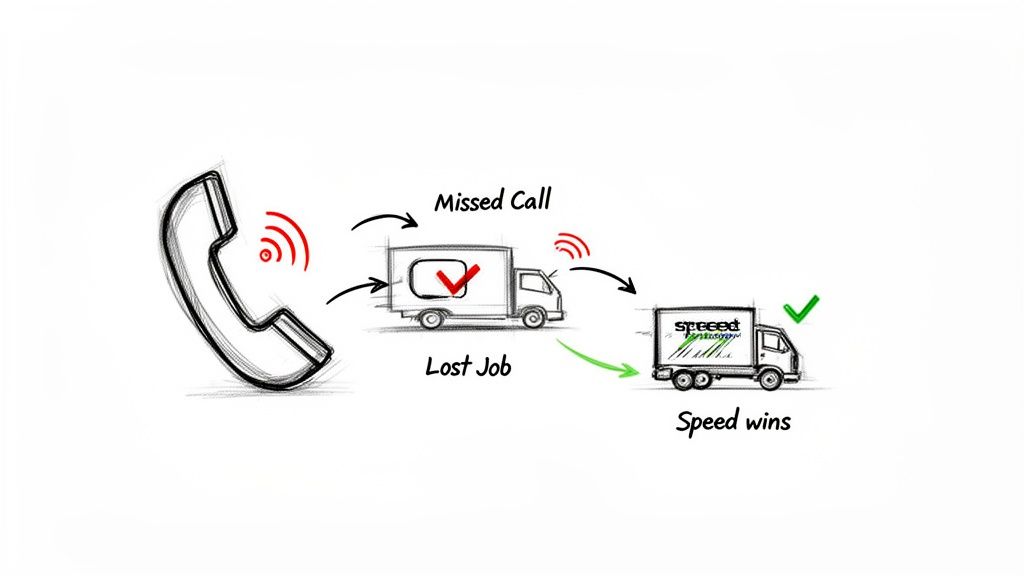
Let's get real for a second. A potential customer, ready to book their move, calls your business line. But you're out on a job, managing a crew, and that call goes straight to voicemail. By the time you get a free moment hours later, that customer has already called two other movers and booked with the one who picked up the phone.
Sound familiar? It should. This isn't just bad luck; it’s a breakdown in your front-office operations. This exact scenario costs moving company owners an estimated 3–7 jobs every single month. The old way of doing things—sticky notes, messy spreadsheets, and hoping you remember to call everyone back—just doesn't cut it in a competitive local market.
Speed Is Your New Competitive Advantage
In today's market, the first to respond is almost always the one who wins the job. Moving customers shop fast. They expect instant answers and quick quotes. If you make them wait, they simply move on to the next company on their list. This is where a proper CRM (Customer Relationship Management) system, one built specifically for the chaos of a moving business, becomes your secret weapon.
A CRM is far more than a digital address book. It's the engine that drives speed and efficiency in your front office, making sure no customer ever falls through the cracks.
Think about the operational bottlenecks that are probably slowing you down right now:
- Delayed Quote Follow-Ups: Trying to manually track who needs a callback and when is a recipe for disaster during the busy season.
- Missed Call Revenue Loss: Every voicemail is a potential job you just lost to a competitor who was ready to talk.
- Disorganized Lead Information: Juggling customer details from phone calls, web forms, and emails looks unprofessional and leads to costly mistakes.
- Inefficient Quoting: Taking hours to build and send a quote gives your customer plenty of time to find someone faster.
A solid CRM is critical for grabbing every lead and making sure they feel taken care of, from their first call to their final payment. This principle of rapid response isn't unique to moving; it's a core part of successful HVAC lead generation strategies and other trades. It’s about having a central system that stops the leaks and turns those missed opportunities into booked jobs.
What Is a Service Business CRM Really?
Let’s cut through the jargon. When most people hear “CRM,” they think of some complicated software for salespeople in suits. They picture a digital address book, and frankly, that sounds like one more piece of software to manage.
But for a moving company, a real service business CRM is something entirely different. It’s the central nervous system for your entire operation. Think of it as your most reliable employee—the one who never sleeps, never forgets a follow-up, and never loses a lead’s phone number.
Trying to run your moving business on spreadsheets is like navigating a new city with a folded paper map. Sure, you might get where you’re going eventually, but it’s slow, messy, and you have no idea you’re about to hit a massive traffic jam. A good CRM is your GPS with live traffic updates, showing you the fastest, clearest route to every single booked job.
More Than Just a Contact List
This is the critical part where so many movers get it wrong. They sign up for a generic CRM because they hear it’s the “thing to do,” but these tools are built for selling software, not for managing trucks and crews. A typical CRM understands contacts and deals. It has no clue what a job, a schedule, a crew, or a dispatch even is.
A true service business CRM is built from the ground up for the job lifecycle.
A generic CRM tracks a "deal" until it’s won or lost. A mover’s CRM follows the entire job from the moment a potential customer calls for a quote all the way to the final invoice and that five-star review you earned. It’s designed to manage the real-world chaos of your day. To get a feel for the different options out there, it helps to check out guides on the best CRM software for small business to see just how much service-based needs stand apart.
The core difference is simple but it changes everything: a generic CRM manages relationships, while a service business CRM manages jobs.
This shift from manual chaos to automated control isn't just a small tweak. It’s a fundamental change in how you run your front office.
Just see for yourself how the two approaches stack up. Spreadsheets and sticky notes might feel simple, but they’re costing you time and money every single day.
Manual Tracking vs Service Business CRM
| Function | Spreadsheet or Manual Method | Modern Service Business CRM |
|---|---|---|
| Lead Capture | Manually scribbling down details from calls and web forms—if you’re not on a job. | Every call, text, and web form is captured automatically into a single inbox, 24/7. |
| Quoting | Building quotes by hand, often hours after the initial call when the lead has gone cold. | Create and send professional, accurate quotes in minutes, directly from the job record. |
| Follow-Up | Relies on your memory or a cluttered to-do list. Countless leads are simply forgotten. | Automated, timed follow-ups are sent to every unbooked lead without a single click. |
| Scheduling | A messy whiteboard or a Google Calendar with no link to job details or crew info. | A visual drag-and-drop calendar showing crew availability, truck assignments, and job status. |
| Customer History | Scattered across old emails, random notes, and your memory. | A single, unified record for every customer with all past jobs, notes, and communications. |
Once you see it side-by-side, it’s clear. One is about barely keeping your head above water. The other is about building a scalable, professional operation that doesn't fall apart when you get busy.
Must-Have CRM Features for Moving Companies
Let’s be honest: not all CRMs are built for movers. A generic platform designed for some tech startup or a retail store will create more problems than it solves. It just doesn't understand your business. You need a CRM built for a service business—one that revolves around jobs, crews, and schedules.
When you're looking at different options, it’s easy to get distracted by a long list of shiny features that you'll never actually use. Forget the noise. Let's focus on the core functions that actually solve the problems keeping you up at night. This is your checklist for what really matters.
Job-Centric Management
This is the big one. If you take away only one thing, make it this: your CRM absolutely must be job-centric, not contact-centric. This means every piece of information—quotes, notes from the customer, crew assignments, photos, and the entire communication history—is tied to a specific job, not just a customer's name.
Imagine a customer who moved with you last year calls to book again. Instead of making them repeat everything, your system should instantly pull up their entire history: past move dates, old and new addresses, what the crew said about access, and even the size of truck you used. That’s what job-centric management delivers. It’s the difference between looking like an amateur and a total pro.
A generic CRM tracks "deals." A service business CRM tracks jobs. This simple difference is the key to running a smooth moving operation instead of wrestling with a glorified contact list.
Visual Scheduling and Dispatch
Your dispatch board is the command center of your entire operation. Tossing out that messy whiteboard or a confusing shared calendar for a visual, drag-and-drop scheduler is one of the single biggest upgrades you can make to your daily workflow.
A proper visual dispatch board lets you see everything in one glance:
- Crew Availability: Who’s free and when?
- Job Assignments: Which crew is on which job?
- Job Status: See if a job is booked, in progress, or already done.
- Trucks and Equipment: Know which assets are assigned to each move.
This kind of clarity stops double-bookings cold, makes sure you’re sending the right people to the right place, and turns a frantic mid-day reassignment into a simple click-and-drag. The time you save here is time you can spend booking more jobs instead of playing phone tag with your crews.
Rapid Quoting and Invoicing
In this business, speed wins. The person looking for a mover is calling multiple companies, right now. If you tell a potential customer, "I'll get a quote over to you tonight when I'm back at my desk," you've probably already lost them. Your competitor already sent one in minutes.
A great CRM lets you build and send a professional quote while you're still on the phone with the customer. With your services and rates pre-loaded into templates, you can plug in the details and hit send before they even hang up. This shows the customer you’re organized and ready to go. The same logic applies to invoicing—get it out the door the second the job is done so you can get paid faster.
Field Crew Mobile Access
Your crews are the face of your company when they're on a job, but they can't perform if they’re flying blind. A CRM with a solid mobile app isn't a luxury anymore; it’s a must-have for any moving company with more than one truck.
With mobile access, your team can:
- See all the job details—addresses, special instructions from the customer, contact info.
- Update the job status in real-time (e.g., "on our way," "starting work," "job complete").
- Take pictures of tricky stairways or pre-existing damage and upload them straight to the job file.
- Collect customer signatures on the final bill of lading right on their phone.
This puts an end to the frantic "what's the address again?" calls to the office. It empowers your crew, cuts down on mistakes, and makes the whole customer experience feel seamless from start to finish.
The Engine That Books Jobs For You
Let's be honest. The CRM features we’ve talked about—job management, dispatch, and quoting—are great for keeping your work organized. But they have one massive flaw: they’re completely useless if you don't manually feed them every single lead. If you miss a call while you're on a job or out buying supplies, that lead never even makes it into your system. It's like it never existed.
This is where things get interesting. The best CRM for a service business isn’t just a glorified database. It's an active engine that goes out and captures leads for you. It flips the whole process on its head, moving you from reactive data entry to proactive, automated booking.
The Front Door That Never Closes
Think of an AI-powered front office as the new front door to your business. It’s a 24/7, always-on system that makes sure every single call, text, or website form is handled instantly. No more calls rolling to voicemail during a busy job or after you’ve shut down for the day.
This automated front end doesn’t just answer the phone; it takes action.
- It captures every lead automatically: The caller’s name, number, and service needs are logged directly into your CRM the moment they reach out.
- It asks the right questions: It qualifies the lead for you by gathering key details—like the job type, required date, and location.
- It checks your calendar in real time: The system knows your crew’s availability and can offer legitimate booking slots on the spot.
This is what directly solves the “missed call, lost revenue” problem that costs local movers thousands of dollars a month. It guarantees you get a shot at every customer who tries to contact you, even when you're completely swamped.
A modern CRM should tie quoting, scheduling, and job management into one seamless workflow.
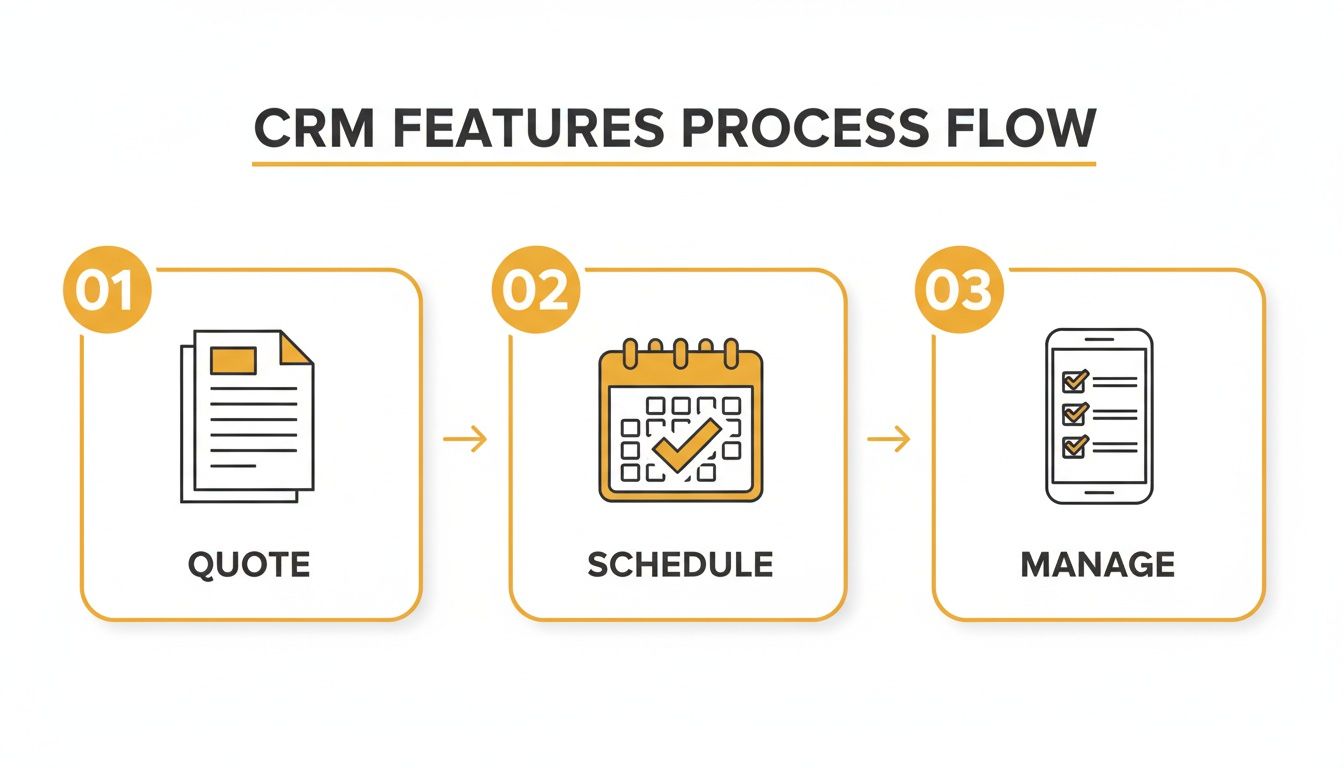
As you can see, a good system connects all the dots, eliminating the gaps where leads and details usually fall through the cracks.
Your Tireless Sales Assistant
Once a lead is captured, the real work begins: booking the job. After you send a quote, the follow-up process is where most deals are won or lost. But trying to manually track who to call and when is next to impossible, especially during your busy season.
This is where automated quote follow-ups become your secret weapon. The system sends perfectly timed texts and emails to customers who haven’t booked, gently nudging them to make a decision without you lifting a finger. It’s a massive competitive advantage.
The moving company that follows up consistently is the business that wins the job. Automation does this for you tirelessly, turning hesitant leads into confirmed bookings while you focus on running your operations.
This shift toward automation isn't a niche trend; it’s where the entire industry is heading. Customers who get a fast response are far more likely to book. An automated system for lead conversion makes it dead simple for the customer to say "yes." By creating a clear path from quote to booking, you can lock in more moving jobs without adding more work.
If you want to map out what this looks like for your own business, check out our guide on creating an effective sales process flowchart.
How to Choose the Right CRM for Your Moving Business
Alright, you know what a CRM for movers is supposed to do. Now for the hard part: how do you actually pick the right one?
This is where a lot of moving company owners get stuck. It’s easy to get mesmerized by a long list of features and end up with a system so complicated it just creates more work. The goal isn’t to buy more software; it's to find a tool that makes your life easier from day one.
Was It Built for Movers?
This is the first and most important question. Was this CRM built for a business that manages jobs, crews, and trucks? Or was it built for a sales team selling widgets?
A generic sales CRM will have you trying to jam your entire operation into its weird, contact-first logic. You'll spend hours creating clunky workarounds just to track a simple move from quote to completion. It’s a nightmare.
A mover-specific CRM gets your world. It thinks in terms of jobs, schedules, and dispatch. This isn’t just a small detail—it's everything. If the software doesn't speak your language, you'll always be fighting it.
Could Your Dispatcher Use It Tomorrow?
Your team is out on moves, your dispatcher is juggling calls, and you don’t have six weeks for a training course. The right CRM should be so intuitive that your office manager can figure out how to book a job in an afternoon.
If you look at the main screen and can’t immediately see your schedule for the day, it’s too complicated.
The best tool is the one your team will actually use. A complex system with a hundred features is useless if it gathers dust because no one can figure it out. Simplicity is not a missing feature; it's the most important one.
Here’s a simple test: During a demo, ask yourself, "Could my lead dispatcher use this tomorrow to schedule a job without my help?" If the honest answer is no, walk away.
Does It Play Well with Others?
Your CRM can't live on an island. It has to connect to the other tools you depend on, especially your lead sources—like your website forms and your phone system—and your calendar. Manually typing in lead info is a soul-crushing waste of time and a surefire way to make mistakes.
A great CRM will automatically pull in leads from your website. An even better one will connect to an AI receptionist that pipes call data and new bookings directly into the system. That’s how you build an automated workflow that makes sure you never miss a lead. This is a critical piece of finding the right home service business software that actually works for you, not against you.
Can It Grow with You?
The system you choose today has to work when you have ten trucks, not just two. Can it handle more jobs, more crews, and a flood of customer data without grinding to a halt? Can you add new users easily as your team expands?
This is why a cloud-based platform is non-negotiable. Look at the numbers: 91% of companies with more than 10 employees use a CRM. It's not optional anymore. In fact, 65% of all businesses get a CRM within their first five years because they know it’s fundamental for growth.
And with 87% of CRMs being cloud-based today, it’s the standard for a reason—especially for movers who need mobile access for crews on the go. If you're interested in the data behind this, you can dig into more CRM statistics and see why it’s become such a foundational tool.
Measuring the ROI of Your Service Business CRM
A new software subscription can feel like just another line item on the expense sheet. But looking at a CRM for a service business as a "cost" is the wrong way to think about it. It’s a revenue-generating machine.
The right question isn’t, “What does it cost me?” It’s, “How much money is it making me?” Measuring the return on your investment isn't some abstract exercise. It comes down to a few hard numbers that directly hit your bottom line.
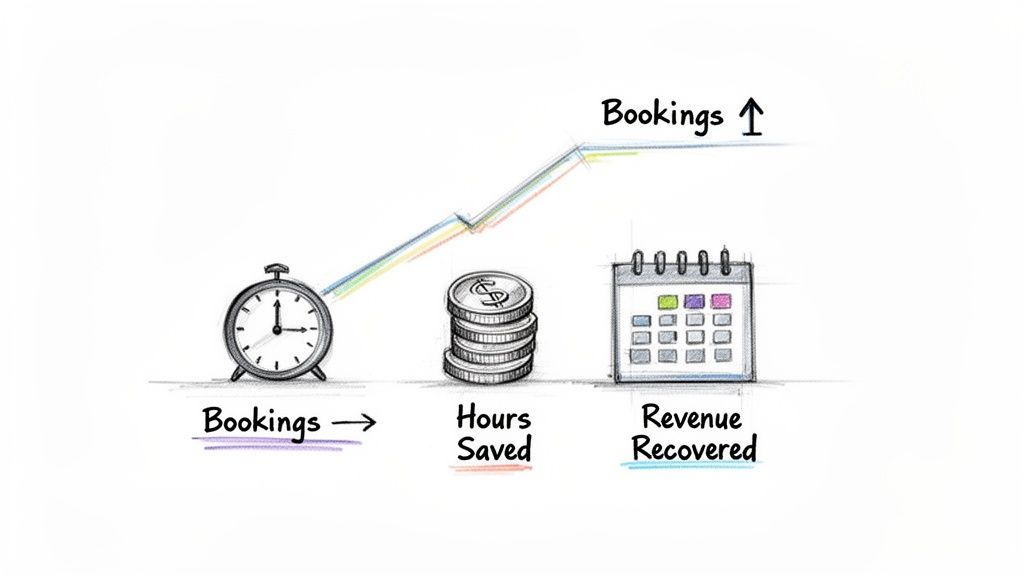
The data speaks for itself. For every dollar spent on a CRM, the average return is $8.71. Businesses like yours see a 29% increase in sales and a 34% boost in team productivity. These aren't just feel-good numbers; they show that getting your moving company operations in order is a direct multiplier for your business. You can see more on how CRM adoption drives these results and why it's a foundational investment.
Increased Booking Rate
Speed wins jobs. It’s that simple. When a potential customer calls around for quotes, the first company to respond is often the one they book. A CRM with quick quoting and automated follow-ups gives you that critical edge.
Instead of taking hours to track down information and get back to a lead, you can fire off a professional quote in minutes. Your CRM can then take over, sending follow-up texts or emails to keep your company top-of-mind. This one change can lift your booking rate by 10-20% almost overnight.
Revenue Recovered from Missed Calls
Every call that hits your voicemail is money walking out the door. For a smaller moving business, that can easily mean 3-7 lost jobs every single month. A modern system, especially one with a 24/7 AI front office, guarantees that every lead is captured and qualified—no matter when they call.
Start tracking the jobs you book from calls that came in after hours or when your team was tied up. This is pure, recovered revenue you would have completely lost otherwise. Often, just one booked job from a previously missed call pays for the entire month of your automation software.
Hours Saved on Administrative Tasks
Think about how much time you or your dispatcher spend on the grind: manual data entry, building quotes from scratch, juggling schedules, and chasing down payments. A good CRM automates these repetitive tasks, handing you back dozens of hours every week.
A CRM doesn't just make you more money; it gives you back your most valuable asset: time. That's time you can reinvest into strategic growth, improving customer service, or simply getting your life back.
This isn't a minor perk; it's a direct financial return. Just calculate the hourly wage of your office staff and multiply it by the hours saved each month. That number is a hard-dollar saving that goes straight to your profit margin. If you want to dive deeper into the financial side of lead acquisition, you might be interested in our guide on calculating your cost per lead.
Your CRM Questions Answered
Even after seeing how a real system can change the game, it’s normal to hesitate. I get it. Pulling the trigger on new software feels like a huge step, and you’ve got questions about the cost, the hassle, and whether it’s even right for your company right now.
Let's cut through the noise and tackle the real questions moving company owners ask when they’re thinking about a CRM for their service business.
Is My Moving Company Too Small for a CRM?
Absolutely not. In fact, it’s the other way around. The small guys—the movers with 1-5 trucks—are the ones who see the biggest, fastest return on their investment.
Why? Because getting a CRM early on stops the chaos before it starts. It builds good habits from day one. You’re not trying to untangle a mess of spreadsheets, Post-it notes, and voicemails two years from now when you’re twice as big.
Think of it as pouring a solid foundation for your business. Modern systems are built to be affordable and grow with you, letting you capture every lead and focus on giving great service instead of getting buried in paperwork during the busy season.
How Long Does Setup and Training Take?
Forget the nightmare of a months-long IT project. A modern CRM built for a service business like yours can be up and running in a single afternoon. Seriously.
These platforms are designed for movers, not tech gurus. The interfaces for dispatching, quoting, and managing jobs are intuitive because they were built by people who understand your workflow.
Training your team is often as simple as a one-hour walkthrough. If the software is so complicated that you need a consultant to set it up, you’re looking at the wrong tool for your moving business.
The goal is to find a tool that "just works" right out of the box. Anything more complicated is a distraction you can't afford.
Can a CRM Work with an AI Call Answering Service?
Yes, and honestly, this is the most powerful combination for a modern moving company. It’s how you stop leaving money on the table.
Here’s how it works: An AI receptionist, like MoveJoy, answers every single call, 24/7. It captures all the job details perfectly and then feeds that lead data directly into your CRM, all without you lifting a finger.
This completely kills manual data entry. It guarantees you never lose a lead to voicemail again. And it can instantly trigger follow-up emails or texts. You get a seamless, automated workflow from the first ring to the booked job, which means more revenue and a team that isn’t constantly playing catch-up.
What Is the Difference Between a CRM and Dispatch Software?
This is a critical distinction, so pay attention here. Most movers confuse the two, and it’s a costly mistake.
Dispatch software is a one-trick pony. It only does one thing: schedule and route your crews for jobs you’ve already booked. It does absolutely nothing to help you find leads, send quotes, or manage the relationship with your customer before they say "yes."
A true CRM for a service business manages the entire customer journey, from start to finish. This includes:
- Capturing the initial lead from a phone call or web form
- Sending quotes and automated follow-ups so no lead goes cold
- Managing the job schedule and dispatch
- Handling invoicing and collecting payments
- Following up after the move to ask for reviews
The best systems out there combine both CRM and dispatch functions into a single platform. This gives you a complete command center for your entire operation—from the first call to the final payment.
Ready to stop missing calls and start booking more jobs? MoveJoy acts as your 24/7 AI receptionist, capturing and qualifying every lead so you never lose revenue again. See how it works at https://getmovejoy.com.