Crew Schedule Software Isn’t Just an Expense—It’s Your Profit Engine
That old whiteboard or spreadsheet you’re using for crew scheduling isn’t just a headache—it’s a silent drain on your profits. It’s not a free tool when it costs you thousands in lost jobs. This isn't about minor annoyances; it's about the very real, and very expensive, consequences of manual scheduling in a fast-paced moving business.
The Real Cost of Old-School Crew Scheduling
Let’s be honest. As an owner with a handful of trucks, you’ve lived this chaos. You get a call for a high-value job while you’re out on a move. You don't have the schedule in front of you, so you say, "Let me check and call you back." That customer is already dialing your competitor.
That's a lost job. With the average move valued at over $1,000, those "call-backs" add up fast. For a small moving company, this kind of operational drag easily leaks $50,000 to $150,000 in revenue every year. It’s the cost of double-booked crews, last-minute scrambles to cover a shift, and the constant stress of not knowing your true availability at a moment's notice.
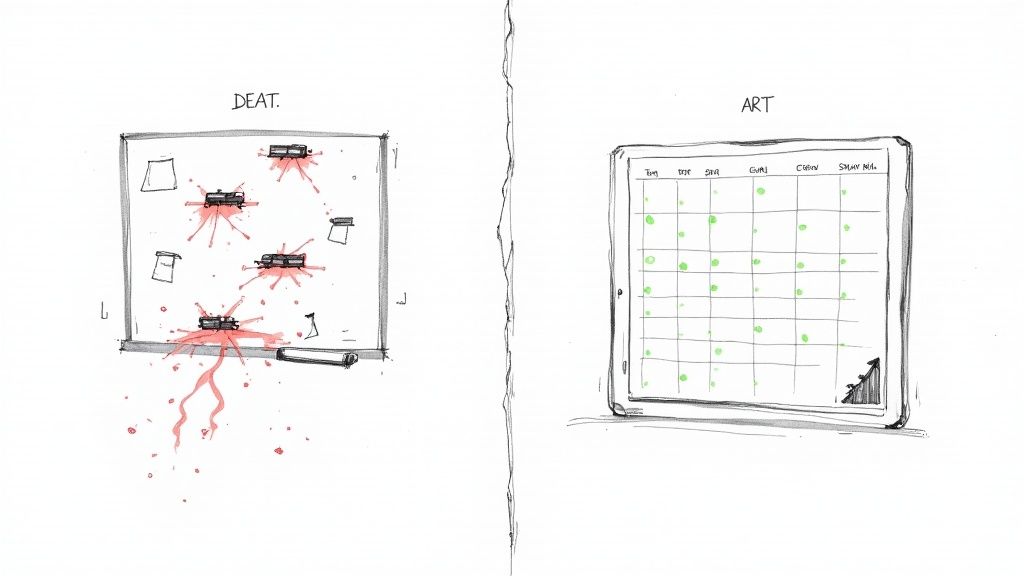
Where the Money Is Really Disappearing
The damage from manual scheduling goes way beyond just the obvious mistakes. It seeps into every corner of your business, creating hidden costs that stall your growth. Think about your daily reality:
- Lost After-Hours Leads: A huge chunk of your potential customers, around 35-40%, inquire after your office has closed for the day. Without a system that knows your crew’s availability 24/7, these calls go to voicemail and the leads go straight to your competition.
- Missed Daytime Calls: During the busy season, 15-25% of calls go unanswered simply because you're on another line or out on a job. Every missed call is a potential $1,000+ move booking with someone else.
- Operational Inefficiency: How much time do you or your dispatcher spend texting crews, confirming shifts, and rearranging the schedule when a job runs long? This manual effort is time you could be spending on sales, marketing, or training. It’s death by a thousand paper cuts.
The core problem is that a spreadsheet can't answer the phone, confirm availability in real-time, and book a job. It’s a passive tool in a business that demands immediate, active responses.
To see the difference in black and white, let’s break down the real-world impact of sticking with the old way versus embracing a system built for movers.
Manual vs Software Scheduling: The Financial Impact
| Challenge | Manual Scheduling (The Old Way) | Crew Schedule Software (The New Way) |
|---|---|---|
| Lead Response Time | "I'll call you back." Leads are lost in minutes. | Instantly confirm availability and book on the first call. |
| After-Hours Calls | Voicemail black hole. 35-40% of leads are ignored. | 24/7 automated booking captures every lead, anytime. |
| Scheduling Errors | Frequent double-bookings and overloads, costing jobs and reputation. | Centralized view prevents conflicts. No more "oops" moments. |
| Dispatcher's Time | 2-3 hours/day spent on phone tag and schedule adjustments. | Scheduling and confirmations are automated. Time is freed up for growth tasks. |
| Annual Revenue Leak | Easily $50,000 – $150,000 in lost jobs and inefficiency. | Recaptures lost revenue, often paying for itself within the first month. |
The numbers don't lie. Sticking with manual methods isn't saving you money; it's actively costing you revenue and hamstringing your ability to grow.
A Growing Market for a Reason
This isn't just a challenge for movers; it’s a widespread issue in any industry with a mobile workforce. The demand for better tools is exploding. The global market for crew scheduling software is projected to grow from $1.65 billion to $4.67 billion by 2033, driven by the need for greater efficiency and cost control. You can dive deeper into the market trends and see why so many businesses are making the switch.
Relying on old methods in this environment is like trying to compete in a truck race on a bicycle. It’s not just about being disorganized; it's about being fundamentally outmatched.
Effective crew schedule software isn't a luxury—it’s the engine for growth, turning operational chaos into predictable revenue. It’s how you stop leaving money on the table.
How Crew Scheduling Software Works for Movers
Let’s cut through the tech jargon. What does crew schedule software actually do on a chaotic Tuesday morning when your phone is ringing off the hook?
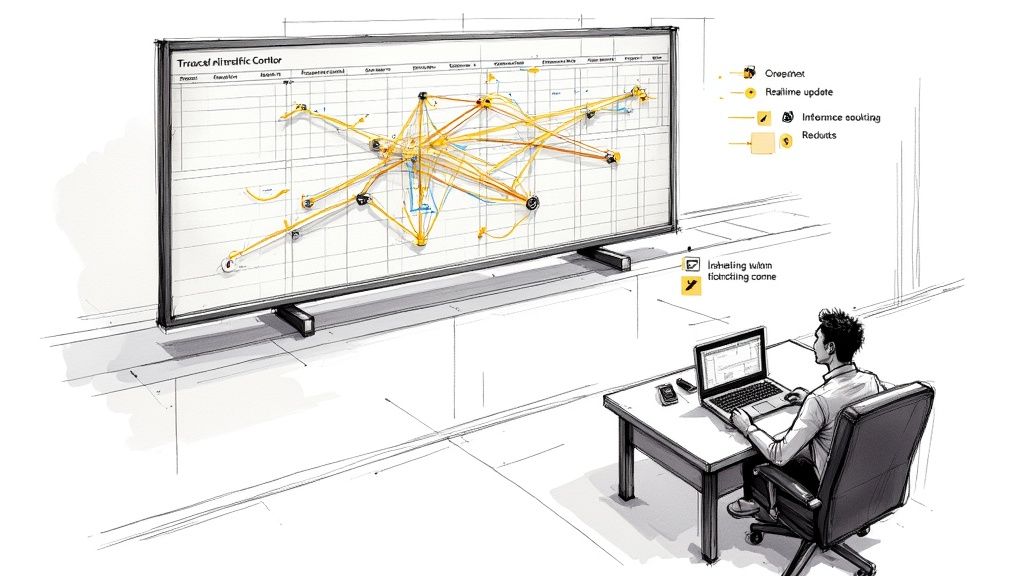
Think of it as the air traffic control tower for your entire moving operation. It gives you one clean, simple view of every truck, every crew member, and every single job on the board.
Instead of a whiteboard covered in scribbled notes or a spreadsheet that’s out of date the second you save it, you get a live, central calendar. This isn't just a digital version of your old paper system; it's a command center that actively manages all the moving pieces of your business. When a new job gets booked, it’s not just a colored block on a screen—it’s an assignment tied to a specific truck, a qualified crew, and all the customer's details.
From Chaos to Control: A Central Hub
Picture the typical morning scramble. You're texting your crew leads to confirm start times, answering calls from guys who forgot the address, and trying to remember if Truck #3 is back from its first job yet. Crew scheduling software gets rid of that entire frantic dance.
It becomes your single source of truth. Here’s what that looks like in the real world:
- One Central Calendar: See every job—past, present, and future—on a single screen. You can filter by truck, crew lead, or job status to get the exact information you need in seconds.
- Clear Crew Assignments: No more confusion. The software shows you exactly who is assigned to which job, preventing you from accidentally sending your top packing specialist to a simple labor-only move.
- Real-Time Truck Availability: Instantly know which trucks are free, which are on a job, and which are down for maintenance. This alone stops you from double-booking your most valuable assets.
This centralized view is the foundation of it all. It stops the constant "who, what, where?" phone calls that pull you away from actually running your business and gives you the clarity to make smart decisions on the fly.
The goal isn't just to organize information, but to automate communication. The software becomes the middleman, so you don't have to be.
Automated Communication That Just Works
Now, here’s where the real magic happens. Good crew schedule software doesn’t just hold information; it pushes it out to the people who need it, right when they need it. This is the part that slashes no-shows and cuts down on the endless back-and-forth.
Imagine this workflow:
- Job Assignment: You drag and drop a new job onto a crew's schedule for next Thursday.
- Instant Notification: The crew lead and all team members immediately get a push notification on their phones with all the job details—time, address, customer name, and any special instructions.
- Automatic Reminders: The day before the move, the system sends an automatic reminder to the crew to make sure everyone is on the same page. No more "I forgot" excuses.
- Real-Time Updates: If a customer calls to push their start time back an hour, you update it once in the system. The entire crew is notified instantly. You don't have to make four separate phone calls.
This isn't about fancy bells and whistles. It’s about solving the most common—and most costly—communication breakdowns in the moving industry. It’s how you prevent a crew from showing up late or to the wrong address, saving you from an angry customer and a potential one-star review.
Ultimately, it gives you command and control over your daily operations without having to micromanage every single detail.
Features That Actually Make You Money
Look, not all scheduling software is made for the chaos of a moving company. A lot of it is just bloated tech with a million features you'll never use. It creates digital clutter instead of solving the real problems that cost you money.
As an operator, you don't need another complicated system to manage. You need tools that directly lead to more booked jobs and fatter profit margins. Let's skip the fluff and talk about the non-negotiable features that actually impact your bank account.
Mobile Access Isn't a Luxury, It's a Requirement
Your crews are on the road, not chained to a desk. If your scheduling "system" involves them calling the office to ask, "Where am I going next?"—it's already broken. A dead-simple mobile app isn't a nice-to-have feature; it's the absolute core of an efficient moving company.
When your crew leads can see their whole day on their phone, everything changes:
- Fewer "Where to?" calls. All the critical info—address, customer name, phone number, special instructions—is right there. This frees up your dispatcher's time and kills the risk of a wrong turn or a missed detail that costs you a customer.
- Instant job updates. If a job gets added or a time shifts, a push notification hits their phone immediately. No more frantic games of phone tag trying to coordinate a last-minute change.
- Simple clock-in/clock-out. Crews can track their hours right from the app. This makes payroll a breeze and ensures your job costing is actually accurate, not just a guess.
This one feature alone can shave hours off your administrative work every week. It eliminates one of the biggest daily headaches for both your office team and the guys on the truck.
Automated Dispatching and Communication
Seriously, how many hours do you or your dispatcher burn sending texts? Confirming shifts, reminding crews about start times, checking in on job progress—it’s low-value work that eats up the day. It has to get done, but it shouldn't be done by a person.
Good crew schedule software becomes your automated dispatcher. It handles all that repetitive communication that drains your team's energy. It sends out job assignments, daily reminders, and schedule updates without you lifting a finger. This frees up your people to focus on high-value stuff, like talking to new leads or finding your next all-star mover. It’s about replacing manual busywork with a system that works for you 24/7.
The right software doesn’t just show you a schedule; it executes it for you. It makes sure every crew member knows exactly where to be and when, cutting down on the no-shows and late starts that can throw your entire day into chaos.
Intelligent Capacity Management
Running a moving company is a constant balancing act. In the summer, you're trying not to overbook and burn out your best guys. In the winter, you're trying not to let expensive trucks and talented crew members sit idle.
A powerful scheduling tool gives you a real, honest look at your capacity. You can see at a glance exactly how many jobs you can handle on any given day. This prevents two of the biggest profit-killers in this business:
- Overbooking: Saying "yes" to just one too many jobs creates a domino effect. Crews are late, customers get angry, and you end up with a couple of nasty one-star reviews that haunt you for months.
- Underbooking: If you don't truly know your availability, you might turn down a profitable job you could have easily handled. That's just leaving cash on the table.
This feature helps you squeeze every last drop of revenue out of your existing resources. You'll make smarter, data-backed decisions about when to push for more jobs and when to tell a customer, "Sorry, we're fully booked."
Critical Integration with Your Sales Process
This is the big one. Your schedule cannot live on an island, completely disconnected from how you get new business. If it isn't tied into your lead intake and quoting process, you are missing the single biggest opportunity for growth.
An isolated schedule helps you organize the jobs you already have. An integrated schedule helps you book more jobs, faster.
When your scheduling platform talks to your phone system and your quoting tools, it creates a smooth line from the first "hello" to the final invoice. Your team can be on the phone with a brand new lead, see crew availability in real-time, give a confident quote, and book the job right then and there. To see exactly how this works, check out our guide on moving company estimate software that plugs directly into your schedule.
This is what turns your schedule from a simple chart into a machine that generates revenue. It ends the dreaded "let me check and call you back" routine that loses you thousands of dollars in potential jobs every single month.
Choosing the Right Software for Your Moving Company
Picking a software solution can feel like a marathon of boring demos. They all start to blur together, and every salesperson swears their tool will magically fix every problem you have. As a moving company owner, you need to cut through that noise and focus on the only thing that matters: will this tool help me book more jobs and stop leaving money on the table?
Most scheduling tools out there are built for office workers or coffee shops. They just don't get the controlled chaos of a last-minute move, the puzzle of a multi-day pack-and-load, or the simple fact that your "office" is usually the cab of a truck. Using a generic calendar app to run a moving company is like trying to turn a screw with a hammer—it's the wrong tool for the job, and you're just going to make a mess.
You need software built by people who understand the specific rhythm of a service business like yours. It has to be dead simple for your least tech-savvy crew lead to use on their phone, but powerful enough to give you a bird's-eye view of your entire operation without a dozen clicks.
A No-Nonsense Checklist for Software Demos
Don't let a slick presentation distract you from what's important. During any demo, you need to be the one driving the conversation with tough, practical questions. Arm yourself with this checklist to make sure you’re getting a tool that will actually work in the real world, not just in a sales pitch.
Here’s what you need to demand they show you:
- How does it handle last-minute changes? Make them show you, live, what happens when a customer calls to push their move back by three hours. How fast can you update the schedule and ping the crew?
- Can I see the mobile app right now? The pretty dashboard they show you on a big screen is only half the story. The mobile app is what your crews will live with every single day. If it’s clunky or confusing, they won’t use it. Period.
- How does it manage multi-day jobs? Ask them to block out a specific crew and truck for three days straight. Does it create a complicated, overlapping mess, or is it clean and simple?
- What is the total cost? Get past the monthly subscription fee. Are there hidden charges for setup, training, adding another user, or calling customer support? You need the full picture to figure out if this thing will actually make you money.
These questions force the conversation away from vague features and into the concrete, daily headaches of running a moving business. It's how you find out if you're talking to a real partner or just another software vendor.
Choosing the right software isn't about finding the one with the most features; it's about finding the right features that solve your biggest revenue-leaking problems. It should easily pay for itself by helping you capture just one or two extra jobs a month.
Looking at the Bigger Picture
The demand for smarter workforce management tools is exploding across every industry, not just moving. The global market for employee scheduling software was around $481.5 million and is on track to hit $1.3 billion by 2032. This growth isn't just hype; it's driven by businesses that are tired of manual scheduling and want smarter, cloud-based tools that actually make their lives easier. You can learn more about these scheduling market trends to see the bigger picture.
For movers, this means the technology is finally catching up to our needs. The goal is to make a confident decision that stops the revenue leaks and helps you book more of those high-value, $1,000+ jobs. To help you compare the top options built specifically for movers, we've put together a detailed breakdown in our guide to the best software for moving companies.
Making the right choice here isn't an expense—it's a direct investment in your company's growth and your own peace of mind.
Connecting Your Schedule to Your Phones to Book More Jobs
An organized schedule is great, but a full one is better. This is where you stop just managing jobs and start actively booking more of them. The real breakthrough happens when your crew schedule software goes from being a simple organizational chart to a machine that generates revenue on its own.
This happens when you connect the two most critical parts of your business: your crew’s availability and your phone system. When a high-value lead calls, you have to know your availability instantly to close the deal right then and there. Hesitation is a deal-killer.
Turning Missed Calls into Booked Jobs
We all know the painful reality of missed calls. As an operator, you've probably seen the numbers stack up. With 15-25% of calls going unanswered during the day and another 35-40% of inquiries coming in after hours, the amount of money leaking out of your business is massive.
Each one of those missed calls isn't just a nuisance; it's a lost opportunity for a $1,000+ job. This is where connecting your schedule to your phone intake changes the game entirely.
Instead of a potential customer hitting voicemail, they can get a quote and book a job based on your real-time availability, even if you’re on a truck or it's 9 PM on a Tuesday.
This powerful connection creates an automated booking engine that works for you 24/7. It’s the difference between a schedule that’s a passive record of what you’ve already booked and one that actively fills your calendar with new, profitable moves.
The Automated Booking Workflow
So, how does this actually work on the ground? It’s simpler than you might think and far more effective than just having a person answer the phone. It’s all about creating a seamless process from the first ring to a confirmed booking.
Here's the step-by-step flow that turns a new lead into a scheduled job:
- A Customer Calls, Anytime: Whether it’s during a lunch rush or late at night, the call is answered instantly.
- Availability Is Checked: The system immediately checks your crew schedule software to see your real-time capacity for the requested date.
- The Lead Is Qualified: Key details are gathered—move size, location, special requirements—to ensure it's a job you want.
- A Quote Is Sent: A professional, accurate quote is texted directly to the customer’s phone within minutes.
- The Job Is Booked: The customer accepts the quote, and the job is automatically added to your schedule, assigning the right crew and truck without you lifting a finger.
This process ensures your business is always open and ready to capture revenue. The key is that the system has direct access to your crew’s schedule, so it never overbooks you or promises a time slot you can't deliver. If you're looking to capture every single opportunity, understanding how an after-hours answering service for small business integrates with your schedule is a crucial next step.
The graphic below shows the simple but powerful decision flow for getting these systems in place.
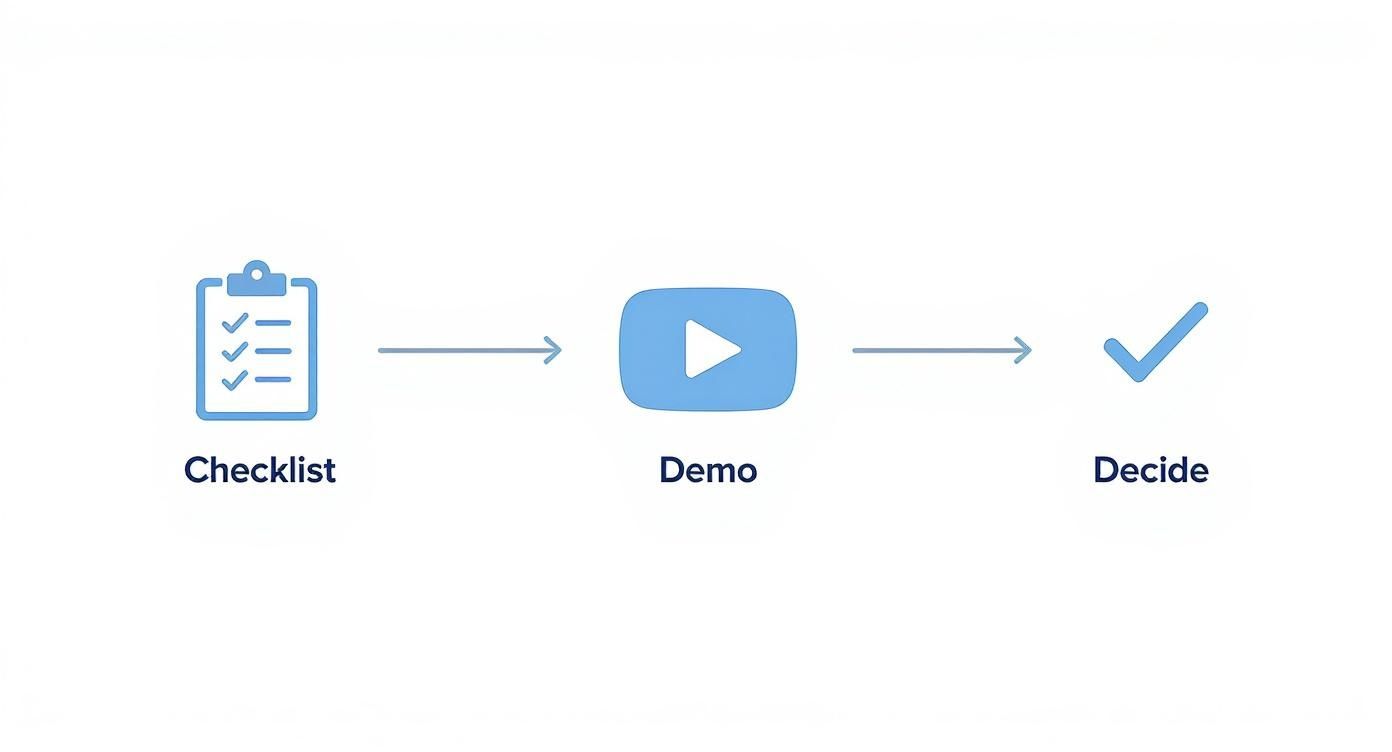
This visual shows that a straightforward process of creating a checklist, getting a demo, and making a decision is all it takes to implement a solution that turns your schedule into a booking engine.
At MoveJoy, we've seen this integration become the single biggest driver of growth for moving companies. It stops the $50K-$150K in annual revenue leakage that comes from missed calls and slow follow-ups. By connecting your schedule to an intelligent phone system, you ensure that every lead gets a fast, professional response, drastically increasing your chances of winning the job. It’s how small operators level the playing field and consistently outbook their larger competitors.
Answering Your Top Questions About Crew Scheduling Software
Thinking about new tech can feel like a massive leap, especially when you’re just trying to get through the day's moves. We get it. We’ve been there. As operators ourselves, we’ve heard every question in the book. You have tough, practical concerns, and you deserve straight answers, not a sales pitch.
Here are the most common questions we hear from owners who are on the fence about switching to crew scheduling software.
My Crews Aren't Tech-Savvy. How Hard Is This to Learn?
This is the number one concern, and for good reason. The last thing you need is a tool your guys can't—or won't—use. It just creates more headaches.
The best software out there is built for your crew, not for an IT department. You should be looking for a simple, visual mobile app where a crew lead can see their schedule, get job details, and clock in with just a couple of taps. A good system actually reduces the number of calls they have to make to the office for directions or job notes, which most crews end up loving.
When you're watching a software demo, ignore the fancy desktop dashboard for a minute. Ask to see the mobile app and picture your least tech-friendly employee trying to use it. The transition is almost always smoother than owners expect because the benefit for the crew is immediate: clarity and fewer interruptions.
How Much Does Crew Scheduling Software Cost?
Pricing varies, but it's critical to see this as an investment, not just another monthly charge on your credit card. For a company running anywhere from 1 to 20 trucks, you’ll likely see monthly fees from a hundred to several hundred dollars.
But here's the real math to focus on: if the software helps you book just one additional average move a month—a job worth $1,000+—it has already paid for itself multiple times over.
When you look at pricing, always ask about hidden fees for setup, training, or support. The right tool should deliver a clear return by helping you stop losing jobs to scheduling conflicts and making your whole operation more efficient. It’s not a cost center; it’s a revenue generator.
Can This Integrate With Other Tools Like QuickBooks?
It absolutely should. In fact, if it doesn't, you should probably walk away. Integration is what turns a decent tool into the command center for your entire business. A standalone scheduler is a small step up from a whiteboard, but an integrated one connects every moving piece.
For movers, the most important integrations are with your CRM (so new jobs flow in automatically) and your accounting software like QuickBooks for painless invoicing and payroll. For example, when job hours are tracked in the app, that data can be sent straight to QuickBooks. This kills hours of manual data entry and prevents the kind of costly payroll errors that drive you nuts. It creates a smooth line from the first customer call all the way to the final payment.
A scheduler that doesn't connect to your other systems is just a digital island. An integrated one builds bridges between every part of your operation, from sales to payroll.
What Makes This Better Than Just Using Google Calendar?
This question comes up a lot, and it’s a fair one. Google Calendar is a fantastic tool for personal appointments or simple office meetings, but it completely falls apart when you try to manage the messy, real-world logistics of a moving company.
It just wasn’t built for what you do. Think about your daily needs:
- Skill Tracking: Can Google Calendar tell you which crew members are certified drivers versus who your expert packers are? Nope.
- Asset Management: It has no clue about your trucks. It can't stop you from accidentally double-booking Truck #5 for two different jobs at the same time.
- Dynamic Workflows: It struggles with multi-day jobs and has no way to automatically calculate travel time between locations, leading to blown schedules.
- Customer Communication: It’s not going to send an automated reminder text to your customer the day before their move.
Dedicated crew schedule software is built for the chaotic nature of your work. It gives you a true bird's-eye view of your company's capacity and prevents the scheduling collisions that cost you money and damage your reputation.
Think of it this way: Google Calendar is a digital notepad; a purpose-built scheduling platform is an intelligent dispatch hub.
At MoveJoy, we help moving companies turn these operational headaches into real growth. If you’re tired of losing jobs to missed calls and scheduling chaos, we can show you how to connect your schedule directly to your phones to create an automated booking machine. Let's talk about how we can help you book more jobs.