
June hits, the phones start ringing before the first truck leaves the yard, and the office turns into a traffic tower. One customer wants a same-week quote. Another needs to confirm a stair carry for tomorrow’s move. A crew lead is asking where the extra wardrobe boxes went. Your dispatcher is juggling schedule changes, and the person calling right now expects an answer in minutes, not later this afternoon.
This is often the case for a lot of 5 to 20 truck moving companies. The issue usually isn’t effort. It’s that too much of the business still lives in spreadsheets, text threads, whiteboards, and one person’s memory. When that happens, revenue leaks out in two places first. Missed calls and bad quotes. During busy season, both get expensive fast.
Owners looking at moving business management software often ask the wrong question. They ask which platform has the most features. The better question is simpler. Which system helps you answer faster, quote more accurately, schedule cleanly, and get paid with less office chaos?
The Hidden Costs of Running a Moving Business on Spreadsheets

A spreadsheet works fine until the business gets busy enough that timing matters more than recordkeeping. That usually happens well before an owner feels “big.” At five trucks, one missed handoff can ruin a morning. At ten or fifteen, the office starts paying a tax on every manual process.
A common setup looks harmless. Leads come in through calls, web forms, and text. Quotes live in one sheet. The schedule lives in Google Calendar. Dispatch notes sit in a group chat. Payments are tracked somewhere else. Nobody built that system on purpose. It just happened over time.
Where manual systems break first
The first crack is usually lead response. If the office misses a call at lunch, after hours, or while handling a problem move, that lead often sits untouched until someone has time to call back. By then, the customer may already have another estimate scheduled.
The second crack is quote consistency. One rep remembers to add travel time. Another forgets the long carry. Someone prices a local move hourly, but the next rep treats a more complex job like a simple same-day apartment move. Margins disappear when pricing logic lives in people instead of systems.
Most office chaos in a moving company starts as an information problem, not a labor problem.
The real cost is operational drag
Spreadsheets also force the owner or lead dispatcher to become the human bridge between departments. Sales asks dispatch if a truck is open. Dispatch asks accounting whether the deposit cleared. Customer service asks sales what was promised on the quote. The business slows down because everyone is waiting on someone else to confirm basic facts.
That’s why document and workflow automation matter more than most movers think. Even outside the moving category, the operational lesson is the same. Manual admin work piles up, approvals stall, and errors multiply when information moves by hand. The broader point in Superdocu insights on automation applies directly here.
A simple comparison makes it obvious:
| Workflow area | Spreadsheet process | What usually happens |
|---|---|---|
| Inbound leads | Logged manually after calls | Delays, missed callbacks, duplicate entries |
| Quoting | Built from memory or old templates | Inconsistent pricing, missed charges |
| Scheduling | Updated in separate calendar tools | Double-bookings, crew confusion |
| Billing | Re-entered after the job | Slow invoicing, payment lag |
If the office feels like it's always catching up, that's the signal. The business doesn't need more hustle. It needs a system that reduces rework.
What Is Moving Business Management Software Really
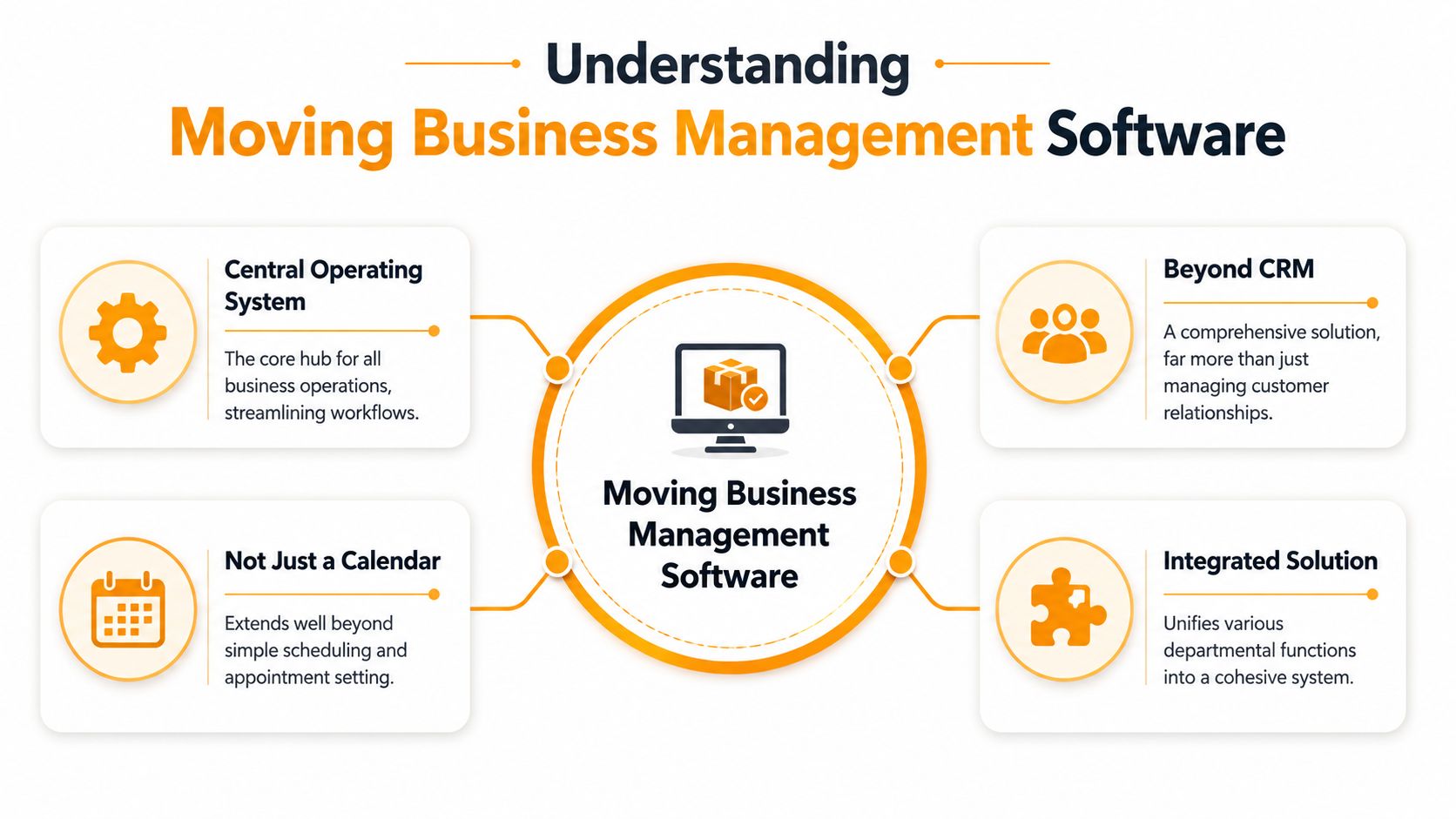
Most owners hear “software” and think of one more dashboard to check. That's the wrong frame. Moving business management software is the operating layer that connects the front office, dispatch, billing, and customer communication so the same job doesn't have to be recreated five different times.
The best way to think about it is this. It's a digital dispatcher and office manager that doesn't forget details, doesn't lose paperwork, and keeps each department looking at the same move record. Industry guidance describes move management software as a core operational layer that connects lead capture, quoting, scheduling, dispatch, accounting, and communication, with features like digital surveys, e-signatures, automated follow-ups, and profitability reporting in one system, as outlined by MoveHQ's guide to choosing a move management system.
It is your operating layer
A basic CRM stores contact records. A calendar stores appointments. A moving platform should do more than both.
It should let your team:
- Capture leads cleanly so phone, SMS, and email inquiries don't disappear into separate inboxes.
- Build job records once so sales, dispatch, and billing all work from the same information.
- Track job status from estimate to booked move to completed invoice.
- Support follow-up when a customer doesn't book on the first conversation.
That's also why generic automation tools often disappoint movers. They may help with messaging or forms, but they don't understand moving workflows out of the box. If you're exploring conversational automation for intake, these chatbot solutions for movers show the category direction, but movers still need operations and quoting logic behind the conversation.
Why cloud access matters in the field
This category is moving toward web-based, accessible systems for a reason. The global moving company software market was valued at USD 16.03 billion in 2025 and is projected to reach USD 38.11 billion by 2035, implying a 9% CAGR. The same industry report says roughly 70% of moving companies are adopting cloud-based solutions, 77% of relocation managers rely on analytics for decision-making, and 42% of market share is concentrated in North America, according to Business Research Insights on the moving company software market.
For a moving company, cloud access isn't a buzzword. It means the owner can check the board from the yard, a salesperson can update a survey from the field, and the office can see changes without waiting for someone to come back and re-enter notes.
Practical rule: If your dispatcher, estimator, and bookkeeper each keep their own version of the truth, you don't have a software stack. You have a coordination problem.
Core Features That Directly Impact Your Bottom Line
Feature lists are where software buying often goes sideways. A vendor shows fifty modules, the owner nods along, and nobody asks whether the platform will protect margin on a real move with stairs, travel time, and a tight crew schedule.
For moving companies, a few features carry most of the value.
Quoting that matches how movers actually price jobs
Pricing logic comes first. If the system can't quote correctly, the rest doesn't matter. Industry guidance is clear that moving software must support service-type-driven pricing because local moves are commonly billed hourly, while intrastate, interstate, commercial, and international jobs often rely on tariff or line-item structures. That's why an advanced billing engine is treated as core for quote accuracy and margin protection in Movegistics' guidance on moving software requirements.
Here's what that means on the ground.
A local apartment move may need hourly labor, truck time, travel time, packing add-ons, and stair or long-carry adjustments. A commercial relocation may need a very different structure. If your software can only produce a generic estimate, your team either underprices the hard jobs or slows the office down with manual exceptions.
Look for a quoting workflow that can handle:
- Local residential pricing with hourly logic and common accessorials.
- Long-distance or commercial pricing without forcing the office into spreadsheet workarounds.
- Sales consistency so newer reps don't improvise their own quote method.
- Fast revisions when the customer adds packing, storage, or a specialty item.
Dispatch, billing, and communication that stay in sync
The next layer is job execution. A good dispatch board should help the office see crew assignments, truck availability, and schedule changes without a chain of phone calls. Billing should pull from the same job record so the office isn't rebuilding the invoice after the move.
Before and after looks like this:
| Area | Before | After |
|---|---|---|
| Scheduling | Dispatcher checks multiple calendars and text threads | One board shows open slots, assigned crews, and changes |
| Customer updates | Office calls manually when details change | Notes and confirmations stay tied to the job |
| Invoicing | Billing retypes job details from paper or chat | Invoice data flows from the completed move record |
Owners comparing systems should ignore flashy extras until these basics are solid. A platform that saves one hour a day in dispatch but still causes quote errors isn't finished.
If you want a broader benchmark for how operators compare operational systems, this field service management software comparison is useful because it frames software around workflow fit, not just features.
The Power of Integrations From CRM to Calendar
A standalone system helps. An integrated one changes how the office runs.
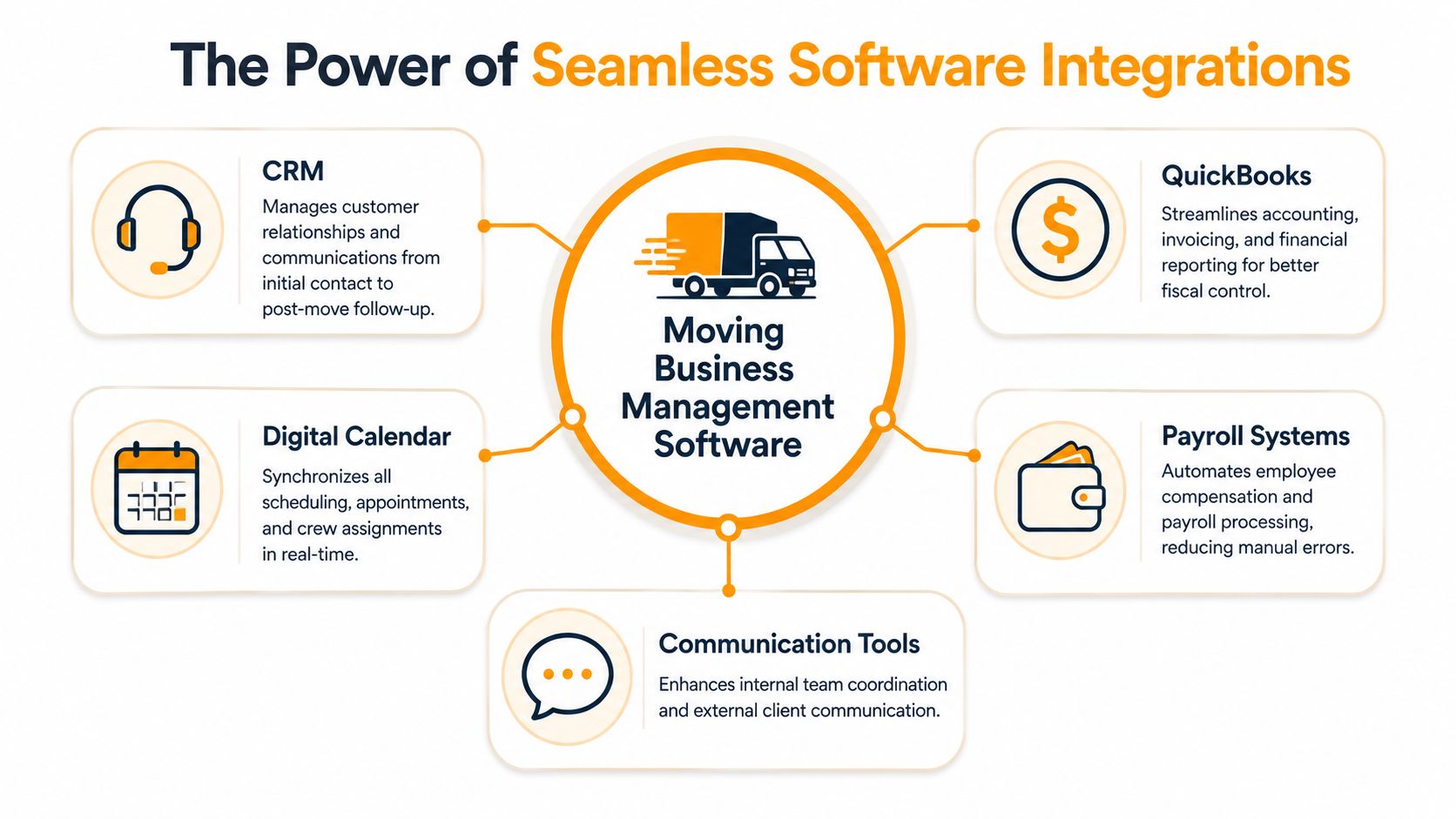
The value of integrations is simple. Your team enters information once, then the right people see it in the right tool. That matters in moving because the same lead touches sales, dispatch, accounting, and the customer, often within a short booking window.
Why double entry hurts growing movers
Industry guidance notes that integrated software creates value by eliminating data re-entry across sales, dispatch, and billing. When teams share the same job status in real time, it reduces errors from outdated spreadsheets and supports faster quotes, quicker payments, and tighter crew coordination, as explained in monday.com's overview of CRM workflows for moving companies.
That sounds abstract until you look at a normal week in a ten-truck operation. A lead books. Sales updates the CRM. Dispatch manually copies the move into the calendar. Accounting later rebuilds the customer record in QuickBooks. Somewhere along that chain, move dates, deposits, or service details drift.
The right integrations reduce that drift.
- Accounting links keep invoicing and payment recognition closer to the actual job.
- Calendar sync gives owners and dispatchers immediate visibility.
- Communication links keep confirmations, notes, and status changes attached to the job.
- Payroll or ops handoffs reduce the office burden after the move is complete.
The front-end gap most movers still have
There's one gap many movers still miss. Most CRMs are good once the lead is already in the system. They're less reliable in the few minutes before that happens.
That gap shows up after hours, during lunch rushes, and when the office is buried in same-day fires. The phone rings. If nobody answers with enough moving-specific knowledge to qualify and quote the lead, the CRM never gets a real opportunity to help.
A connected stack should cover both sides. It should manage booked jobs well, and it should feed clean, quote-ready opportunities into the system. For owners thinking through that larger architecture, this guide to a CRM for service business operations helps frame where core CRM ends and revenue capture automation needs to begin.
Your Buyer's Checklist for Choosing the Right Software
A July demo is the wrong environment. Every platform looks organized when the sales rep controls the clicks and nothing is on fire.
The true test happens on a Monday morning when three estimate requests come in at once, a crew is running late, and the office needs to turn a phone lead into a clean quote before the customer calls the next mover. For a 5 to 20 truck company, software should first protect revenue at the top of the funnel and at the estimate stage. If it misses calls, slows down quoting, or makes your team re-enter details, it will cost bookings even if the reporting looks polished.
That is why the buying decision should center on fit, speed, and adoption. Bain points out in Bain's research on underserved small business buyers that small companies buy differently. They need tools that solve a clear operational problem without a heavy support burden. In moving, that usually means fewer lost leads during busy hours and fewer bad estimates during peak season.
Questions to ask in every demo
Ask the vendor to run your actual office scenarios. Use one local move, one packing job, one reschedule, and one lead that did not book on the first call.
Use questions like these:
- Show me how a missed call becomes a live lead. If the office does not answer, what happens next, and how fast does the team see it?
- Show me a quote with real friction. Can the system price stairs, long carry, shuttle, packing, and a tight delivery window without side notes and manual math?
- Show me what happens when the schedule changes. If one truck goes down or a job runs long, how does dispatch adjust crews and customer timing?
- Show me the follow-up process. If a customer asks for time to think, what reminders, texts, or tasks keep that opportunity from going cold?
- Show me where mistakes usually happen. Deposits, revised inventories, extra stops, and change orders should be easy to spot and update.
If a vendor avoids live workflow questions, assume your team will discover the gaps after go-live.
What good fit looks like for a 5 to 20 truck mover
Good fit is simple to recognize. Your coordinator should be able to answer the phone, build a usable quote, check availability, and trigger follow-up from one place without hunting through tabs. Your dispatcher should see what changed without asking accounting. Your owner should be able to review booked revenue, open estimates, and schedule pressure in a few clicks.
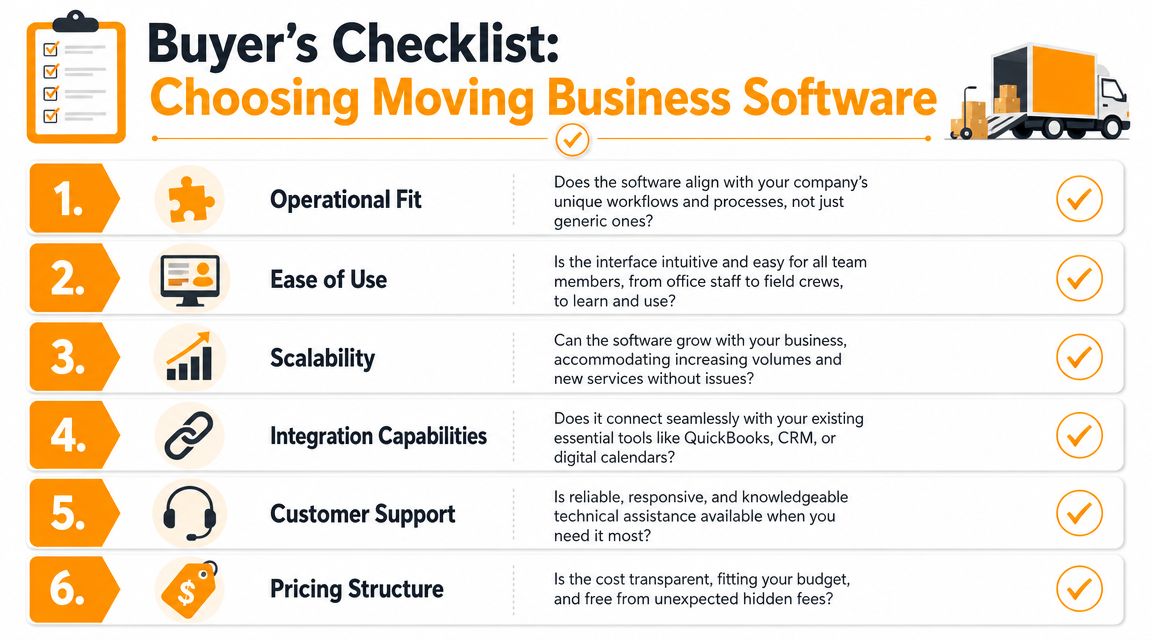
Use this shortlist when evaluating options:
- Lead capture that works during office gaps. Software should help your company catch after-hours and overflow opportunities, not just organize leads that were already answered.
- Quote logic your team can trust. Peak season exposes weak pricing fast. The system should handle the way your company prices moves.
- Fast office workflows. If common tasks take too many clicks, staff will go back to sticky notes and side spreadsheets.
- Clear handoffs between sales, dispatch, and billing. Everyone should work from the same job record.
- Support during busy season. Ask who responds when a quoting rule breaks in June, not just what the help center includes.
- Training that matches real roles. Sales, dispatch, and crew leads do not need the same setup or the same screens.
Owners who want a broader comparison can review these business process automation tools for service companies to see how different automation categories fit into office workflows.
Frontline adoption decides whether the purchase pays off. If dispatchers and crew leaders cannot use the system under pressure, the office starts building workarounds by week two. Some of the same operating lessons in Pebb insights on managing frontline teams apply here because moving companies win or lose on clean handoffs, field visibility, and fast updates.
Implementation and Best Practices for Automation
Most owners delay software changes for one reason. They think implementation will break the office for a month.
That can happen if you try to replace everything at once. It usually doesn't happen when the rollout follows the actual flow of a move. Start with pricing, then lead data, then scheduling, then team habits. Keep it boring and controlled.
Roll it out in phases
A practical rollout looks like this:
Configure your rate logic first
Get local pricing, travel time, common add-ons, and special charges set up before anything else. If the quote logic is shaky, the rest of the system won't earn trust.Import clean customer and job data
Don't move every old record just because it exists. Bring over the data your team will use.Train office users on live scenarios
Don't train from abstract menus. Use a same-day estimate, a reschedule, a deposit question, and a completed move.Go live on a narrow workflow
Start with new inbound jobs or one office team. Expand once the process feels stable.
A phased rollout also exposes where your business has hidden dependency on one person's memory. That's useful. If only one dispatcher knows how to price a long carry correctly, the software project just found a real operating risk.
Automate the handoff before the lead goes cold
This is the part many movers still miss. Managing booked work is important, but lead conversion is where a lot of revenue is won or lost. Public category pages often talk about automation in generic CRM terms. The harder question is whether the tool can handle moving-specific details such as walkups, long carries, and the difference between hourly and flat-rate logic without creating bad quotes.
That gap matters because a generic voice bot or answering service may capture a name and number, but it usually can't produce a usable moving quote. As noted in Network Leads' analysis of moving software automation gaps, the primary value of AI in this category is using a company's pricing logic to turn an after-hours call into a booked job, not just a message.
A good front-end automation setup should do four things well:
- Answer immediately when the office is busy or closed.
- Collect move-specific details that affect pricing.
- Apply your rate card instead of generic assumptions.
- Book directly into your workflow so the lead doesn't wait for a manual callback.
Such a tool, like MoveJoy's automation platform for business process workflows, fits into the stack. In practical terms, it sits between the ringing phone and your management system, using the company's own pricing logic to quote and book instead of just logging a message.
From Leaking Revenue to Driving Growth
Busy season exposes every weak point in a moving company. A 10-truck operation can spend all spring getting the phones to ring, then lose good jobs in June because calls stack up, quotes go out late, and different office staff price the same move three different ways.
That is why growth usually starts with leak control, not with buying more leads.
Owners who get the most from software track a simple question. Did the system help the company capture demand that was already coming in, price it correctly, and turn it into work the crew could run profitably? Clean calendars and organized customer records matter, but they are secondary if the office still misses after-hours calls or sends shaky estimates during peak weeks.
In practice, the payoff shows up in small operational wins that add up fast. A dispatcher is not digging through texts to confirm the next day's jobs. An estimator is not rebuilding the same quote from scratch because the original intake was incomplete. A manager is not discounting a job on move day because the long carry, third-floor walkup, or packing add-ons were missed at the start.
That changes how a company grows. Instead of hiring another CSR just to keep up with ringing phones, the office can handle more inquiry volume with better consistency. Instead of pushing more money into marketing to replace lost leads, the company converts more of the calls it already paid for. Instead of finding out on move day that the job was underbid, the team starts with a quote built around the actual move conditions.
For operators in the 5 to 20 truck range, that is usually the difference between a hectic season that looks busy on paper and a profitable season that leaves room to scale.
If your office still gets buried when demand spikes, start with an honest audit. Review missed calls. Compare quoted price to final invoice on a sample of recent jobs. Look for breakdowns between the first phone conversation and the booked move. Those are the leaks that hold back growth.
If that's the bottleneck in your operation, it's worth looking at MoveJoy as part of your stack. It's built for moving companies that want to turn inbound calls into accurate quotes and booked jobs using their own rate card, calendar, and CRM workflows.