Let’s cut to the chase. The best CRM for service business like yours isn’t the generic kind you find in a typical sales office. It’s a system built from the ground up for companies with crews in the field, designed to fix the single biggest problem you face: revenue disappearing because of missed calls and slow follow-ups.
Why Standard CRMs Are a Terrible Fit for Moving Companies
Most Customer Relationship Management (CRM) tools were built for sales reps sitting at desks. They’re fine for tracking deals in a pipeline or managing email campaigns. But they completely fall apart when your “office” is a truck heading to the next job and your #1 source of new business is a ringing phone.
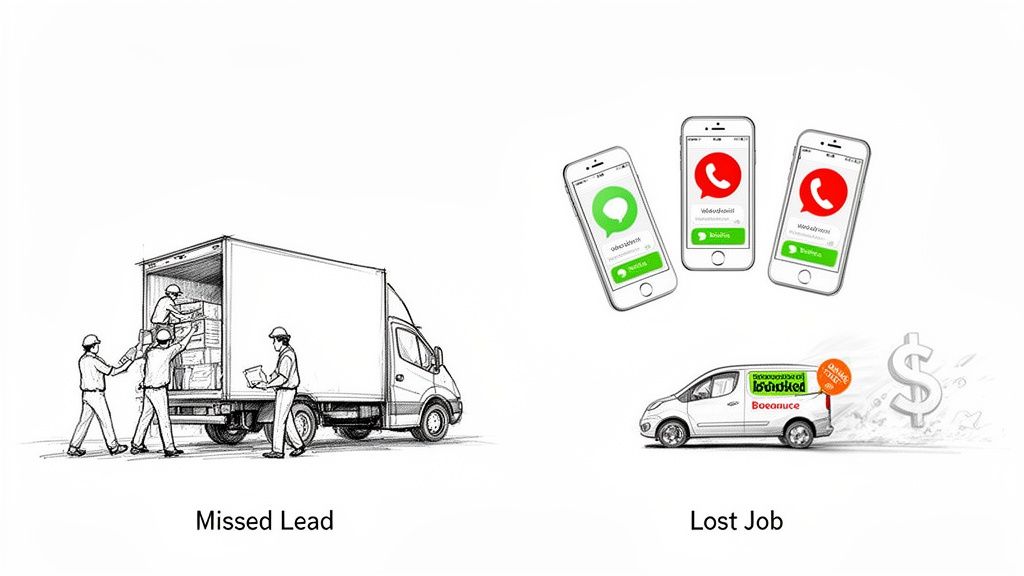
If you’re running a moving company with 1–20 trucks, your reality is constant motion. Your crews are out on jobs, and you or your office manager are juggling dispatch, improve customer issues, and a flood of new inquiries. This is exactly where a standard CRM creates more work than it solves, especially during seasonal spikes.
The Disconnect Between the Office and the Field
A generic CRM is like a digital filing cabinet. It holds information, but it can’t act on it in real time. For a moving business, this creates a few critical, and expensive, gaps:
- No Instant Lead Response: When a potential customer calls during your busy season or after hours, a standard CRM does nothing. That lead hits your voicemail, and by the time you call them back, they’ve already booked with a competitor who actually answered the phone. This is how you lose jobs.
- Manual Scheduling Chaos: These systems aren’t connected to your crew’s live availability. Booking a job means manually checking schedules, which slows down the quoting process and is a recipe for double-booking.
- Clunky Mobile Experience: They’re rarely built for the on-the-go nature of a moving business. Trying to get a crew chief to update job notes on a clunky app from the field is a losing battle, leading to missed details and inconsistent service.
A standard CRM tells you who called. A service-focused CRM with automation answers the call, qualifies the lead, and books the job for you. This one distinction is the difference between tracking lost opportunities and actually capturing new revenue.
The global CRM market is set to blow past $112 billion, with 87% of companies now using cloud-based platforms. For moving companies with crews spread out everywhere, this isn’t just a trend—it’s a requirement. You need real-time access to customer data, schedules, and job details from anywhere to even stay in the game.
The same logic behind why specialized construction estimating software always beats a generic spreadsheet applies here. A tool built for your specific workflow will deliver better results, every time. For a local mover, that means a system designed to handle the fast-paced, on-the-go nature of your entire operation.
The Essential Features of a Service Business CRM
When you’re looking for a CRM, it’s easy to get buried in feature lists. But for a moving company owner, most of those features are just noise. You don’t need a system that does a little bit of everything; you need a tool that does the right things—the things that stop jobs from slipping through your fingers.
A generic CRM will talk about “contact management,” but that’s just a glorified digital rolodex. A CRM built for a moving business is different. It’s focused on the operational problems that cost you money every single day.
Let’s talk about the non-negotiables.
24/7 Automated Lead Capture
What it is: This is a system that instantly grabs every call, web form, or text message, day or night. Instead of dumping a new lead into voicemail, an AI-powered system can answer the call, ask the right questions, and capture the job details on the spot.
Why it matters for your moving business: Your busiest times—when you’re on a job site or it’s after 5 PM—are when you’re least likely to answer the phone. Missed calls are missed jobs. With an automated system, a lead that comes in at 8 PM on a Friday gets an immediate, professional response. That simple act of speed drastically increases the odds you book the job before they can call your competitor on Saturday morning.
Key Takeaway: You’re not just buying a feature; you’re buying a guarantee that a lead never gets lost to voicemail again. It’s a front-desk that never takes a break, ensuring you capture every opportunity.
Intelligent Dispatch and Scheduling
What it is: This goes way beyond a simple calendar. It connects your lead capture directly to your crew’s real-time availability. When a new job is being booked, the system already knows which trucks are available, where your crews are, and what your daily capacity looks like.
Why it matters for your moving business: If you’re running a 5-truck operation, you know that manual scheduling is a nightmare of double-bookings, inefficient routes that burn fuel, and frustrating delays. An intelligent scheduling system kills those mistakes. It turns a complex logistical puzzle into a simple, automated process, letting you book more moving jobs with confidence.
Automated Quoting and Follow-up
What it is: This automates the first—and most critical—part of your sales process. After capturing a lead’s details, the system can fire off an instant, templated quote for a standard job. For more complex requests, it can alert your team to step in. More importantly, it automatically follows up via text or email if the customer goes quiet.
Why it matters for your moving business: Speed wins jobs. Period. Customers looking for movers are shopping around, and they’ll almost always book with the first company that gives them a professional, fast response. Automating that first touch ensures you’re always the quickest to reply, even when you’re on-site. It closes the revenue gap where most leads are lost.
To see how these pieces fit together, it helps to understand how dedicated home service business software is engineered to connect these exact operational dots for movers.
Mobile Access for Field Teams
What it is: This means your crews can pull up and update all job information right from their phones. They can see job notes, change a job’s status from “in progress” to “complete,” and ping the office—all from a simple mobile app.
Why it matters for your moving business: The disconnect between your office and your crews is where things go wrong. Forgotten instructions, wrong addresses, and delays in reporting job completion all create headaches and frustrate customers. Solid mobile access gives your team in the field everything they need and gives your office a real-time view of what’s happening on the ground.
Essential CRM Feature Checklist for Moving Companies
Generic CRMs are built for salespeople sitting at desks, not for owners managing crews and trucks. This checklist breaks down the difference between a “nice-to-have” feature and a tool that actually drives revenue for a moving business.
| Essential Feature | Why It’s a Game-Changer for a Moving Business | Impact of Not Having It |
|---|---|---|
| 24/7 Lead Capture | Answers every call, text, and web form instantly, even after hours or on weekends when your best leads call. | Lost jobs. Leads go to voicemail, call a competitor, and book before you can call them back. This costs movers 3-7 jobs per month. |
| Intelligent Scheduling | Matches new jobs to crew and truck availability in real-time, preventing double-bookings and optimizing routes. | Inefficient routes that waste fuel, costly scheduling errors, and delays in confirming jobs with customers. |
| Automated Quoting | Sends instant quotes for standard jobs and automates follow-ups, making you the fastest to respond. | Lost sales. You lose out to faster competitors while your team is tied up on other tasks. |
| Mobile Field Access | Gives crews job details on their phones and lets them update job status in real-time from the field. | Miscommunication, forgotten job notes, unhappy customers, and an office that’s always in the dark about job progress. |
These core features aren’t just “nice-to-haves.” They form the engine of a CRM that’s actually built for a modern moving business. They are the essential tools you need to capture more revenue, run a tighter ship, and get an edge on the local competition.
Comparing the Top CRM Categories for Service Operations
Not all CRMs are built for a business that runs on wheels. Picking the right software isn’t just an IT decision—it’s the choice that determines your cost, your team’s sanity, and whether you actually solve the one problem that costs you the most: missed calls.
For a moving company owner running a 1–20 truck operation, it really boils down to three types of systems. Let’s break them down based on what actually matters: how fast you can set it up, how much it costs, and if it stops you from losing money to voicemail.
Category 1: General-Purpose CRMs
These are the big names you’ve probably heard of, like HubSpot or Zoho. They’re built to be a one-size-fits-all solution for everyone from tech startups to real estate agents.
Think of them as a massive, empty toolbox. You get a place to store contacts and track sales deals, but that’s about it.
For a moving business, this is a recipe for frustration. A general CRM is a classic case of “death by a thousand configurations.” Out of the box, it has no idea how to handle job scheduling, dispatching crews, or quoting a move. You’ll spend weeks and thousands of dollars trying to twist a desk-based sales tool into something that understands field operations. It’s a huge time and money sink.
A general-purpose CRM is built to manage information. A moving business needs a CRM that takes action—answering calls, booking jobs, and dispatching crews.
Category 2: All-in-One Industry Suites
This category includes platforms like Jobber or Housecall Pro. They’re built specifically for home service businesses, so they come loaded with features for companies with crews in the field.
These are the “do-everything” platforms. They try to handle every single part of your business—from marketing and quoting to dispatch, invoicing, and payment processing.
While they’re feature-rich, these suites can be total overkill for a growing moving company. You’ll find yourself paying a steep monthly fee for a mountain of tools you’ll never touch, like chemical tracking for pest control companies. All that “bloat” makes the software slow and a nightmare for your team to learn. If you want to see how these stack up for trades, this guide to the 12 best CRM for small business in the UK offers a solid breakdown from a similar perspective.
Even with all their features, their lead capture is often weak. If a call comes in while your team is on another line or on-site, it still goes to voicemail. You’re right back to losing the lead you fought so hard to get.
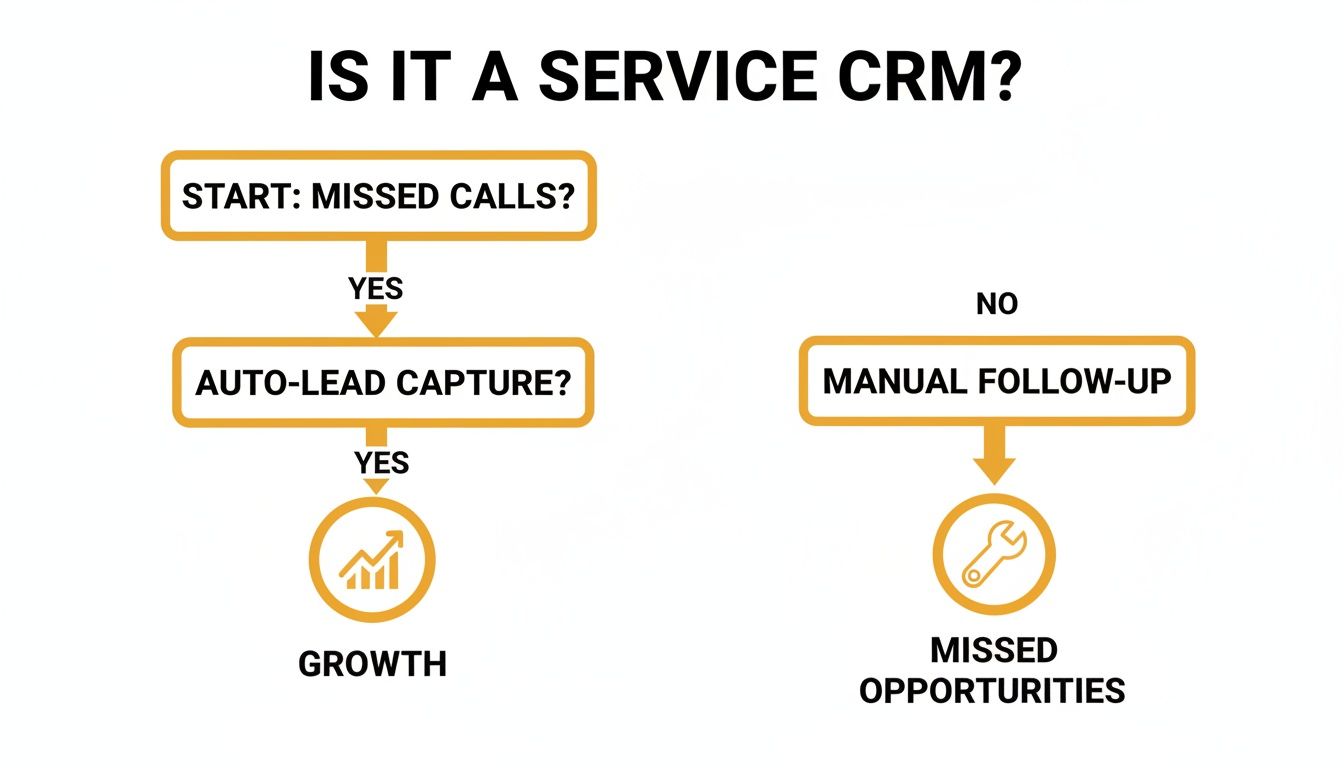
The key takeaway is simple: if your CRM can’t capture the lead automatically, it’s failing at the first and most important step.
Category 3: Specialized Automation Platforms
This is a new breed of software that focuses on solving the most expensive problem first: revenue lost from unanswered calls and slow lead response. These platforms aren’t a digital filing cabinet; they’re an automated front-office machine.
These are lean, AI-driven systems designed to do one thing exceptionally well: capture, qualify, and book jobs for you. They plug into your existing calendar and handle the entire front-end of your moving business operations.
For a mover focused on growth, this is often the smartest move. Instead of trying to replace every tool you use, it plugs the biggest leak in your revenue bucket.
- 24/7 Call Answering: An AI receptionist answers every single call, so no lead ever hits voicemail again. This alone can help you book 3–7 more jobs per month.
- Automated Qualification & Booking: The system asks the right questions, qualifies the lead, checks your availability, and can even book the job right onto your calendar—no human needed.
- Simple Setup: Because these tools are so focused, you can get them running in hours, not weeks. They’re built to just work, without you needing an IT degree.
This approach admits that movers don’t need more software… they need automation that brings in money right away. Just one booked job that would have been a missed call often pays for the entire month’s subscription. For a deeper look at how this works in the real world, check out our guide on the best moving company software.
By automating your calls first, you fix the most expensive problem in your business and set yourself up to scale without the chaos.
How AI Can Fix Your Front Office (Without the Tech Headaches)
If you’re a busy moving company owner, the term “AI” probably sounds like something for a big tech company, not for you. Forget the jargon. Let’s talk about what it actually does: it’s a tool that solves your biggest front-office nightmares—missed calls, leads that go cold, and the endless administrative grind.
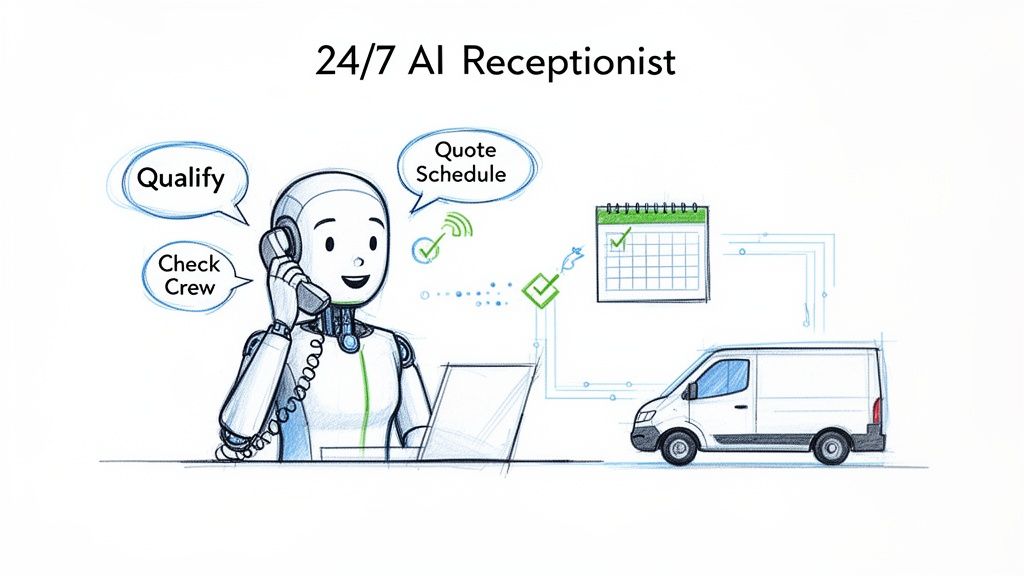
The best CRM for a moving business today isn’t just a digital address book. It’s an active part of your team, using smart automation to capture revenue you’d otherwise lose. At the heart of it is an AI-powered receptionist that works for you 24/7.
Capture Every Lead, Around the Clock
Picture this: It’s 7 PM on a Friday. A motivated customer who needs to book a move next month calls your business. You’re at home, your office manager left hours ago, and the call goes to voicemail. By Saturday morning, that customer has already found and booked with a competitor who answered the phone.
This isn’t some rare occurrence. It’s how movers lose thousands of dollars in revenue every single month.
An AI receptionist flips this script entirely. It picks up that call instantly, whether it’s noon on Tuesday or midnight on Saturday. It uses natural, human-like language to figure out exactly what the customer needs, gathering the critical details—name, move size, preferred dates—without missing a beat.
This is more than just answering a phone. It’s about engaging a lead the second they show interest. You aren’t just stopping a missed call; you’re making an immediate, professional first impression that builds trust and makes you look like the only company they need to talk to.
Go From First Call to Booked Job—Automatically
Once the AI has captured the lead’s information, the real magic begins. This is where it stops being just a receptionist and becomes a true front-office machine for your moving company.
Here’s what that looks like in action:
- Instant Qualification: The AI asks the right questions to know if the lead is a good fit. Is it a residential or commercial job? Local or long-distance? This filters out the tire-kickers so you can focus on serious customers.
- Live Availability Check: The system instantly checks your crew and truck calendars. It knows you have a crew finishing a job in the morning and can slot in another one that afternoon. No more guesswork or double-booking.
- Automated Quoting & Booking: For standard moves, the AI can deliver an instant quote and let the customer book the job right then and there. The appointment just appears on your dispatch calendar—no one on your team had to lift a finger.
This seamless flow—from ring to booked job—is the new competitive edge. While your competition is still sorting through voicemails on Monday morning, you’re already stacking up jobs. It’s how owner-operators are getting their time back and booking an extra 3-7 jobs per month that used to be lost revenue.
Free Up Your Team for Work That Matters
A lot of owners I talk to worry that automation will make their team’s expertise obsolete. The reality is the complete opposite. It frees your best people from the repetitive, low-value tasks that drain their day.
Instead of spending hours playing phone tag or manually typing lead info into a spreadsheet, your office manager can focus on what actually grows the business:
- Quoting the complex, high-value jobs that need a human touch.
- Building solid relationships with real estate agents and repeat corporate clients.
- Perfecting crew logistics to make sure every move day is flawless.
Automation handles the volume; your people handle the value. To see exactly how this works, it helps to understand what a purpose-built AI receptionist for small business can do for your front office. By letting technology manage the routine grind, you unleash your most valuable asset—your team—to focus on winning bigger.
A Practical Guide to Choosing and Implementing Your CRM
Picking new software feels like a chore, especially when you’re busy running a business. But finding the right CRM for your moving company isn’t about adding another complicated tool. It’s about plugging the leaks where you’re bleeding revenue—like missed calls that go to competitors and leads that go cold waiting for a follow-up.
The goal is simple: find a system that starts paying for itself on day one by booking more moving jobs.
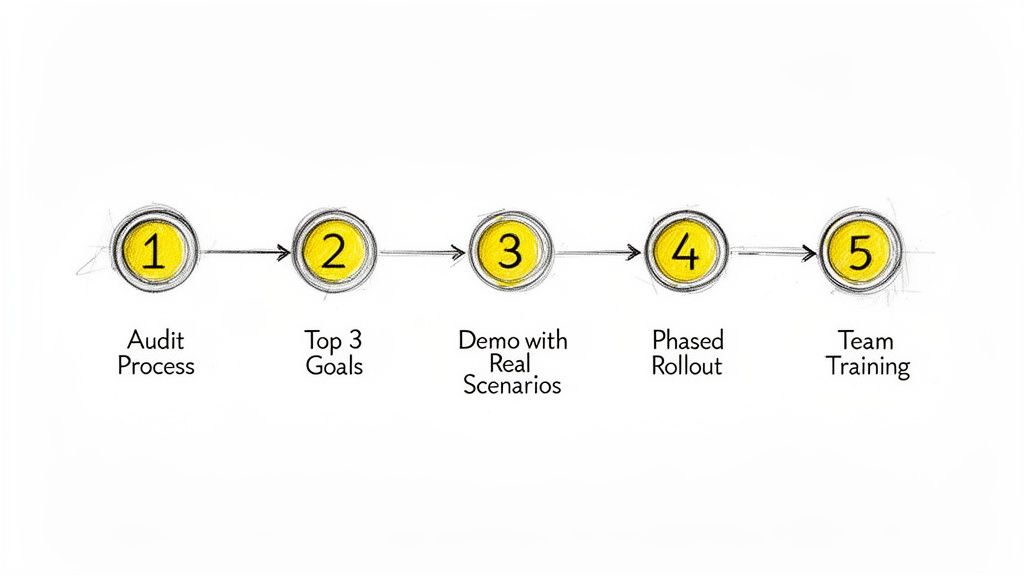
Here’s a straightforward, five-step plan to get it done without needing a dedicated IT department.
1. Audit Your Current Process
Before you even glance at a software demo, you need to map out how you currently get from a lead to a booked job. And you have to be brutally honest with yourself. Where are jobs falling through the cracks?
- How many calls actually go to voicemail every day?
- How long does it really take someone to call back a web lead? Hours? A day?
- How much time does your team sink into manually creating and sending quotes?
Pinpoint the exact moments you lose leads. This audit isn’t just an exercise; it turns your search from a vague software hunt into a targeted mission. You’re no longer looking for “a CRM,” you’re looking for a solution to a specific, costly problem.
2. Define Your Top 3 Goals
Now, turn those problems into clear, measurable goals. Forget the endless feature checklists that vendors love. Focus on the top 3 outcomes that will directly boost your revenue and slash your busywork.
For most moving companies I talk to, the list looks something like this:
- Stop missing calls. Get to zero missed opportunities by having every call answered, 24/7.
- Speed up quoting. Automate the first response and follow-up so you get quotes out faster than your competitors.
- Automate lead follow-up. Stop letting good leads go quiet. Re-engage them automatically until they book or tell you to stop.
With these goals in hand, evaluating software becomes dead simple. Either it crushes these goals, or it’s just a distraction.
3. Demo with Real-World Scenarios
When you get on a demo call, don’t let the salesperson run their standard playbook. You’re in charge. Make them prove their tool solves your specific problems.
Pro Tip: Give them a real-life scenario and watch what they do. Say, “A new lead calls while my dispatcher is on another line and the rest of my crew is out on a job. Show me exactly what happens next.”
A good system will show you an automated receptionist instantly answering the call, capturing the lead’s details, and maybe even booking the job right then. A bad system will involve someone showing you how to manually create a new contact after you listen to the voicemail later. The difference will be painfully obvious.
4. Plan a Phased Rollout
You don’t need to flip a switch and change your entire operation overnight. That’s a recipe for chaos. The smart move is to start with the one thing that gives you the quickest win. For almost every moving business, that’s plugging the hole of missed calls.
- Phase 1: Turn on the AI receptionist. Stop losing revenue to voicemail. This immediately protects your ad spend and captures leads you were losing.
- Phase 2: Roll out automated quoting and follow-ups. This frees up your office manager and speeds up your entire sales cycle.
- Phase 3: Integrate the system with your dispatch and scheduling calendars for a seamless, end-to-end operation.
This step-by-step approach gets your team on board because they see the value immediately. It’s not a burden; it’s a tool that makes their job easier from the first day.
5. Train on Outcomes, Not Clicks
Your team doesn’t want another piece of software to learn; they want tools that help them hit their targets and reduce their headaches. So, frame the training around the results.
Instead of saying, “Here’s how to use the new dashboard,” try this: “This system is going to handle all the initial inbound calls, so you can stop playing phone tag and focus on closing the big, profitable moves.”
When your crew sees how the technology helps them book more work with less effort, they won’t just adopt it—they’ll embrace it. The whole point is to find a system that works out of the box and delivers a real return from the moment you turn it on.
Common Questions (And Honest Answers) About CRMs for Movers
Picking the right software for your moving company can feel like a minefield. You’ve got a business to run, and the last thing you need is another complicated tool that doesn’t deliver. Here are the straight-up answers to the questions we hear most from owners running 1–20 truck operations.
How Much Does a Good Service CRM Cost?
That’s the wrong question. The right question is: How much money are you losing without one? A good system should pay for itself almost the instant you turn it on.
For most moving companies, losing just 3–7 jobs a month because a call went to voicemail adds up to thousands in lost revenue.
Think of it this way: if a solid automation tool costs you less than one booked job, it pays for itself the very first time it catches a lead you would have missed. Compare that to the cost of a full-time receptionist—salary, benefits, training—and you’ll see an automated system delivers far more bang for your buck. The focus shouldn’t be on the price tag, but on the revenue it brings in.
Will My Team Actually Use a New CRM?
This is a real concern, and a fair one. Nobody wants to force another piece of clunky software on their team.
The secret to getting your people on board is picking a system that makes their job easier, not harder. The best tools are intuitive and immediately solve a massive headache. For instance, a CRM that automatically answers and qualifies calls gets rid of the soul-crushing job of digging through voicemails and playing phone tag.
When your office manager sees how a tool frees them up to handle complex quotes and tough customer situations, they won’t just use it—they’ll thank you for it.
Adoption isn’t about flashy features. It’s about making your team’s day less stressful. If the tool removes a headache, they’ll use it.
Can a CRM Really Handle Nuanced Service Quotes?
Look, we all know a computer can’t always understand the headaches of a tricky spiral staircase or a priceless antique. But that’s not its job. Thinking it is means you’re misunderstanding where automation really shines.
A smart CRM isn’t there to replace your best estimator. Its main job is lead capture and initial qualification.
Here’s how it works:
- Automation handles the first touch. It answers the call, confirms you service the area, and gets the basic details. You never miss the lead.
- Your expertise closes the deal. The system then hands the qualified lead over to you or your estimator for the final, detailed quote.
It’s not about replacing your experts. It’s about making them more effective by getting all the repetitive, front-end nonsense off their plate so they can focus on booking more profitable jobs.
What’s the Difference Between a CRM and Dispatch Software?
This is a critical distinction, and it’s where a lot of moving company owners get tripped up.
- Traditional Dispatch Software is for managing jobs you already have. It helps schedule crews, track trucks, and handle logistics. It does nothing to help you get more work.
- A modern service CRM with automation is designed to win you more jobs. It manages the entire customer journey, starting from the very first phone call—integrating lead capture, automated follow-ups, and scheduling into one flow built to boost your booking rate.
Put it this way: dispatch software manages the work you’ve booked. A real service CRM helps you win that work in the first place.
Ready to see how automation can capture every lead and book more jobs, minus the administrative headaches? MoveJoy acts as your 24/7 AI-powered front office, making sure you never miss a revenue opportunity again. One booked job is all it takes to see the return.