When you hear “appointment reminder software,” you might think of your dentist’s office. But for a moving company owner, it’s not just about convenience—it’s a direct line to protecting thousands in monthly revenue that would otherwise vanish because of a forgotten in-home estimate or a last-minute cancellation.
This simple tech is your first line of defense against no-shows for booked moves and missed opportunities for estimates. It’s an automated system that sends a quick SMS or email to your customers, making sure your crew and truck don’t show up to an empty house.
The True Cost of No-Shows to Your Moving Business
For a moving company, a no-show isn’t just an empty slot on the calendar. It’s a punch to the gut.
Think about it. You’ve got a two-man crew ready to go for a booked job. The truck is fueled up. You’ve already paid for at least a couple of hours of wages, fuel, and overhead for a job that’s about to make you zero dollars. If that happens just a few times a month, the financial damage adds up—fast.
It also throws your entire day into chaos. A last-minute no-show forces your dispatcher to scramble, either trying to fill the gap or sending a paid crew home. That’s not just inefficient; it’s expensive. You’re paying for idle time, which is a killer for any moving business, especially during the slow season.
The Ripple Effect of a Single Missed Job
The problem is bigger than just the money you lost on that one job. That customer who forgot their in-home estimate? They probably aren’t calling you back to reschedule. In this competitive market, they’re calling the next mover on their list. Speed wins, and a no-show puts you back at square one.
Every no-show is a lost customer, a missed opportunity, and a dent in your future referrals.
A single no-show isn’t an inconvenience; it’s a tangible loss. It’s the cost of your crew’s wages, the fuel in your truck, and the profit you didn’t make—all vanishing because of a simple communication gap.
To see just how real this is, let’s break down the numbers for a small moving company.
The Hidden Cost of No-Shows for a Small Moving Company
| Missed Jobs Per Month | Average Job Value | Monthly Revenue Lost | Annual Revenue Lost |
|---|---|---|---|
| 2 Jobs | $1,200 | $2,400 | $28,800 |
| 4 Jobs | $1,200 | $4,800 | $57,600 |
| 6 Jobs | $1,200 | $7,200 | $86,400 |
When you see it laid out like that, the impact is undeniable. Losing just four jobs a month—one a week—can cost you over $57,000 a year. That’s the cost of a new truck or another crew member.
This isn’t a problem unique to movers. Other service businesses face the same fight. In healthcare, for instance, the average no-show rate was a staggering 23% globally in 2023. It’s a universal problem for anyone who books appointments.
This chart really drives home how the costs pile up.
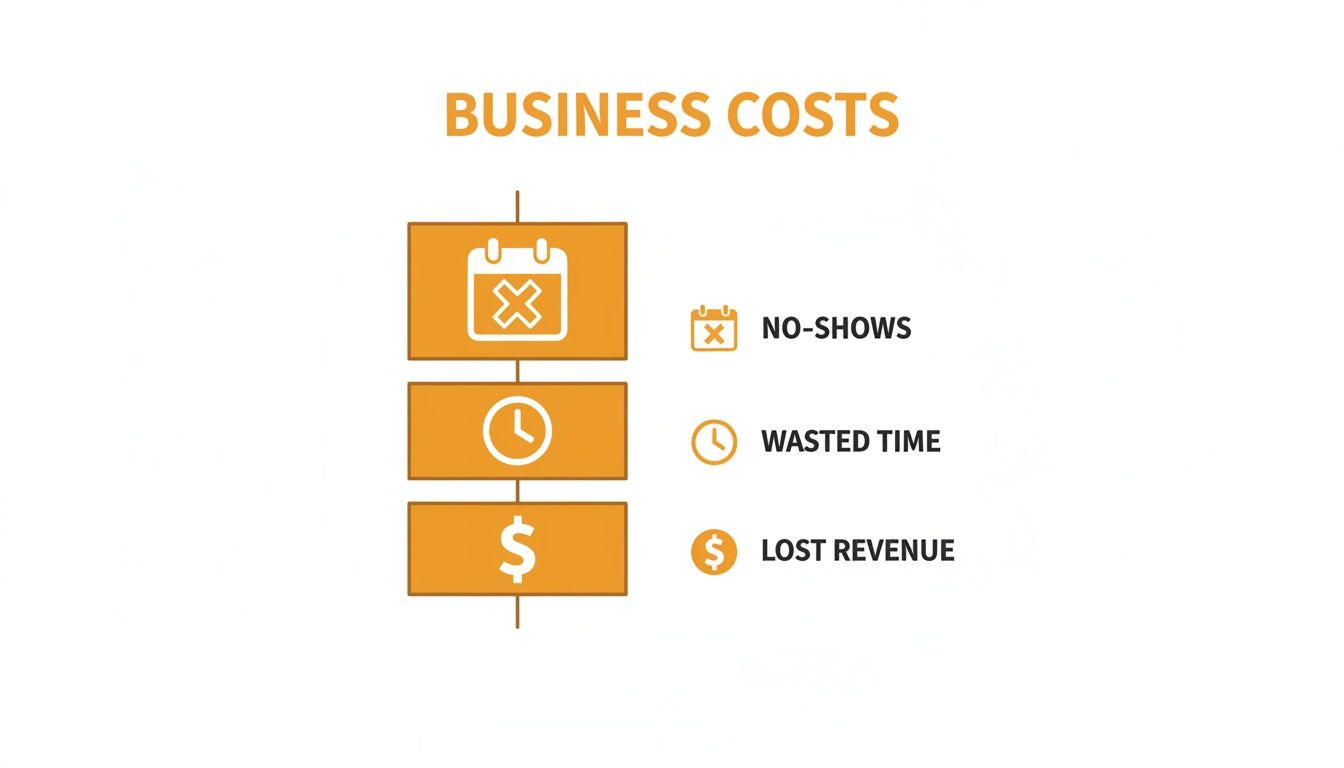
It’s a chain reaction. A customer forgets, and suddenly your revenue, time, and morale all take a hit. For a company running one to twenty trucks, every single job on the schedule counts. If you want to protect that revenue, you have to make sure every appointment happens.
We’ve put together more practical tips in our guide on how to reduce no-show appointments that you can put into action today.
How Appointment Reminder Software Works
If you’re a busy moving company owner, the last thing you need is another complicated piece of software to manage. The good news is that appointment reminder software isn’t that.
Think of it as the most reliable employee you’ve ever had. A digital receptionist who never calls in sick, never forgets a customer, and works around the clock. Its job is simple but absolutely critical: automatically send SMS and email reminders to customers about their upcoming move or in-home estimate.
This isn’t about adding more to your plate. It’s designed to take work off your plate. The system runs quietly in the background, plugging directly into the calendar you already use, like Google Calendar or Outlook.
Once it’s connected, the software keeps an eye on your schedule for any upcoming appointments. This is where the magic happens—it pulls the customer’s name, phone number, and appointment time straight from the calendar event. No more double-entry. You book the estimate or move once, and the system takes it from there.
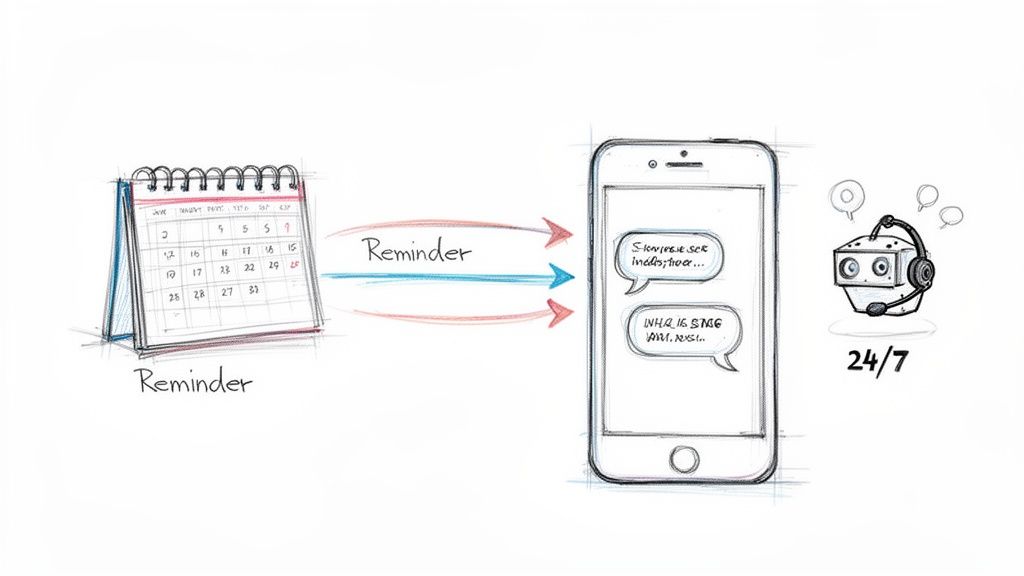
The Automated Workflow in Action
The real power comes from the “triggers” you set up once. You decide the when and the how for customer reminders, and the software handles the rest. This creates a professional, reliable stream of communication without you lifting a finger. A big part of this is knowing how to schedule messages effectively so they land at just the right time to prevent no-shows.
Here’s what a typical workflow looks like for a mover:
- Booking is Added: Your dispatcher schedules an in-home estimate for “Jane Doe” next Tuesday at 10 AM and puts it on the company calendar.
- Initial Confirmation: Right away, the software sends Jane an email confirming all the appointment details.
- First Reminder: 72 hours before the estimate, an automated text goes out: “Hi Jane, this is a reminder of your in-home estimate with City Movers on Tuesday at 10 AM. Please reply YES to confirm.”
- Final Reminder: 24 hours before, a final text is sent just to keep it top-of-mind.
This entire sequence happens on its own. After that initial booking, your team is completely hands-off, freeing them up to answer live calls, manage crews, and handle the day-to-day chaos of a moving business.
The whole point of appointment reminder software is to fix a huge operational headache—customer no-shows—with a system that runs itself. It’s not about managing more tech; it’s about letting tech manage your follow-ups.
From Simple Reminders to Full Automation
While basic reminders are a massive improvement over manual phone calls, modern systems don’t stop there. They’re evolving from a simple messaging tool into the core of your front office operations. It’s the difference between a simple alarm clock and a smart assistant that runs your entire morning routine for you.
Advanced platforms are now integrating this reminder function with AI receptionists that can handle your inbound calls 24/7. This creates a completely seamless flow:
- A potential customer calls your business after hours.
- An AI assistant answers, asks the right questions, and books an estimate directly onto your calendar.
- The appointment reminder software sees the new event and automatically kicks off the confirmation and reminder sequence.
This isn’t some far-off fantasy; it’s the new competitive advantage for local movers. This kind of automation means you’re not just preventing no-shows on jobs you’ve already booked. You’re also capturing and securing new jobs from calls you would have otherwise missed entirely, turning a simple reminder tool into an engine that actually generates revenue.
So, What’s the Actual ROI on Automated Reminders?
As a moving company owner, you live and die by the numbers. Every dollar has a job. You’re not interested in fancy software; you’re looking for tools that put more money back into your pocket. Appointment reminder software isn’t just a “nice-to-have”—it’s a direct line to a healthier bottom line.
The most obvious return comes from plugging the leaks. We’ve talked about how just one or two no-shows a month can gut your annual revenue. When you stop a single $1,200 move from ghosting you, that’s pure profit you just saved. In fact, preventing just one canceled job often pays for an entire year of the software.
It’s More Than Just Saving Jobs—It’s Cutting Waste
The financial win isn’t just about the money you make; it’s about the money you stop burning. Think about it: when a crew shows up to an empty house, you’re still on the hook for their wages, the fuel you just burned, and the wear and tear on your truck. All for nothing. Automated reminders turn that dead-end expense back into productive, billable hours.
The ripple effect is huge:
- Tighter Crew Schedules: When you have fewer last-minute cancellations, your dispatcher can pack the schedule tight. Trucks and crews are out making money, not sitting around waiting.
- Less Admin Head-Spin: How many hours does your team waste making reminder calls? Automating that frees them up to chase new leads, handle complex customer issues, or just catch their breath.
- Predictable Cash Flow: A confirmed job is money you can count on. A reliable schedule means consistent cash flow, which is everything when you’re trying to manage payroll, fuel costs, and all the other bills that keep rolling in.
This kind of operational efficiency is exactly why the market for this software is exploding, projected to jump from $635.6 million in 2026 to a massive $1,905.90 million by 2034. Service businesses live and die by their calendars, and North America is leading the charge in locking them down.
The Hidden Goldmine: Last-Minute Booking Slots
Here’s an angle most movers completely miss. When a customer gets an automated reminder, they might realize they need to reschedule. That sounds like a pain, but it’s actually a massive opportunity.
Getting a cancellation notice 48 hours ahead of time is infinitely better than a no-show on move day. That advance notice gives you a valuable, open slot you can immediately offer to a customer on your waitlist or a hot last-minute lead.
Suddenly, a potential total loss turns into a new revenue stream. Instead of an empty, wasted spot on the calendar, you have a chance to book another job, completely flipping the financial outcome. Your schedule goes from being a rigid, fragile plan to a flexible asset.
Want to see what this looks like for your business? Run the numbers yourself with our moving company ROI calculator and see the impact in black and white.
It all connects. A smart system can capture a lead from a call you would’ve missed, book it right onto your calendar, and then make sure the job actually happens with automated reminders. This isn’t just a reminder tool; it’s a complete system for protecting every dollar of revenue, from the first ring to the final confirmation.
Must-Have Features for Moving Company Reminder Software
Not all reminder software is built for the chaos of a moving business. A generic tool might send a basic text, but it won’t understand the difference between an in-home estimate and a full-service pack and move. They just don’t have the features to handle the job.
When you’re looking at options, you have to cut through the marketing noise. You need to focus on what will actually stop no-shows, prepare your customers, and make your day-to-day operations less of a headache.
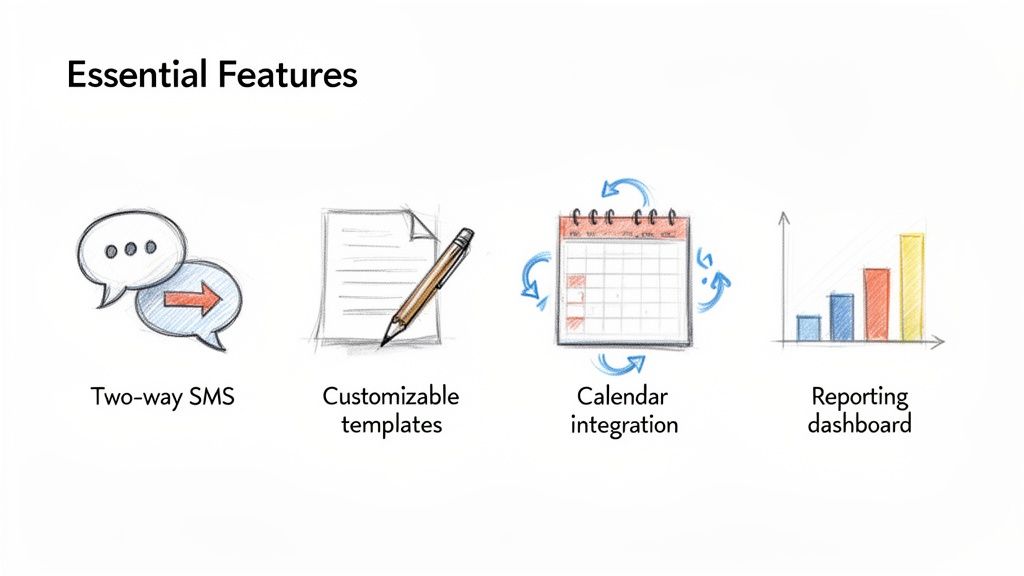
Two-Way SMS Communication
This isn’t a “nice-to-have,” it’s a deal-breaker. One-way reminders are a step up from nothing, but two-way SMS communication is where you really start to see a difference. It lets a customer reply directly to your automated text to confirm, cancel, or ask a quick question without having to call.
Think about it. A customer gets your text reminder for an estimate but realizes they need to reschedule. Instead of calling your office and getting voicemail because you’re on another line, they just reply, “I need to reschedule.” That text instantly opens a conversation, prevents a wasted trip for your estimator, and lets your dispatcher offer that slot to another lead. It kills phone tag and keeps your schedule tight.
Customizable Message Templates
Your business isn’t a dentist’s office, and your reminders shouldn’t sound like it. You need software that lets you build customizable message templates for different appointment types.
- For In-Home Estimates: A custom template can confirm the estimator’s name and maybe add a helpful tip like, “To help us give you the most accurate quote, please have a rough idea of the items you plan to move.”
- For Booked Moves: This is where you can head off problems. Include critical day-of instructions like, “Friendly reminder: Please make sure pathways are clear and any pets are secured before our crew arrives tomorrow.”
This small detail doesn’t just cut down on no-shows; it makes your crew’s job faster and safer, and it shows the customer you’re a professional who thinks ahead.
The best software lets you tailor every single message. You’re not just sending a reminder; you’re sending a piece of customer service that prepares your client and your crew for a smooth day.
Automatic Calendar Integration
Manually entering appointment data into a separate reminder tool is a great way to waste time and make mistakes. Your reminder software must have seamless, two-way integration with whatever calendar you’re already using, whether that’s Google Calendar, Outlook, or something else.
Here’s how it should work: You book a job in your main calendar, and the reminder software automatically picks it up and starts the confirmation sequence. If a customer reschedules and you update the calendar event, the reminders should adjust automatically. That “set it and forget it” ability is what makes it a real automation tool, not just another program you have to babysit.
Reporting and Analytics
So, are your reminders actually working? How do you know? A good system will have a simple reporting dashboard that gives you the answer without making you dig through spreadsheets.
You need to be able to track a few key numbers:
- Confirmation Rates: What percentage of customers are actually replying “CONFIRMED” to your texts?
- Delivery Status: See exactly which messages were sent, which were delivered, and if any failed.
- Response Logs: Having a clear log of all customer replies helps you spot common questions and see where things might be breaking down.
This is the data that proves the tool is paying for itself. It also helps you tweak your messages to get even better results. A system that just sends texts into the dark is a black box. You need one with a feedback loop. The best platforms now combine these features with lead capture, using an AI receptionist to book the appointments that your reminder system then works to secure.
Your Quick-Start Implementation Checklist
Bringing a new system into your operations can feel like a huge headache you don’t have time for. But getting appointment reminders set up is surprisingly fast—and you don’t need to be a tech wizard to do it.
Honestly, you can get this done in under an hour. Think of it less like a massive software install and more like a quick fix that immediately stops no-shows from punching holes in your revenue. Here’s how you get automated reminders running today.
Step 1: Choose a Provider That Gets Movers
Don’t grab a generic scheduling tool built for dentists or hair salons. Your business is different. You’re dealing with in-home estimates, multi-day packing jobs, and crews on the road—not 15-minute appointments.
You need a provider that’s built for service businesses like yours. One that understands why two-way texting is a must-have and gives you options to customize messages for different job types. Even better is a system that also handles inbound calls with something like an AI receptionist, connecting the first call from a new lead directly to your scheduling and reminders.
Step 2: Connect Your Business Calendar
The best tools are the ones that slot right into what you’re already doing. The next step is connecting your company calendar, whether that’s Google Calendar, Outlook, or something else.
This is a one-time thing that takes just a few clicks. Once you link it, the software automatically pulls in all your existing and future jobs. No manual data entry. That sync is what makes the whole thing work, letting the system run in the background so you don’t have to think about it.
Step 3: Customize Your Reminder Messages
This is where you make the system sound like you. Generic messages are fine, but a personalized reminder shows you’re a professional and helps your customers prepare for the move. Any decent software will give you templates you can tweak in a few seconds.
I’d recommend creating a few different versions for your most common appointments:
- In-Home Estimate Reminder: A quick confirmation of the time and address. Maybe add a line reminding them to have any specific questions ready.
- Move Day Reminder: This is your chance to prevent day-of chaos. Remind them about clear pathways or securing pets.
- Confirmation Request: A simple message asking for a quick “YES” reply to confirm they’re all set.
Template Example for a Booked Move:
“Hi [Customer Name], this is a final reminder of your move with City Movers tomorrow, [Date], at [Time]. To help our crew work efficiently, please ensure all pathways are clear and pets are secured. We look forward to a smooth move for you!”
Step 4: Set Your Reminder Schedule
When you send the reminders is just as important as what you send. You need a consistent schedule. For most moving companies, this two-step sequence is money:
- First Reminder: Send a text or email 72 hours before the job. This gives the customer plenty of time to reschedule if something came up, saving you a last-minute cancellation.
- Final Reminder: Send another one 24 hours out. This is the final friendly nudge that keeps the appointment top-of-mind and drastically cuts down on someone just plain forgetting.
This simple cadence works. It keeps your schedule locked in and your trucks rolling.
Step 5: Tell Your Team and Go Live
Last step. Let your dispatcher, sales manager, and estimators know the new system is up and running. Just a quick heads-up that reminder calls and texts are now automated, so they can stop spending time on that and focus on other things.
That’s it. Flip the switch. The system will start protecting your schedule—and your revenue—from that moment on, one automated reminder at a time.
Choosing the Right Automation Platform
As you start looking at appointment reminder software, the real question isn’t just, “Can this thing send texts?” It’s, “Will this fix the operational headaches that are actually costing me money?”
Lots of tools can ping a customer with a basic reminder. But your moving business needs more than a band-aid solution. You need something that strengthens your whole front office, from the first time a lead calls to the moment their job is locked in.
When you’re trying to pick a tool, it helps to step back and think bigger. This is about more than one piece of tech; it’s about choosing the right software for your small business that will actually help you grow, not just hold you back.
It’s More Than Just Reminders—It’s Revenue Recovery
Here’s the most important mental shift you can make: stop thinking about just solving no-shows. Start thinking about fixing your entire customer process. A standalone reminder app is fine, but it only kicks in after you’ve already done the hard work of booking the job. The best platforms help you from start to finish.
When you’re comparing options, ask yourself these questions:
- Does it only send reminders, or does it get me leads? A great system doesn’t just secure the appointments you have; it helps you book the ones you’d otherwise miss by answering calls when you can’t.
- Does it fix one problem or a dozen? A single platform that handles call answering, lead qualifying, booking, and reminders will always be more valuable than a tool that only does one thing.
- Does it actually reduce my workload, or just move it around? Real automation should give you your time back, not trap you in front of a computer managing yet another piece of software.
The Power of One Connected System
Imagine this for a second. A potential customer calls your business line at 8 PM on a Thursday. Instead of getting your voicemail, a 24/7 AI receptionist picks up. It qualifies them as a serious lead and books an in-home estimate right on your calendar.
The second that appointment is booked, the system automatically sends a confirmation text. A few days later, it follows up with perfectly timed reminders. Your team didn’t have to lift a finger.
This is where the best moving companies are headed. It’s an ecosystem where a missed call at night is instantly turned into a high-value job, automatically confirmed and secured on your schedule.
This is what a connected system does. It turns your front office from a cost center into a machine that generates revenue. You’re not just stopping no-shows anymore; you’re capturing leads that used to be lost forever and turning them into guaranteed income.
The smartest move isn’t investing in a simple reminder tool. It’s investing in a complete automation system that recovers lost revenue and can grow with you, whether you’re running one truck or twenty.
For a deeper look at what a complete, all-in-one solution can do for a moving company, check out our analysis of the best moving company software on the market today.
Your Questions, Answered
As a moving company owner, you don’t have time for fluff. You need straight answers about whether a new tool will actually make a difference for your business. Here are the most common questions we get about appointment reminder software.
Aren’t Automated Reminders Annoying for Customers?
I hear this worry a lot, but the reality is the exact opposite. Your customers appreciate a professional heads-up. Life gets hectic, and a simple text reminding them about their in-home estimate or move day is seen as a helpful service, not a bug.
The trick is to keep it short, professional, and valuable. A quick message like, “Hi [Customer Name], this is a reminder of your move with City Movers tomorrow at 9 AM,” makes you look organized and ensures your customer is actually ready. They’re less likely to forget, and you’re less likely to have a crew show up to an empty house.
Is This Just Another Complicated Piece of Software I Have to Learn?
Nope. The best reminder software is designed to “just work” in the background. You set it up once, and then you forget about it. The initial setup is usually a one-time thing: connect your calendar (like Google Calendar), tweak your message templates, and tell it when to send the reminders.
You don’t manage the software day-to-day. You set it up once, and it runs itself. It’s an automation tool, not another program that adds to your daily workload.
After that initial setup—which often takes less than an hour—the system pulls appointments right from your calendar and sends the reminders without you lifting a finger. This gets your dispatcher or office manager off the phone from making those tedious manual reminder calls.
What’s This Going to Cost Me?
Pricing varies, but it’s critical to think about this in terms of return on investment, not just cost. Most solid systems have plans starting around $30 to $50 per month.
When you run the numbers, the value becomes stupid-obvious. If your average moving job is worth $1,200, preventing just one no-show every couple of years pays for the software. In reality, these systems can prevent multiple no-shows every single month, making them one of the most profitable tools you can have. The cost is a drop in the bucket compared to the revenue it saves.
Can’t I Just Have My Dispatcher Send Texts Manually?
You could, but it’s a terrible use of their time and a magnet for human error. Your dispatcher is already juggling crew schedules, fielding inbound calls, and putting out all the little fires that pop up during the day. Asking them to also manually track and text every single appointment is a recipe for mistakes.
An automated system never forgets. It never gets too busy, and it never makes a typo on an appointment time. It guarantees every customer gets the right message at the right time, every single time. This frees up your team to focus on things that actually make you money, like booking new jobs and giving great customer service.
I know you’re busy, so here are quick answers to the most common questions we hear from moving company owners just like you.
Answers to Common Questions About Reminder Software
| Question | Answer |
|---|---|
| How long does setup take? | Usually less than an hour. You connect your calendar, customize your message templates, and set your send schedule. |
| What if a customer replies? | Most systems allow for two-way texting, so you can see their reply and respond directly from the software or your phone. |
| Can I customize the messages? | Absolutely. You can (and should) tailor the messages to match your company’s tone and include all necessary details. |
| Is it TCPA compliant? | Reputable providers build in features to help with TCPA compliance, like managing opt-ins and opt-outs automatically. |
| Does it work with my moving software? | The best tools integrate directly with your calendar, which is often synced with your CRM, creating a seamless workflow. |
Hopefully, this clears things up. The goal isn’t to add another task to your plate—it’s to take one off and protect your revenue in the process.
Ready to see how a fully automated front office can recover lost revenue and streamline your operations? MoveJoy combines 24/7 AI call answering with intelligent booking and automated reminders to create a seamless system that turns missed calls into booked-and-confirmed jobs. Explore what’s possible.