How the Best Locksmith Scheduling Software Stops Revenue Leaks in 2024
If you're a locksmith, you know the scenario well: you're on-site rekeying a lock, your phone rings, and it goes straight to voicemail. That's not just a missed call; it's a lost job. Customers in an emergency won't wait. They'll call the next locksmith on their list, and you'll never even know you lost the business. For a small to mid-sized locksmith operation, this constant leakage of high-intent leads is the single biggest bottleneck to growth.
While you're an expert at your trade, you can't be in two places at once. The solution isn't just another piece of software to manage; it's smarter automation that acts as your perfect front-office employee, capturing every lead and scheduling jobs automatically. The right locksmith scheduling software transforms your operations, plugging revenue leaks and freeing you to focus on the work that pays the bills. This guide breaks down the best options available today. We'll dive into the specific features, pros, cons, and ideal use cases for each platform to help you choose the right tool for your business, whether you're a solo operator or managing multiple technicians. To further enhance customer communication and ensure fewer missed opportunities, consider exploring general support tools like supportgpt that can help manage inquiries efficiently.
Each review includes screenshots and direct links, giving you everything needed to make an informed decision and stop leaving money on the table.
1. MoveJoy
MoveJoy distinguishes itself not just as locksmith scheduling software, but as a comprehensive, AI-powered front-office assistant engineered to stop missed calls from becoming lost revenue. The platform's primary strength is its always-on, 24/7 call answering capability, which handles every incoming call in approximately two seconds, ensuring no lockout or re-keying lead ever goes to voicemail. When a customer calls, they get an immediate, professional response, not a ringtone or a voicemail box.
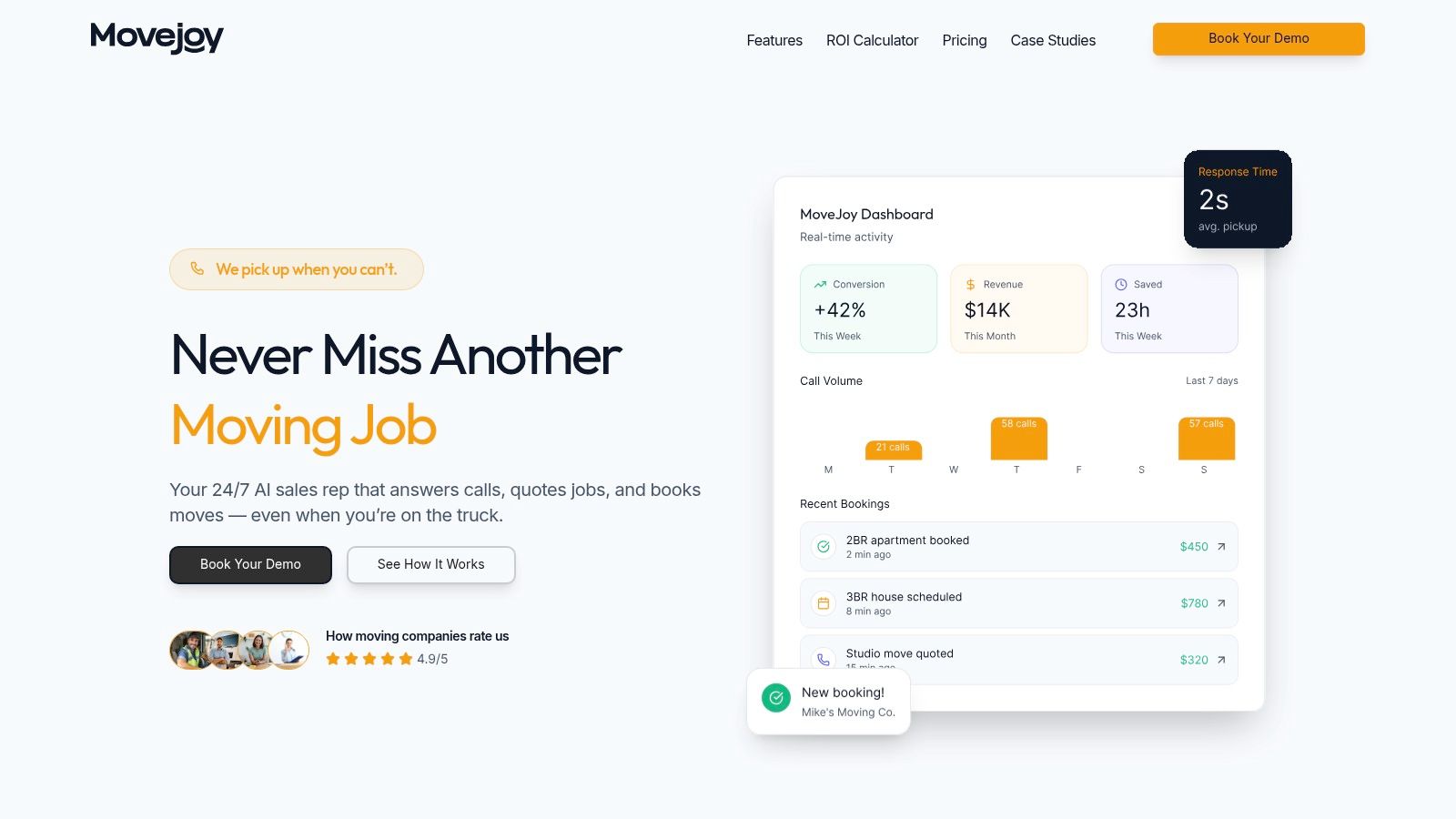
Unlike generic answering services, MoveJoy’s AI receptionist is trained on service-specific conversations. It intelligently qualifies leads by asking relevant questions (e.g., "Is it a residential or commercial lock?", "What is your location?") and then provides an accurate, instant quote based on your pre-loaded rate card. It seamlessly checks your team's real-time availability and can book confirmed jobs directly into Google Calendar or your existing CRM, completely automating the intake-to-scheduling pipeline. This level of automation is critical for solo locksmiths on a job or multi-technician teams needing to manage high call volumes efficiently, especially during seasonal spikes.
Key Features & Use Cases
- 24/7 AI Call Answering: Captures every lead, day or night, which is crucial for emergency lockout services that generate calls outside of standard business hours.
- Intelligent Quoting & Booking: Uses your custom pricing to quote jobs accurately and books them based on live calendar data, reducing administrative workload and booking errors. This is an essential component for any high-performance crew schedule software.
- Automated Review Generation: Automatically sends post-job review requests to customers, helping to build a strong online reputation on platforms like Google and Yelp with minimal effort.
- Real-Time Dashboard: Provides actionable insights into call volume, conversion rates, and booking metrics, allowing you to track ROI and operational efficiency at a glance.
Pricing and Onboarding
MoveJoy offers tiered pricing starting around $149/month for its Starter plan, scaling up to $499/month for its Pro plan based on included minutes and call volume. The system is designed for a fast, no-code setup that can be completed in as little as 10 minutes.
Pros & Cons
- Pros: True 24/7 lead capture eliminates missed revenue. The AI receptionist provides accurate, contextual quotes and automates the entire booking process. Lower operational cost compared to hiring a full-time receptionist.
- Cons: While highly advanced, complex or highly sensitive customer situations may still require a human touch for resolution. The pricing model includes per-minute overage fees, so businesses should carefully select a plan that matches their anticipated call volume to avoid unexpected costs during peak seasons.
Website: https://getmovejoy.com
2. Workiz
Built by former locksmiths, Workiz is a comprehensive field service management platform that deeply understands the unique operational challenges of the industry. It goes beyond basic scheduling to offer a full suite of tools designed to manage everything from lead intake and dispatch to inventory and payment processing. This makes it an excellent choice for locksmith businesses looking to streamline their entire workflow within a single, integrated system.
Locksmith-Specific Features & Integrations
What sets Workiz apart is its targeted approach to the locksmith trade. The platform includes specific integrations with lead sources like Yelp and Angi, which are crucial for customer acquisition in this field. Its partnership with Noble Key Supply allows for streamlined inventory management and supply ordering directly from the platform, saving valuable time. For businesses focused on growth, the Reserve with Google integration allows customers to book services directly from Google Search and Maps, a powerful tool for capturing high-intent local leads.
Pricing and Scalability
Workiz offers tiered pricing, making it accessible for businesses of various sizes.
- Lite Plan: A free-forever plan designed for solo operators or teams of up to two, offering core scheduling and invoicing features.
- Standard & Ultimate Plans: Paid tiers that add advanced features like online booking, QuickBooks integration, and more robust reporting for growing teams.
The main drawback is that per-user limits and optional add-ons can increase the total cost as your business scales. However, the free entry point makes Workiz an attractive and low-risk option for new or small locksmith companies needing powerful locksmith scheduling software.
3. Housecall Pro
Housecall Pro is a widely respected home-service platform with a robust feature set that extends well beyond basic appointment setting. It excels in providing locksmiths with an all-in-one command center for managing operations, from scalable online booking and automated customer reminders to integrated payment processing. The platform is particularly strong for businesses that need a mature mobile app ecosystem to empower technicians in the field.
Locksmith-Specific Features & Integrations
For locksmiths, the platform’s strength lies in its comprehensive field management tools. Features like GPS employee tracking provide real-time location data for efficient dispatching, ensuring the closest technician is sent to an emergency lockout. The 24/7 online booking portal can be integrated directly into your website and Google Business Profile, capturing jobs after hours without manual intervention. A detailed price book, job costing, and equipment tracking features help maintain profitability on every job, from a simple rekeying to a complex commercial installation.
Pricing and Scalability
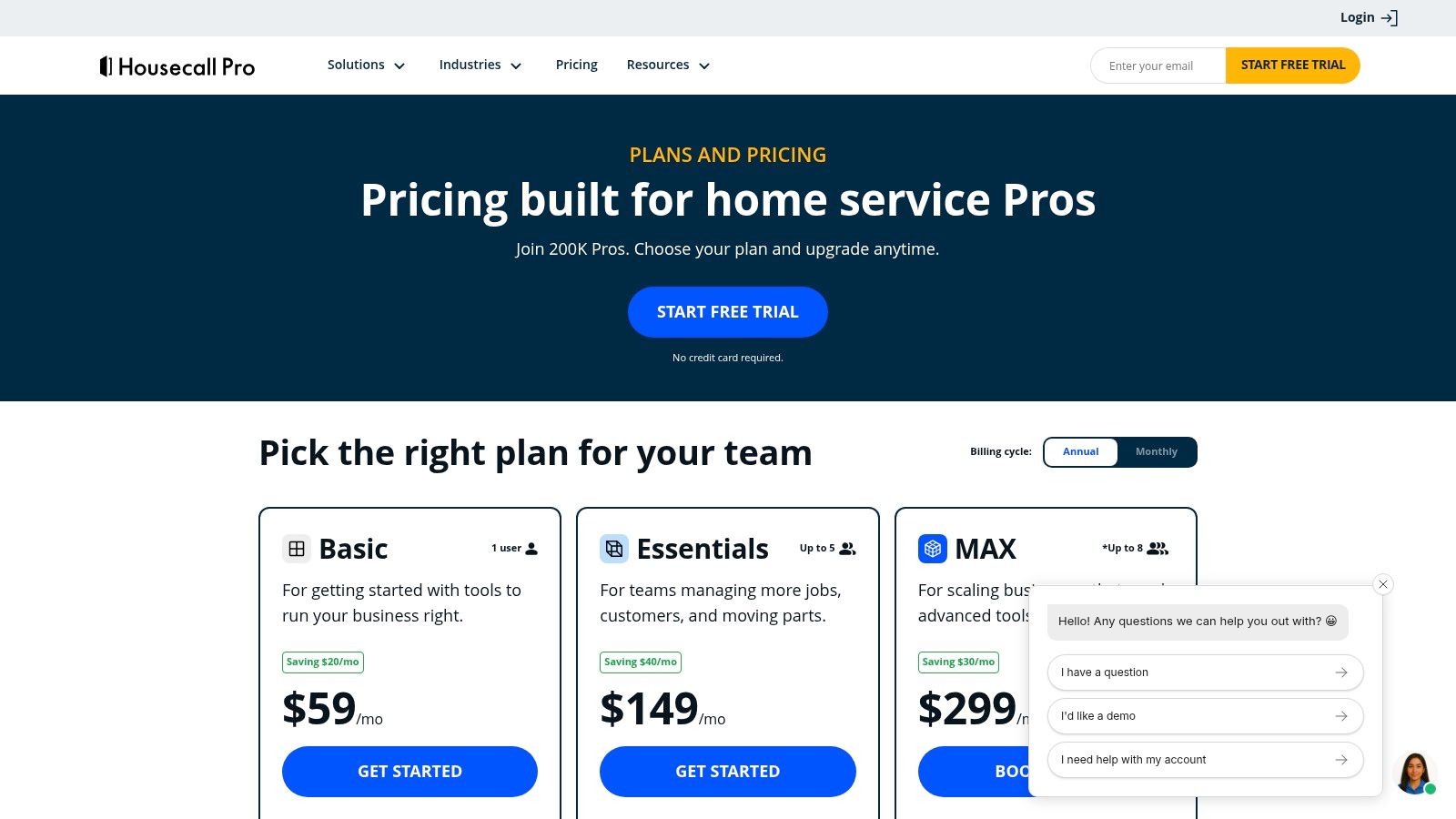
Housecall Pro offers transparent, tiered pricing that scales from solo operators to multi-tech teams.
- Basic Plan: An entry-level plan designed for owner-operators, offering core scheduling, dispatch, and invoicing capabilities.
- Essentials & Max Plans: Higher tiers that unlock advanced features, including a more customizable price book, advanced reporting, and robust add-on integrations for payroll, GPS, and more.
The primary drawback is that some advanced tools are locked behind the higher-priced tiers, and per-user charges can apply on certain plans, increasing costs as you grow. However, its powerful mobile app and extensive add-on ecosystem make it a top-tier choice for locksmiths seeking a scalable locksmith scheduling software solution.
4. Jobber
Jobber is a well-regarded, end-to-end field service platform popular with small and growing service teams. While not built exclusively for locksmiths, its robust feature set for quoting, scheduling, dispatching, and payments covers nearly every operational need. It's an excellent choice for businesses looking for a polished, user-friendly system with clear plan tiers, strong onboarding resources, and a growing marketplace of app integrations.
Locksmith-Specific Features & Integrations
Jobber helps locksmiths streamline client interactions from start to finish. The platform supports online booking, automated quote follow-ups, and custom forms, which are perfect for capturing specific lock or key information before a job. For technicians in the field, its two-way SMS messaging (available in higher tiers) keeps clients informed of arrival times. The integration with QuickBooks Online simplifies accounting, while the app marketplace allows for connections to other essential tools like Mailchimp for marketing.
Pricing and Scalability
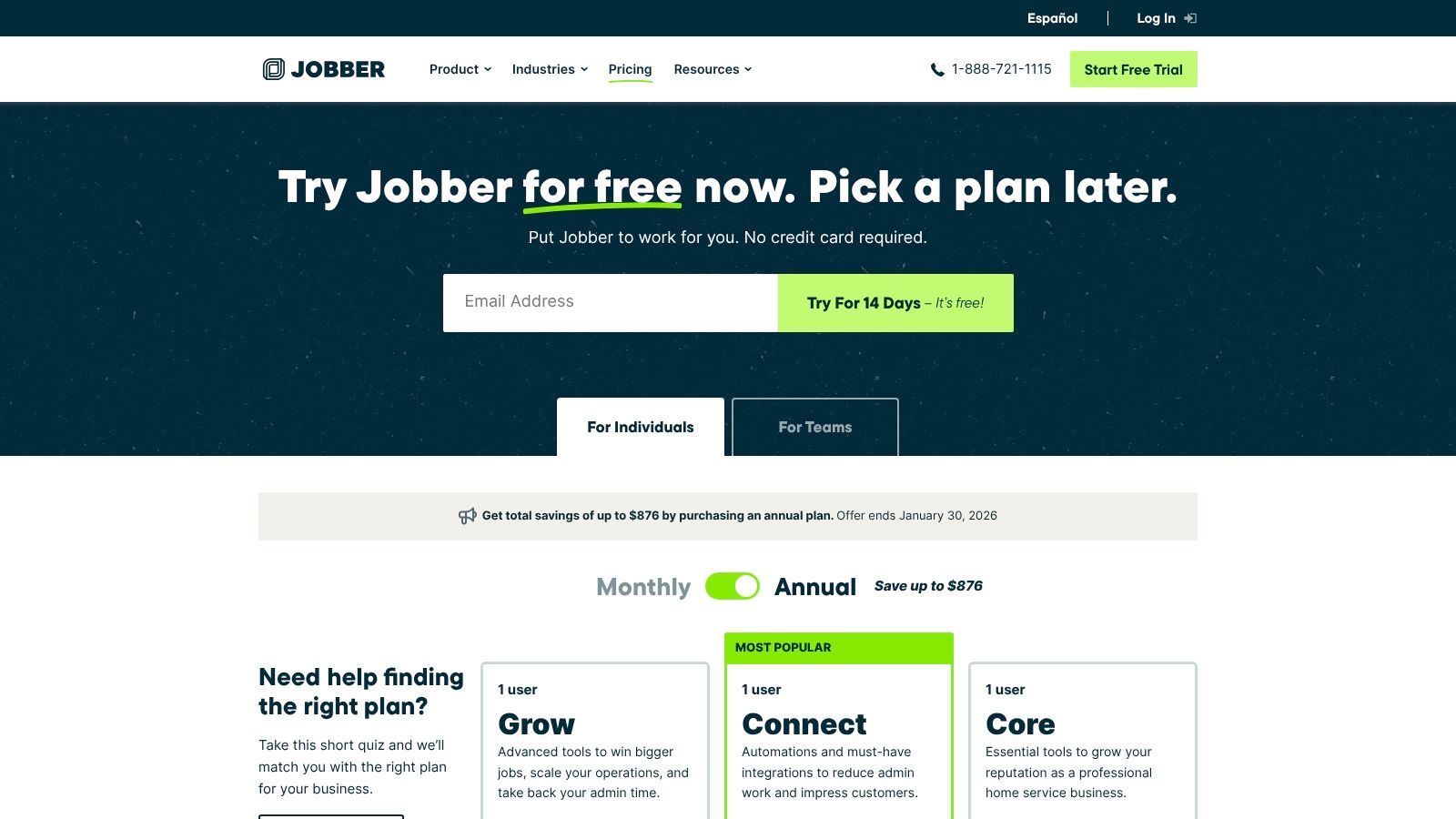
Jobber offers transparent, tiered pricing that scales with your team.
- Core, Connect, & Grow Plans: These paid tiers introduce features progressively, from basic scheduling and quoting in the Core plan to job costing and lead management in the Grow plan.
- Add-ons: Features like the Marketing Suite are available as extra monthly add-ons for many users.
The main drawback is that advanced features like automations and robust reporting are locked behind the more expensive Connect and Grow tiers. However, its helpful educational resources and solid mobile apps make Jobber a strong contender in the locksmith scheduling software market for companies prioritizing ease of use and scalability.
5. ServiceTitan
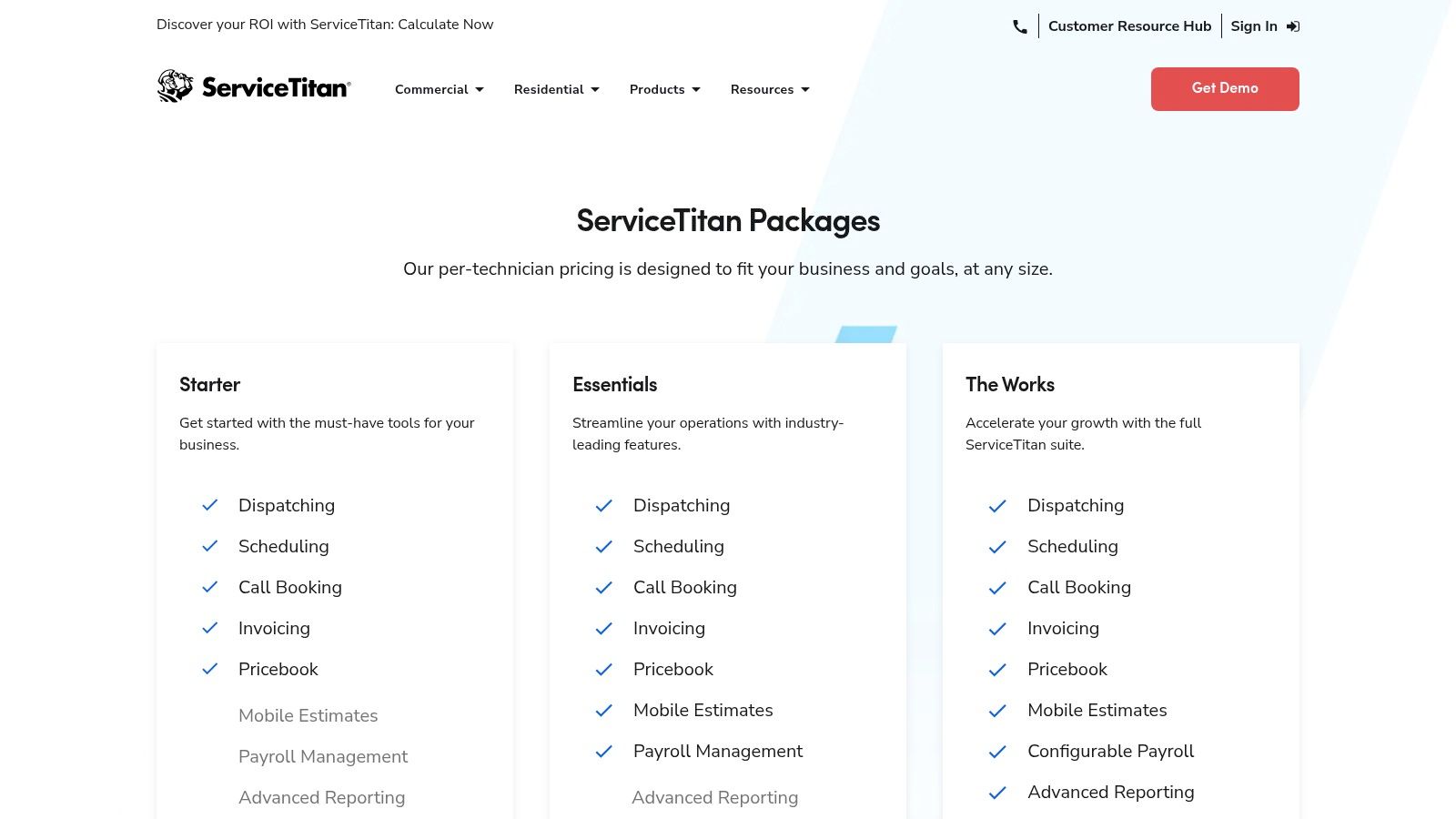
For larger, growth-focused locksmith businesses, ServiceTitan offers an enterprise-grade field service suite designed for comprehensive operational management. It's a premium platform built for contractors who need deep analytics, advanced dispatching capabilities, and robust financial tracking. If your operation involves multiple technicians, various locations, or a complex sales process with memberships and service agreements, ServiceTitan provides the high-level tools necessary to standardize workflows and drive data-backed decisions.
Locksmith-Specific Features & Integrations
ServiceTitan excels at providing tools for scaling. Its advanced reporting suite allows owners to drill down into job costing, technician performance, and marketing ROI with incredible detail. Features like integrated payroll and commission tracking simplify complex compensation structures common in sales-driven locksmith services. The platform’s extensive integrations and open API allow it to connect with a vast ecosystem of other business tools, making it a true central hub for a sophisticated operation. The call booking and dispatch board are particularly powerful for managing high job volumes efficiently.
Pricing and Scalability
ServiceTitan does not offer public list pricing; its cost structure is customized and typically falls into a premium category.
- Tiered Packages: Plans are built based on your business size, feature needs, and implementation requirements.
- Premium Cost: Generally suited for established businesses with a significant budget for software and onboarding.
The primary drawback is the significant investment in both time and money required for implementation, which can be a barrier for smaller teams. However, for a multi-technician locksmith company serious about scaling, the deep analytics and process standardization offered by this locksmith scheduling software are unparalleled.
6. FieldPulse
FieldPulse is a robust field service management platform that provides a comprehensive toolkit for service businesses, including locksmiths. It focuses on streamlining core operations from scheduling and dispatching to invoicing and customer management. Known for its U.S.-based support and hands-on onboarding, FieldPulse is an excellent fit for small to mid-sized businesses that value personalized setup and a scalable feature set.
Locksmith-Specific Features & Integrations
FieldPulse offers a versatile platform that adapts well to the demands of locksmith work. Its powerful scheduling and dispatching tools allow for efficient job assignments, while integrated work orders and CRM keep all customer and job details in one place. For financial management, the QuickBooks sync streamlines accounting. Where FieldPulse stands out is its flexibility; optional add-ons like VoIP phone systems and fleet tracking allow a locksmith business to build a custom software stack that grows with its needs, from managing calls to monitoring vehicle locations for faster emergency response.
Pricing and Scalability
FieldPulse’s pricing is primarily quote-based, tailored to a business's specific needs, which means you’ll need to contact their sales team for exact figures.
- Tiered Plans: The platform is structured in tiers, with higher-level plans unlocking features like advanced automations, an open API for custom integrations, and multi-location support.
- Add-On Costs: Key features like the sales suite and fleet tracking are often priced as separate add-ons.
The main drawback is the lack of transparent pricing on their website, which can make initial comparisons difficult. However, its reputation for strong customer support makes it a worthy consideration for businesses seeking a guided implementation of their locksmith scheduling software.
7. ServiceM8 (U.S.)
ServiceM8 is an iOS-first job management app tailored for small to medium-sized service businesses, including locksmiths. It offers a powerful, user-friendly platform focused on streamlining field operations, from initial client contact to final payment. For locksmith companies heavily invested in the Apple ecosystem, its deep integration with iPhones and iPads provides a seamless and efficient mobile workflow for technicians on the road.
Locksmith-Specific Features & Integrations
ServiceM8 excels with its visual, drag-and-drop scheduling board, making it easy for dispatchers to assign emergency lockout calls or scheduled rekeying jobs. The platform supports recurring jobs for commercial clients and allows for custom checklists to ensure every step of a security installation is completed correctly. It also integrates directly with accounting software like QuickBooks Online and Xero, simplifying financial management. An optional add-on, ServiceM8 Phone, provides a dedicated business phone number with call recording and client recognition, helping to capture every lead.
Pricing and Scalability
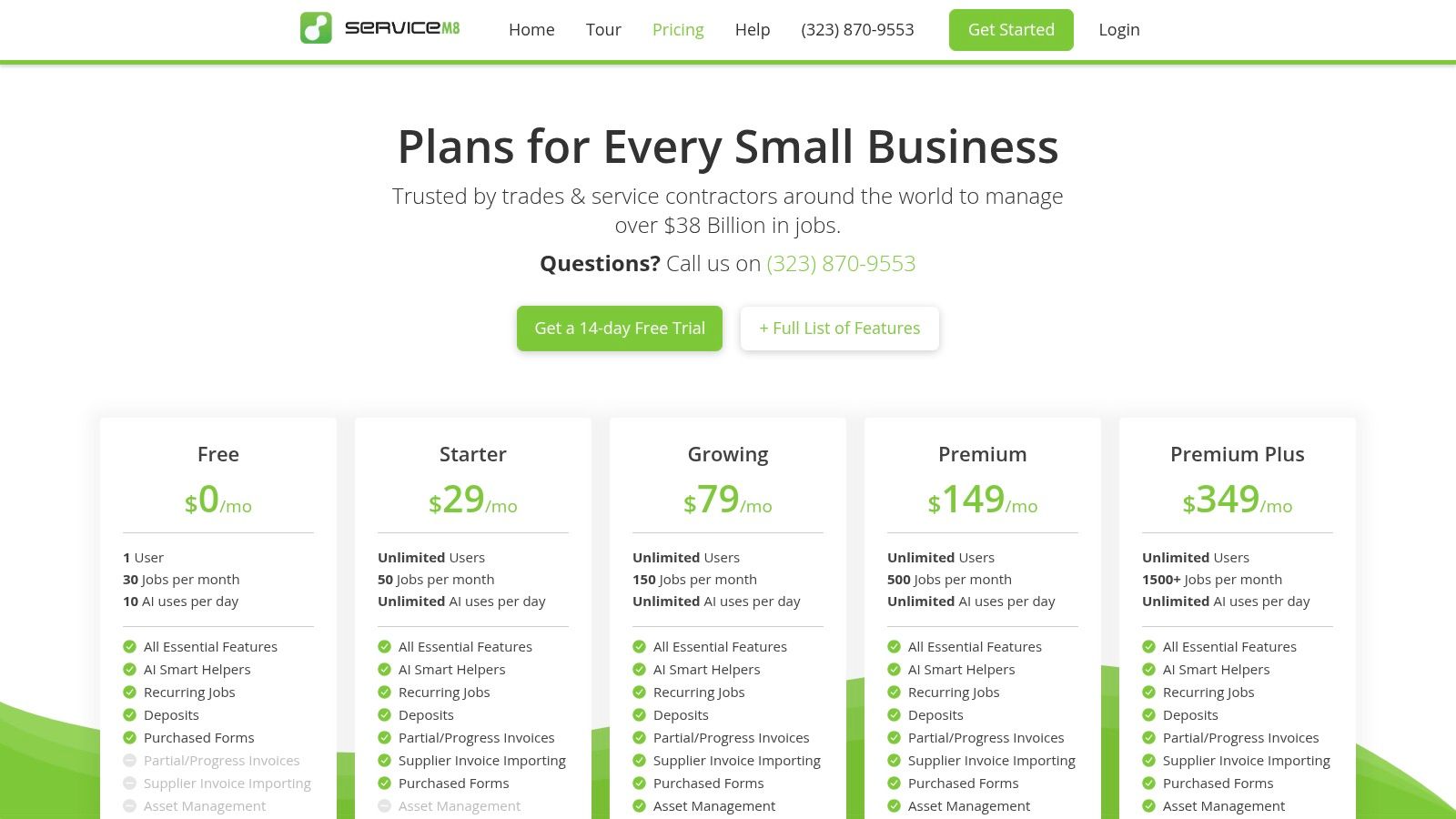
ServiceM8 uses a unique pricing model that is attractive for small or growing locksmith teams.
- Lite Plan: A free plan for the first 20 jobs each month, ideal for solo operators just starting.
- Paid Plans: Tiers start at a low monthly fee and include unlimited user seats, with costs scaling based on the number of jobs completed.
The primary limitation is its Apple-centric design; the experience on Android devices is significantly restricted. Furthermore, the job-credit model on lower tiers might become a constraint for high-volume locksmith businesses that handle many small, quick service calls daily. However, for a small team running on Apple hardware, it is a highly affordable and effective piece of locksmith scheduling software.
8. RazorSync
RazorSync is a field service management platform designed for small to mid-sized teams looking for a straightforward, mobile-first solution. It focuses on core scheduling, dispatching, and mobile workforce management without overwhelming users with overly complex features. This makes it an ideal starting point for smaller locksmith businesses or startups prioritizing clear entry-level pricing and hands-on training to get their operations organized quickly.
Locksmith-Specific Features & Integrations
While not exclusively built for locksmiths, RazorSync's feature set is highly practical for the trade. Its powerful mobile apps for iOS and Android ensure technicians have all job details, customer history, and payment processing capabilities in the field. The platform offers recurring job scheduling, which is perfect for managing commercial client service contracts. Optional add-ons like route optimization and customer notifications are key for improving efficiency and professionalism, allowing dispatchers to build the fastest routes and keep clients informed of arrival times.
Pricing and Scalability
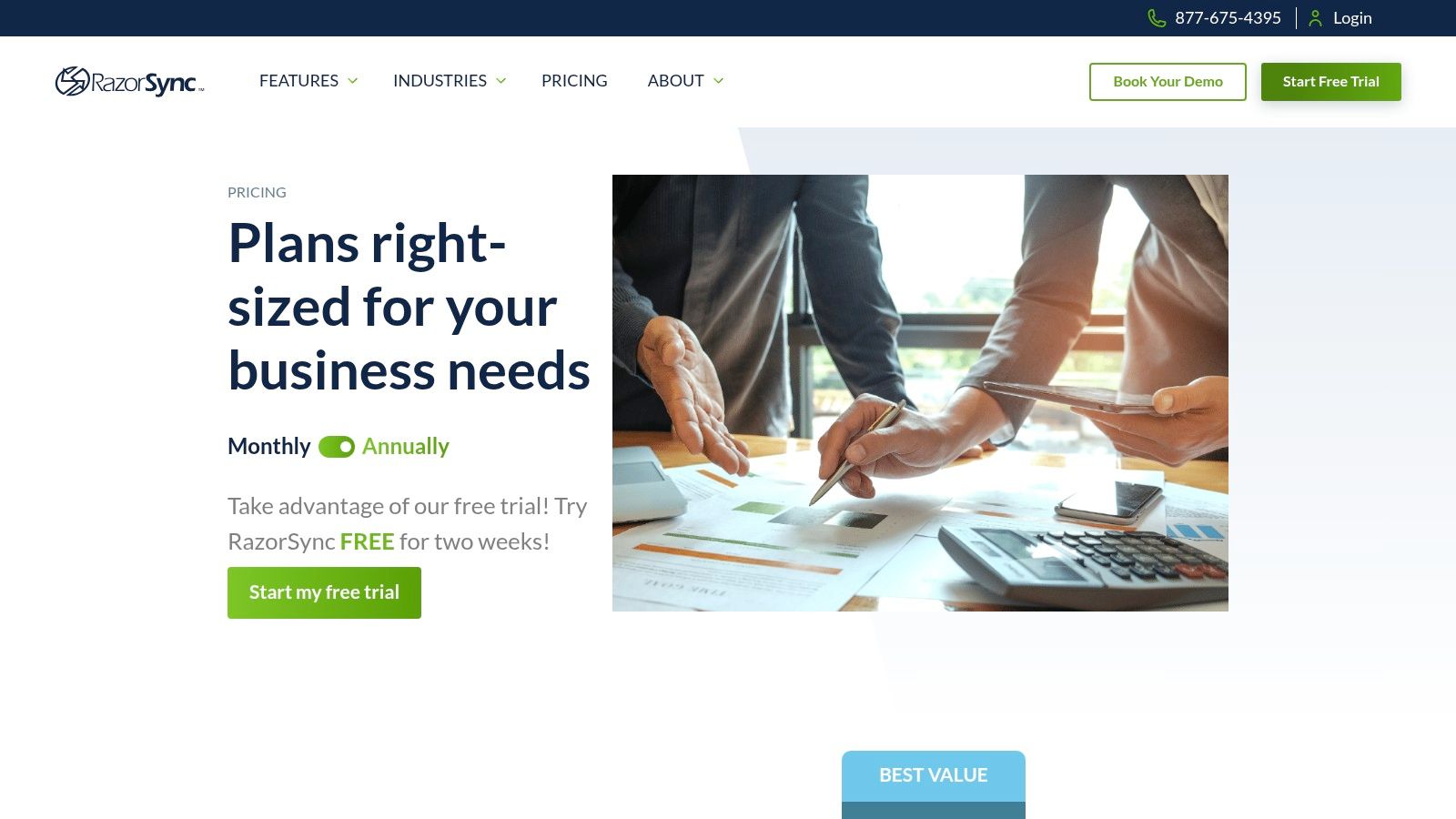
RazorSync’s pricing is transparent, which is a major advantage for businesses on a tight budget.
- Solo, Team, & Pro Plans: Tiered plans based on the number of users, starting with a solo operator and scaling up. Each plan includes a 14-day free trial and one-on-one training.
- Optional Add-ons: Features like QuickBooks integration, advanced reporting, and route optimization can be added for a monthly fee, allowing you to pay only for what you need.
The main drawback is that these add-on costs can accumulate as you grow, potentially making the total price less competitive. However, for a new locksmith business needing a simple yet effective locksmith scheduling software with excellent support, RazorSync provides a solid and accessible foundation.
9. Kickserv
Kickserv provides a strong balance of core field service management features and affordability, making it an excellent option for small to medium-sized locksmith teams. It focuses on delivering essential tools like scheduling, dispatching, invoicing, and customer management without overwhelming users with overly complex enterprise modules. This straightforward approach is ideal for businesses prioritizing value and ease of use.
Locksmith-Specific Features & Integrations
For locksmiths, Kickserv’s customer communication tools are a key asset. Automated email and SMS reminders help reduce no-shows and keep clients informed. The platform also allows you to embed contact forms directly on your website, streamlining lead capture. While advanced dispatch mapping and GPS check-ins are reserved for higher tiers, its core scheduling and QuickBooks (Online and Desktop) integrations provide a solid operational foundation. The ability to add custom fields allows you to tailor job forms to specific locksmith tasks, like key codes or hardware types.
Pricing and Scalability
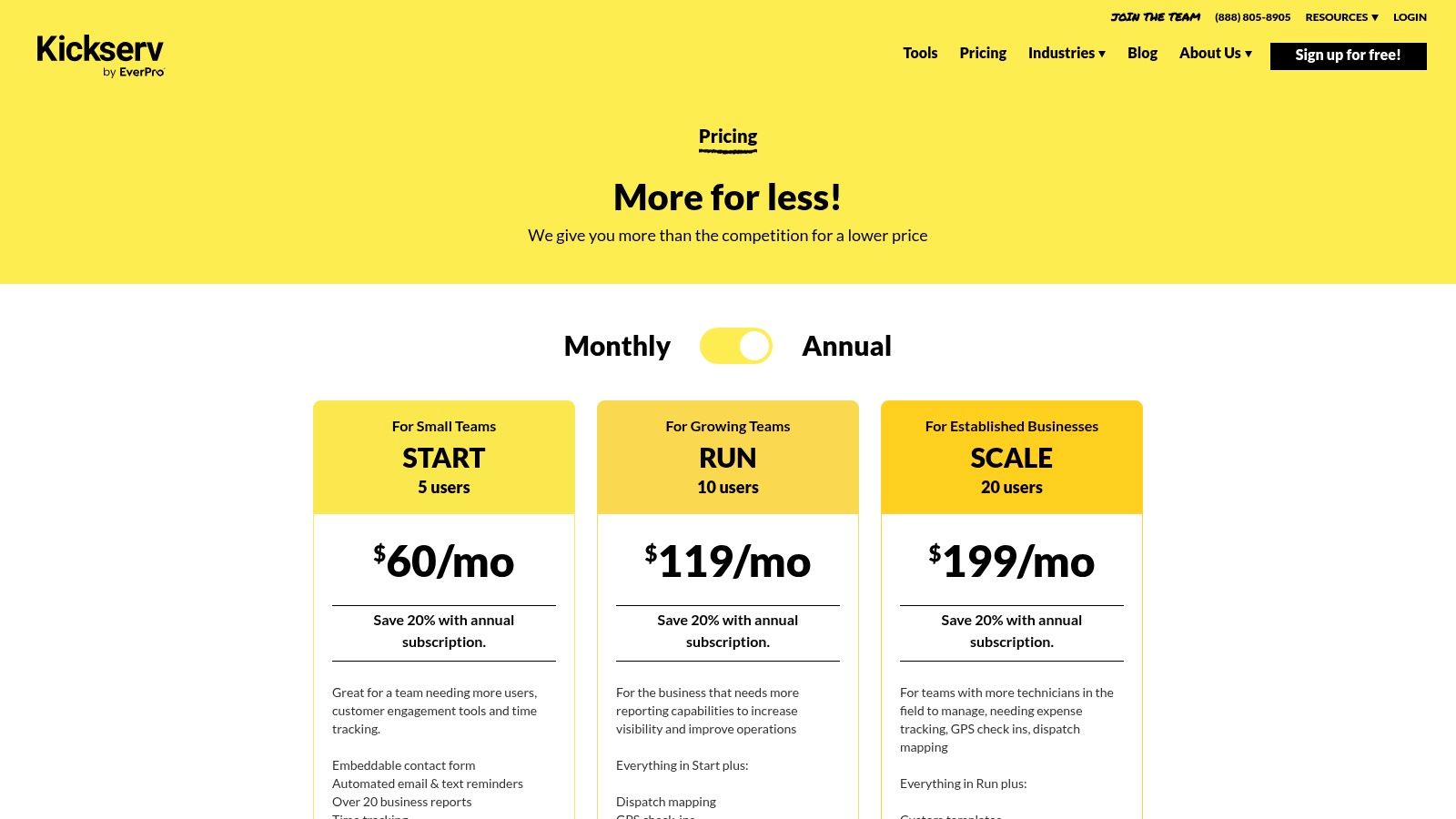
Kickserv's pricing model is built around generous user counts, offering great value for growing teams.
- Lite & Standard Plans: These tiers bundle 5 to 10 users, respectively, providing an affordable entry point for multi-technician shops.
- Business & Premium Plans: Offer more users and advanced features like custom reporting and GPS tracking, catering to larger operations.
The main drawback is that some critical features, like dispatch mapping, are gated behind more expensive plans. However, its transparent pricing and 30-day free trial make Kickserv a compelling locksmith scheduling software for businesses that need a robust, cost-effective solution for their team.
10. Service Fusion
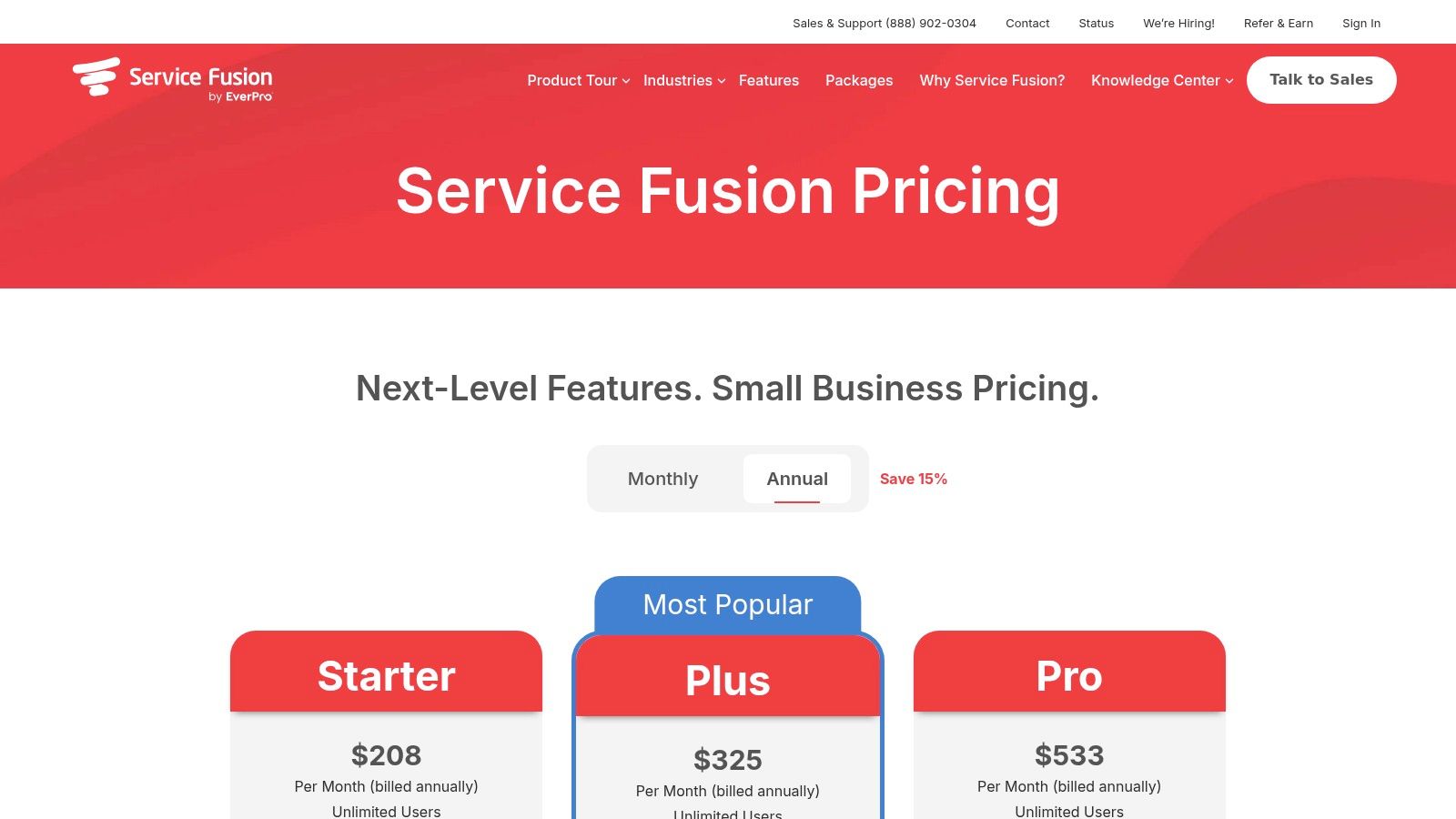
Service Fusion is an all-in-one field service management platform built for small to mid-sized businesses, offering a powerful suite of tools that extend beyond simple job booking. Its main draw for growing locksmith companies is its pricing model, which provides access for unlimited users on every plan. This structure is ideal for businesses focused on scaling their team of technicians and office staff without incurring expensive per-seat software fees.
Locksmith-Specific Features & Integrations
Service Fusion delivers robust scheduling and dispatching capabilities, customer management, and invoicing. Higher-tier plans include integrated voice and text features, a customer web portal, and GPS fleet tracking, which are valuable for managing a mobile workforce. The platform's QuickBooks integration ensures financial data stays synchronized, and its open API (on the Pro plan) allows for custom connections to other essential business tools, making it a flexible core for your operations.
Pricing and Scalability
The platform's pricing model is its most significant advantage for scalability.
- Starter Plan: The entry-level tier includes core scheduling, dispatch, estimates, and QuickBooks integration for an unlimited number of users.
- Plus & Pro Plans: These tiers add advanced functionality like the customer portal, GPS tracking, and the API, providing a clear upgrade path for expanding teams.
The primary drawback is that some features, like inventory management and job photos, are excluded from the base plan, requiring an upgrade or add-on. While its starting price is higher than some entry-level tools, Service Fusion offers exceptional value as a locksmith scheduling software for teams planning significant headcount growth.
11. mHelpDesk
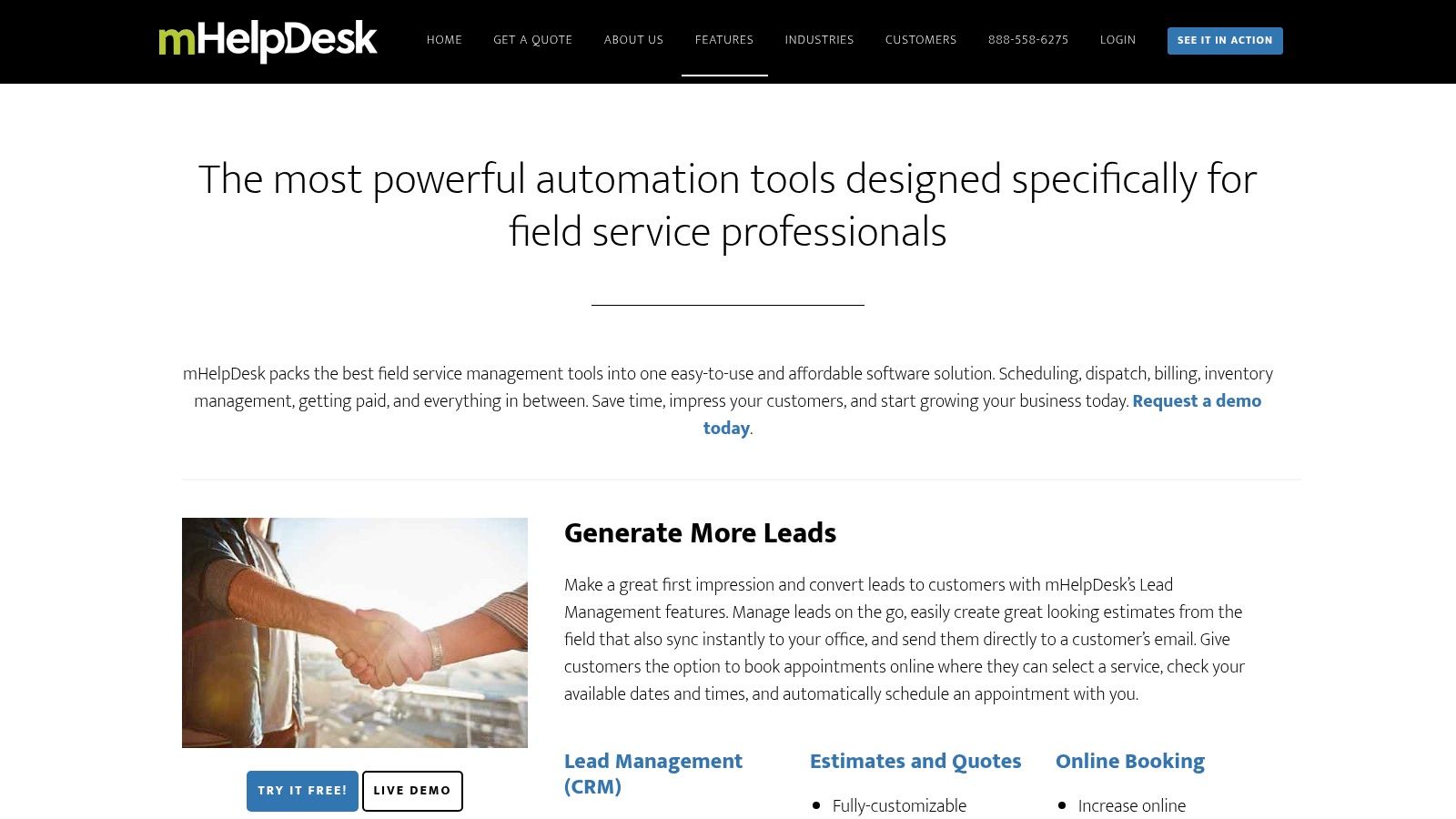
mHelpDesk is a long-standing field service management (FSM) platform offering a broad suite of tools that cover the entire job lifecycle. It provides reliable scheduling, dispatching, estimating, and invoicing, all tightly integrated with a built-in payment processing system. For locksmiths who value an established, all-in-one solution and transparent payment fees, mHelpDesk presents a solid, general-purpose option to manage operations from start to finish.
Locksmith-Specific Features & Integrations
While not exclusively built for locksmiths, mHelpDesk’s core features are highly applicable. The platform excels at managing recurring service agreements, a key feature for businesses with commercial or B2B clients. Its robust scheduling and dispatching tools help manage multiple technicians efficiently, while integrations with QuickBooks Desktop and Online streamline accounting. A standout feature is its transparent, published rates for credit card and ACH payment processing, which eliminates guesswork in job costing. This makes it a practical choice for locksmith businesses prioritizing clear financial management.
Pricing and Scalability
mHelpDesk utilizes a quote-based pricing model, so you must contact their sales team for specific subscription costs. This can be a drawback for businesses that prefer upfront pricing.
- Quote-Based Plans: Pricing is customized based on the number of users and required features.
- Payment Processing: Offers clear, published rates for card and ACH transactions, a significant advantage for financial planning.
The platform’s generalist FSM approach means it lacks some of the niche, locksmith-specific integrations found in other tools. However, its comprehensive feature set and established history make it a dependable locksmith scheduling software for companies that need a powerful, end-to-end operational backbone.
12. Capterra — Locksmith Software Category
Unlike a dedicated software platform, Capterra serves as a crucial starting point for your research. It's a comprehensive B2B software marketplace that features a dedicated category for locksmith-specific tools. This makes it an invaluable resource for business owners who want to survey the entire landscape of available options, read peer reviews, and create a shortlist of potential solutions before committing to demos. It allows you to compare platforms side-by-side based on features, ratings, and business size.
Locksmith-Specific Features & Integrations
Capterra's primary function is discovery, not direct operation. Its strength lies in its filtering system, which lets you zero in on the tools that offer the exact locksmith scheduling software features you need, such as GPS tracking, key management, or specific accounting integrations. The platform aggregates hundreds of user reviews, providing candid insights into a software's real-world performance, customer support quality, and ease of use. This peer-generated feedback is often more telling than a vendor's marketing materials and can highlight potential issues or standout benefits relevant to locksmiths.
Pricing and Scalability
Capterra itself is completely free to use for buyers. It provides pricing snapshots and indicates which vendors offer free trials or free versions, but you must click through to the official vendor websites for detailed quotes and subscription terms.
A key drawback is that sponsored listings often appear at the top, so it’s wise to sort by "Highest Rated" or "Most Reviews" to get a more objective view. Despite this, its ability to provide a broad, unbiased market overview makes Capterra an essential first step in finding the perfect software for your locksmith business.
Visit Capterra
Top 12 Locksmith Scheduling Software Comparison
| Product | Core features ✨ | UX & quality ★ | Value & pricing 💰 | Target audience 👥 | Standout/USP |
|---|---|---|---|---|---|
| MoveJoy 🏆 | 24/7 AI call answering, real-time quoting, calendar/CRM sync, review automation | ★★★★★ — ~2s avg response, near-100% answer rate, unlimited concurrent calls | 💰 $149–$499+/mo + per-min overage ($0.15–$0.25); reported ~12x ROI | 👥 Moving & trades, small→multi-location fleets | ✨ AI trained on service/moving dialogs; no-code setup; enterprise security 🏆 |
| Workiz | Real-time dispatch, online booking, payments, inventory | ★★★★ — locksmith-tailored UX; some notification reports | 💰 Free Lite → tiered plans; add-ons may raise cost | 👥 Locksmiths & small service teams | ✨ Locksmith-specific workflows & supplier partnerships |
| Housecall Pro | Scheduling/dispatch, online booking, mobile invoicing, price book | ★★★★ — mature mobile apps, scalable | 💰 Transparent tiers; 14‑day trial; add-ons for advanced tools | 👥 Home-service firms scaling from solo→multi-tech | ✨ Strong app ecosystem & add-on marketplace |
| Jobber | Quotes, online booking, automations, payments, app marketplace | ★★★★ — clear tiers, good onboarding | 💰 Clear plan tiers; add-ons (Marketing Suite) extra | 👥 SMB service teams wanting simple growth tools | ✨ Education resources & app integrations |
| ServiceTitan | Advanced dispatch, pricebook, payroll, reporting, API | ★★★★★ — enterprise-grade reliability | 💰 Premium (no public pricing); high implementation cost | 👥 Large contractors & fast-growing multi-location ops | ✨ Deep analytics, payroll/commission tracking |
| FieldPulse | Scheduling, estimates/invoices, QuickBooks sync, add-ons (VoIP, fleet) | ★★★★ — hands-on onboarding, US support | 💰 Quote-based; flexible add-ons | 👥 SMBs needing tailored onboarding & add-ons | ✨ Personalized setup and optional VoIP/fleet modules |
| ServiceM8 (U.S.) | Drag-and-drop scheduling, online booking, checklists, Apple-first app | ★★★★ — excellent iOS UX; limited Android | 💰 Low starting prices; free/solo plan; job-credit model | 👥 Solo operators & small Apple-centric teams | ✨ Strong iPhone/iPad experience; low entry cost |
| RazorSync | Scheduling/dispatch, mobile apps, payments, optional routing | ★★★ — clear entry pricing, 1:1 training | 💰 Entry-level pricing; add-ons for routing/QuickBooks | 👥 Very small teams / startups | ✨ Simple, training-included entry plan |
| Kickserv | Scheduling, estimates, reminders, generous user counts per plan | ★★★★ — value-oriented UX | 💰 Value tiers with multiple users included | 👥 Small→mid teams wanting predictable user caps | ✨ Multi-user value and simple plan structure |
| Service Fusion | Scheduling, invoicing, integrated voice/text, unlimited users | ★★★★ — broad feature coverage | 💰 Mid-tier pricing; month-to-month options | 👥 SMBs scaling headcount without per-seat fees | ✨ Unlimited users; integrated voice & portal |
| mHelpDesk | Scheduling/dispatch, billing, built-in payment processing | ★★★★ — established, end-to-end payments | 💰 Quote-based subscriptions; published processing fees | 👥 Firms valuing integrated payments & legacy FSM | ✨ Transparent payment rates and long vendor history |
| Capterra — Locksmith Category | Curated listings, reviews, buyer guides, vendor links | ★★ — depends on listings; good discovery UX | 💰 Free to use (marketplace) | 👥 Buyers researching locksmith/service software | ✨ Broad market view, sortable reviews and filters |
The Real Cost of Doing Nothing? Lost Jobs and Stalled Growth
Choosing the right locksmith scheduling software can feel overwhelming after reviewing so many options. The features, pricing tiers, and implementation steps all demand careful consideration. However, the most expensive choice you can make for your locksmith business is often inaction. Sticking with a paper-and-pen system, a messy spreadsheet, or a constantly full voicemail box isn't just inefficient; it's a direct leak in your revenue pipeline. Every missed call during a lunch break or overnight emergency is a potential high-value job handed directly to a more prepared competitor.
The core takeaway from our deep dive into platforms from MoveJoy to ServiceTitan is this: speed wins jobs. In the locksmith industry, customer urgency is paramount. A client locked out of their car or home isn't going to leave a message and patiently wait for a callback. They will call the next name on the search results page until someone answers. Modern locksmith scheduling software acts as your ever-vigilant front office, ensuring that no lead is ever truly missed, whether it's 2 PM on a Tuesday or 2 AM on a Sunday.
Making Your Final Decision: A Practical Framework
As you move from evaluation to decision, it's crucial to re-center your focus on your business's unique operational DNA. The "best" software on paper might not be the best fit for your specific needs.
Here’s a simple framework to guide your final choice:
- For the Solo Owner-Operator: Your primary bottleneck is your own time. You can't be on a job and answer a new lead's call simultaneously. Your focus should be on simplicity, mobile access, and powerful automation that handles intake while you work. Tools like MoveJoy (for call handling and booking) or Jobber (for all-in-one simplicity) are strong contenders, minimizing administrative overhead so you can focus on service.
- For the Growing Multi-Tech Business: Your challenge shifts to dispatch, coordination, and maintaining service quality as you scale. You need a system that offers a centralized calendar, real-time technician tracking, and seamless communication between the office and the field. Platforms like Workiz and Housecall Pro excel here, providing the robust features needed to manage multiple schedules and customer interactions without chaos.
- For the Multi-Location or Enterprise Operation: Standardization, reporting, and integration become critical. You need a platform that can handle complex workflows, provide deep performance insights, and connect with your existing accounting or CRM systems. This is where enterprise-grade solutions like ServiceTitan shine, offering the comprehensive functionality required to manage a large-scale operation.
Beyond the Features: Implementation and Data
Once you've selected a tool, remember that its true value is unlocked through thoughtful implementation. Don't just turn it on; integrate it into your workflow. Train your technicians, customize your job templates, and set up your automated follow-up sequences. The goal is to make the software an extension of your business logic.
Furthermore, the data you collect is a goldmine. Use your new system to track which marketing channels generate the most profitable jobs, identify your busiest times, and analyze technician performance. Ultimately, to mitigate the real cost of doing nothing and combat stalled growth, businesses must leverage powerful Business Intelligence Tools that transform operational data into actionable strategies. The right scheduling platform is your primary source for this valuable operational data.
The transition to a dedicated locksmith scheduling software is more than a technological upgrade; it's a fundamental business strategy. It’s about building a more resilient, scalable, and profitable operation that can thrive in a competitive market. The initial investment in time and money is quickly offset by the first few jobs you book that would have otherwise been lost to voicemail. Stop letting revenue slip away and start building the efficient, growth-oriented business you deserve.
Ready to stop missing calls and start booking more jobs automatically? See how MoveJoy's AI-powered receptionist can act as your 24/7 front desk, ensuring every lead is captured and scheduled, even while you’re on the job. Learn more about MoveJoy and reclaim your lost revenue today.