Field Service Management Software Comparison for Moving Companies
Let’s be direct: most field service management software is built for plumbers and electricians, not for the absolute chaos of running a moving company. And that simple fact is costing you jobs.
It’s a frustratingly common story for moving company owners. You sign up for a popular FSM platform hoping to streamline operations, only to realize it’s designed for predictable, one-hour service calls. It has no idea what to do with a three-bedroom house, a grand piano, and three flights of stairs. This isn't just a minor headache; it's a roadblock to your growth, causing missed calls and booking delays that your competitors are capitalizing on.
Why Generic FSM Software Fails Moving Companies
The global FSM software market is expected to hit $7.16 billion by 2028, which means powerful tools are more accessible than ever for moving business operations. For a small fleet or even a single-truck operator, this is huge. Cloud-based systems can finally offer things like 24/7 lead capture, so you stop losing jobs to voicemail. But this growth also means you have to be smarter about the tools you choose. As you can see from market growth insights, specialized, AI-powered FSM is becoming the dividing line between staying competitive and falling behind.
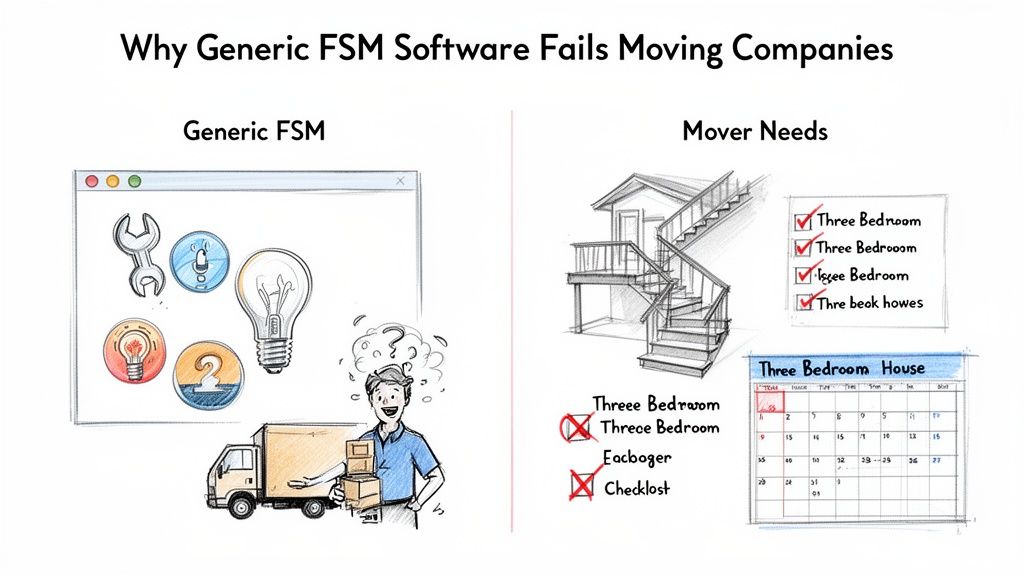
The Quoting and Scheduling Disconnect
This is where generic software completely falls apart for a local mover. Their quoting tools are simple calculators, totally unprepared for the variables that define a moving estimate.
Ask yourself if your current system can handle these basics:
- Inventory Complexity: Can it price a job based on the number of bedrooms, bulky items, or if packing services are needed?
- Logistical Variables: Does it account for stairs, long carries from the truck to the door, or tricky access points?
- Travel Time: Can it accurately calculate the drive time between the pickup, the drop-off, and your depot?
When a potential customer calls at 9 PM on a Friday wanting a quote, a generic system just sends them to voicemail. That’s a lost lead. Plain and simple. Your competitor who uses automation to give them an instant, accurate estimate wins the job before you’ve even had your morning coffee. Remember, missed calls equal lost revenue.
Blind Spots in Field Operations
The problem gets even worse when you get to dispatch and crew management. A plumber’s schedule is mostly linear; a mover’s schedule is a dynamic puzzle, especially during the peak season from May to September.
The core failure of generic software is its inability to grasp that a "job" for a mover isn't a single task. It's a multi-stage project with unique variables, high customer anxiety, and tight timelines. Trying to manage that with a tool built for fixing leaky faucets is like trying to haul a sofa with a sedan.
Standard FSM platforms just don't have the flexibility for the daily realities of running a moving crew. They choke on last-minute schedule changes, multi-day jobs, or complex crew assignments. This forces your dispatchers right back to using spreadsheets and whiteboards, which defeats the entire purpose of the software in the first place.
The result is a mess of operational bottlenecks, wasted time, and a terrible customer experience. The wrong software doesn't just fail to help—it actively holds your moving business back from booking more moving jobs.
Core FSM Features That Actually Drive Revenue For Movers
When you're shopping for software, it's easy to get lost in a sea of features that sound impressive but don't actually help you book more moves. For a moving company with 1–20 trucks, the only features that matter are the ones that directly put money in your pocket and cut down on chaos.
Let’s be honest, generic FSM platforms just don’t get it. They aren’t built for the unique grind of a moving operation.
Here are the non-negotiable tools your software must have, looked at from the perspective of someone who actually runs moves, not just software demos.
24/7 Lead Capture and Automated Call Handling
Every missed call is a lost job. That’s not a cliché; it’s the painful truth, especially when a good lead calls after hours or during the weekend rush. If your phone rings while your team is on another call or out on a job, that lead is already dialing your competitor. Simple as that.
The right FSM for a mover is your always-on receptionist. It has to guarantee that 100% of calls are answered, capturing the lead's info day or night. This isn't about setting up a clunky phone tree. It's about smart automation—like an AI receptionist—that can engage a customer, get their details, and tee them up for a quote without you lifting a finger.
Many service businesses have figured this out. Looking at how a call center software for small business works shows you how purpose-built tools can turn every single customer touchpoint into revenue. The mission is the same: stop losing opportunities.
Intelligent Quoting and Instant Follow-Up
Look, a basic calculator isn't a quoting tool for a moving company. The razor-thin line between a profitable job and a losing one is drawn by how you price the messy details—stairs, antique armoires, long carries, and drive time.
Your software absolutely must be able to:
- Handle Moving-Specific Variables: It needs to know the difference between a studio apartment move and a four-bedroom house with a grand piano. Generic fields won't cut it.
- Provide Instant Estimates: Speed wins jobs. Customers today want answers now. A system that can text an accurate quote within minutes of the initial call puts you leagues ahead of the mover who says, "I'll call you back."
- Automate Follow-Ups: How many quotes have you sent that just disappeared into a black hole? Automated quote follow-up via text and email is your secret weapon for re-engaging leads who are still shopping around.
The moment a customer hangs up, the clock is ticking. If your process involves calling them back later with a price, you’ve probably already lost. The first mover to deliver a professional, accurate quote is the one who builds trust and gets the deposit.
Dynamic Dispatch and Visual Scheduling
Your schedule isn't a static document. During peak season, it’s a living, breathing thing that changes by the hour. A simple calendar can't handle the fluid reality of dispatching moving crews. You need a system built for the way you actually work.
This means a visual, drag-and-drop calendar that makes it dead simple to see crew availability, assign trucks, and shuffle jobs around to handle last-minute changes without creating a five-alarm fire. You need a bird's-eye view of your entire operation, from who's on what job to which truck is where. If you want to go deeper on this, exploring crew schedule software can show you just how much time a good system saves.
Mobile Crew Management
Your guys in the field are the face of your company, but they’re often completely disconnected from the office. A good FSM closes that gap with a simple mobile app that puts everything they need right on their phones.
This should include:
- Real-time job details and specific customer notes.
- GPS navigation that takes them right to the front door.
- A direct, no-fuss way to communicate with the dispatcher.
This connection kills confusion, cuts down on costly errors, and gives your team what they need to deliver the kind of five-star service that earns killer reviews. It’s the bridge between your office and the customer’s doorstep.
A quick look at standard FSM features versus what moving companies actually need makes the gap pretty clear.
Essential FSM Features for Moving Companies
| Core Feature | Standard FSM Capability | What Moving Companies Actually Need |
|---|---|---|
| Call Handling | Voicemail and call routing during business hours. | 24/7 automated call answering that captures lead details, even on a Saturday night. |
| Quoting | Generic estimate forms with line items. | Dynamic quoting based on bedrooms, inventory, stairs, and drive time, delivered instantly via text. |
| Scheduling | Basic calendar with manual job assignments. | Visual, drag-and-drop dispatch board for crews and trucks that can be changed on the fly. |
| Mobile Access | A mobile app with work order details. | A crew app with job notes, GPS, and direct communication to prevent on-site mistakes. |
| Integrations | Connects to standard accounting software like QuickBooks. | Plugs directly into your calendar and booking system, enabling true call-to-calendar automation. |
As you can see, the standard toolkit just doesn't address the high-stakes, fast-paced nature of the moving business. You need software built by people who understand that a missed call isn't just a missed call—it's a lost job.
Comparing FSM Software Models for Your Moving Business
Not all field service management software is built the same, especially when you get into the nitty-gritty of a moving business. Trying to shoehorn a generic platform into your operation is like trying to fit a square peg in a round hole. It just creates friction, wastes your crew's time, and ultimately costs you jobs.
Figuring out which model is right for you comes down to what your business needs right now. A 3-truck company bleeding money from missed calls has a totally different problem than a 15-truck operation that needs deep financial reporting.
All-in-One CRM Suites
These are the heavyweights. Think of them as the massive enterprise systems that promise to do it all: marketing, sales, dispatch, billing, and customer service, all under one roof. For a very large, established moving company with a dedicated office staff, these platforms can give you a bird's-eye view of the entire business.
For most small to mid-sized movers, though, they're often overkill.
- Hefty Price Tag: They usually come with a steep monthly fee and per-user licenses that can add up faster than you’d think.
- Big Learning Curve: The sheer complexity means weeks, sometimes months, of training. That’s time your team isn’t on the road or booking jobs.
- Slow and Clunky: Because they’re built for everyone, they lack the specific workflows movers need. You’ll find yourself creating awkward workarounds for quoting, inventory, and dispatch.
An all-in-one suite might be the right call for a big multi-location franchise, but for a 5-truck operation, it's often too much software for the problem you’re actually trying to solve.
Niche Moving Industry Software
This is software built from the ground up for movers. These platforms are great at the industry-specific stuff that generic FSMs completely miss—things like managing detailed inventories, calculating cubic feet, and generating a bill of lading. They speak the language of moving.
And while they’re a huge step up from a generic tool, many were built before the recent leaps in automation and AI. They do a solid job of managing the moves you already have booked, but they often fall short in one critical area: capturing new business. Many of them lack modern, automated lead capture and 24/7 call handling, which means you're still losing after-hours leads to voicemail.
Specialized Automation Tools
This is a newer category, and it has emerged to fill that critical gap. These tools aren't trying to replace your whole operational system. Instead, they focus like a laser on automating the most crucial, revenue-generating part of your front office: answering calls and booking jobs.
The biggest bottleneck for most growing moving companies isn’t managing existing jobs—it’s the constant struggle to answer every call and respond to every lead fast enough to win the business. Specialized automation tools solve this specific problem.
Think of it as adding an AI-powered receptionist and sales assistant to your team. These systems are designed to plug right into your existing calendar and CRM. They answer 100% of your calls, grab lead details, send instant and accurate quotes via text, and can even get the job booked on your calendar without anyone on your team touching it.
When looking at different software models, it helps to see how other industries pick their tools. For example, a good marketing automation software comparison guide shows how businesses focus on features that directly boost lead conversion and revenue. That principle applies perfectly here. For movers, it means zeroing in on the tools that stop missed calls and book jobs faster.
This decision tree gives you a simple way to think about which features are most critical for a modern moving company.
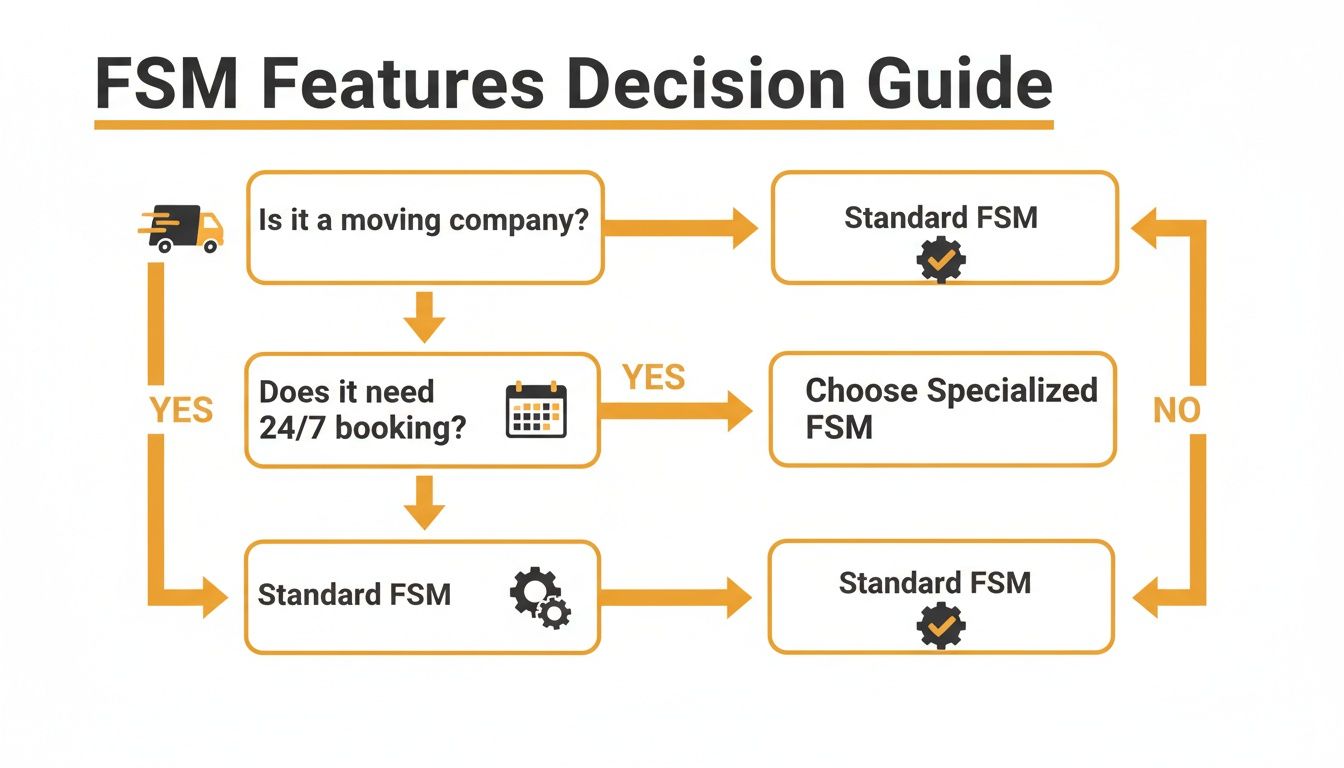
The takeaway is pretty clear: if your main goal is to stop losing leads and book more jobs on autopilot, a specialized automation tool is the straightest line to getting that done.
For owners running 1-20 trucks, this targeted approach is usually the most effective. It solves your most expensive problem—lost revenue from missed calls—without forcing you to rip out and replace the systems you already rely on. If you're weighing your options, our guide on home service business software offers more context on why specialized tools deliver so much value. It’s not about getting more software; it’s about getting the right automation working for you.
How the Right Software Wins Jobs in the Real World
Feature lists and abstract comparisons only tell you half the story. The real test of any software is how it holds up under pressure—when a job is on the line and every second counts.
Let’s walk through three common, high-stakes situations every moving company owner deals with. This is where the gap between a generic FSM and a purpose-built automation tool becomes painfully clear. One sends leads to voicemail; the other sends booked jobs to your calendar.

Scenario 1: The After-Hours Quote Request
It’s 9 PM on a Tuesday. A motivated customer, ready to book a three-bedroom move for next month, calls your number. Your office is dark. Your team is at home.
- With a Generic FSM: The call goes straight to voicemail. The customer might leave a message, but they aren't waiting around. They immediately start calling your competitors. By the time your team hears that voicemail at 8 AM, that lead has already paid a deposit to the company that answered.
- With an AI Receptionist: An automated assistant answers in two seconds flat. It asks for the key details—move size, addresses, and special items like a piano. It then instantly texts the customer a professional, accurate quote and a booking link. You wake up to a notification: a $2,500 job was booked and confirmed on your calendar while you were sleeping.
This isn’t about working more hours; it’s about having a system that works for you 24/7. Speed is the biggest factor in winning the job, and automation guarantees you're always the first to respond.
Scenario 2: Peak Season Scheduling Chaos
It’s a frantic Friday in July, the height of moving season. Your dispatcher is on the phone with a new lead while another customer is on hold, trying to reschedule. At the same time, a crew lead is texting with an urgent question from a job site. It’s pure chaos.
- With Manual Processes: The dispatcher puts the new lead on hold to deal with the reschedule. They have to pull up a clunky spreadsheet, squinting to find an open slot for a crew and a 26-foot truck. By the time they get back to the new lead, that person has hung up. You just lost an $1,800 job.
- With an Automated Front Office: The AI handles the initial call with the new lead, capturing all their needs. This frees up your dispatcher to focus on the reschedule, using a visual drag-and-drop calendar that shows real-time crew and truck availability. The system automatically highlights open slots, and the job is rescheduled in under a minute. No dropped calls, no lost revenue.
Automation transforms your dispatcher from a stressed-out call juggler into a high-level logistics coordinator. It takes the frantic, low-value work off their plate so they can solve real problems.
Scenario 3: The Forgotten Lead Follow-Up
Three days ago, you sent a quote to a promising lead for a local apartment move. They said they were "getting other prices," and you haven't heard back. You meant to follow up, but a truck broke down and it completely slipped your mind.
- With Manual Follow-Up: That lead goes cold. Without a nudge, they either forget or go with a competitor who was more persistent. That $1,200 job just vanished because your team was too busy fighting fires.
- With Automated Follow-up: The system is built for this. It automatically sends a friendly text 24 hours after the quote: "Hi Alex, just wanted to see if you had any questions about the quote we sent over." Another email follows up two days later. This simple, automated nudge is often all it takes to re-engage the customer and get them to book.
In every scenario, the outcome hinges on one thing: the ability to respond instantly and consistently. Manual processes will always crack under pressure, leading to missed calls, cold leads, and lost jobs. Automation provides the scalable, reliable front office that lets you capture every single opportunity, no matter how busy you get.
Calculating the ROI of Automation for Your Moving Company
Investing in new software can feel like a big leap, especially when you're watching every dollar. It’s easy to get lost in buzzwords like "efficiency" and "streamlined operations." But as a moving company owner, you only care about one thing: the return on investment (ROI). Does this tool make you more money than it costs?
Let’s break down the math. We'll skip the vague promises and give you a simple, real-world way to calculate the financial impact of automation on your moving business. This isn't about fancy spreadsheets; it's about connecting software features to your bottom line.
Revenue Recovered from Missed Calls
This is the most direct—and painful—metric for any moving company owner. You know the feeling. You check your phone at the end of a long day and see a list of missed calls. Every single one was a potential job that just went to your competitor.
Here’s a simple way to calculate that loss:
- Average Lost Jobs Per Month: Most movers I talk to lose between 3 to 7 jobs a month from calls that go to voicemail after hours or during peak times.
- Average Job Value: Let's say your average local move is worth $1,500.
- The Math: 5 lost jobs x $1,500 per job = $7,500 in lost revenue. Every month.
A system that answers your phone 24/7 doesn't just offer better service; it directly plugs that hole in your revenue. For most companies, this revenue recovery alone justifies the entire cost of the software.
Increased Booking Conversion Rate
In the moving business, the first company to give a professional quote usually wins the job. Customers don't wait around. If they have to leave a voicemail or fill out a web form and wait for you to call back, they’re already dialing the next mover on their list.
Automation gives you an edge by weaponizing speed.
- Instant Response: An AI-powered system can answer a call, gather all the job details, and text an accurate quote within minutes of them hanging up.
- Automated Follow-Up: It can then send a sequence of texts and emails to follow up on that quote, making sure you stay top-of-mind.
This immediate, professional contact builds trust and makes it way more likely that a lead will book with you instead of a slower competitor. Even a modest 10-15% bump in your booking conversion rate can mean thousands of dollars in new monthly revenue. You can use our interactive tool to calculate your potential ROI and see what these numbers look like for your specific business.
The new competitive advantage isn’t about having the lowest price; it’s about being the fastest and most professional. Automation makes you both, instantly.
Reduced Administrative Overhead
How many hours does your team—or you—spend on repetitive, manual tasks? Think about the time wasted playing phone tag, typing in customer details, sending follow-up emails, and scheduling reminders. This administrative drag is a hidden cost that slowly eats away at your profits.
Let’s put a number on it:
- Estimate the hours your office staff (or you) spend each week on these tasks. Let’s say it’s 10 hours per week.
- Multiply that by an hourly rate, say $25 an hour.
- That’s $250 per week, or $1,000 per month, spent on work that software can do for you.
This is exactly why smaller moving companies are jumping on FSM software, with the market projected to grow at a 16.4% CAGR through 2030. Tools that can automatically quote a two-bedroom apartment with stairs let movers capture leads without having to hire more office staff, often leading to efficiency gains of 20-30%. You can learn more about these FSM market trends and see why movers are making the switch.
When you add it all up, the conclusion is pretty clear: booking just one extra job a month almost always pays for the entire cost of a modern automation platform. It’s not an expense; it’s an investment in your company’s growth.
Finding the Right Partner to Help You Grow
Picking a field service management software isn't just about getting a new tool. It’s about finding a partner who gets your business and is committed to helping you grow. As a moving company owner, you don’t need more complicated software—you need simple automation that runs in the background so you can focus on booking jobs and managing crews.
You have to look past the flashy feature lists. The best partner for you understands the unique headaches of the moving industry, from the insanity of seasonal demand spikes to the brutal fact that every single missed call is a lost job.
Use this checklist to cut through the noise and find a partner who actually gets it.
The Mover’s FSM Partner Checklist
Before you sign any contract, make sure a potential partner can give you a straight "yes" to these questions. This isn't just a feature-for-feature comparison; it’s a gut check to see if they understand the world you operate in.
-
Do they actually know the moving industry? A vendor that builds software for plumbers and electricians isn't going to get your business. Ask them to walk you through how their system handles a multi-room move with a long carry versus a simple service appointment. If they can’t speak your language, they can’t solve your problems.
-
How painful is onboarding and support? You don’t have an IT department. Setup should take a few minutes, not a few weeks. More importantly, when you have a scheduling crisis on a Friday afternoon, can you get a real person on the phone who understands the urgency?
-
Will this software grow with me or punish me for it? Your goal is to go from two trucks to ten. Your software shouldn't make that harder. Get crystal clear on how their pricing changes as you add crews and trucks. You want a partner whose success is tied to yours, not one who sees your growth as an excuse for a massive price hike.
-
Does it integrate with the tools I already use? The last thing you need is another system that’s a silo. The right FSM should connect to your existing calendar and phone system without you needing a degree in computer science to set it up.
The Litmus Test: The best software doesn't force you to change how you work. It just automates the tedious, repetitive parts so you can do your real job better. It should feel like a reliable member of your team, not another login you have to remember.
Choosing the right partner means finding a solution that just works—one that removes bottlenecks instead of creating them. It’s the difference between buying another piece of software and investing in automation that actually drives revenue.
Common Questions About FSM Software
If you're looking at different FSM software, you've probably got some questions. Let's tackle the ones I hear most often from moving company owners trying to make the right call.
What’s the Typical Cost for a Small Mover?
FSM software pricing is all over the map. Some platforms hit you with a high flat monthly fee, while others charge per user—which can get real expensive, real fast as your team grows.
But honestly, focusing only on the price tag is the wrong way to look at it. The real question is about return on investment (ROI). Think about it: how much revenue are you losing to missed calls every single month? For a lot of movers, that number is somewhere between $3,000 and $7,000.
Most modern automation tools cost less than the profit you'd make from booking just one extra job. When you frame it like that, the decision becomes a pretty clear financial win.
How Do I Get My Crew to Actually Use New Software?
This is a big one. Adoption is a huge hurdle, especially with guys out in the field. The secret? It has to be dead simple. Your crew isn't going to mess with a clunky, complicated app that feels like it needs an instruction manual.
Look for a tool with a mobile interface that was clearly designed for a mover on the go, not an office manager sitting at a desk. If a crew lead can pull up job notes, get directions, and message dispatch in just a couple of taps, they’ll use it. The best software "just works" without needing a week of training sessions.
Do I Need to Be a Tech Expert to Set This Up?
Absolutely not. The new wave of cloud-based FSM tools are built for business owners, not IT departments. Getting a specialized automation tool up and running should take you minutes, not weeks.
You shouldn't have to change your entire operation just to fit a piece of software. A good system plugs right into the tools you already use—like Google Calendar and your existing phone number—and starts working immediately.
The whole point is to get powerful automation running in the background without you needing to become a tech wizard.
Ready to see how automation can stop your missed calls and start booking more jobs? MoveJoy is your AI-powered receptionist, built to answer every call 24/7 and turn those leads into booked moves. Learn how MoveJoy can work for you.