Let's be honest, running a moving company without the right tools feels like trying to load a grand piano with duct tape and a prayer. You're juggling spreadsheets, paper BOLs, maybe even a whiteboard that's seen better days. Moving company software is what finally throws all those disconnected pieces into one, central digital hub.
It becomes the single source of truth for your entire operation, from the moment a customer calls in a panic to the second their final payment hits your account.
Your Operations Command Center
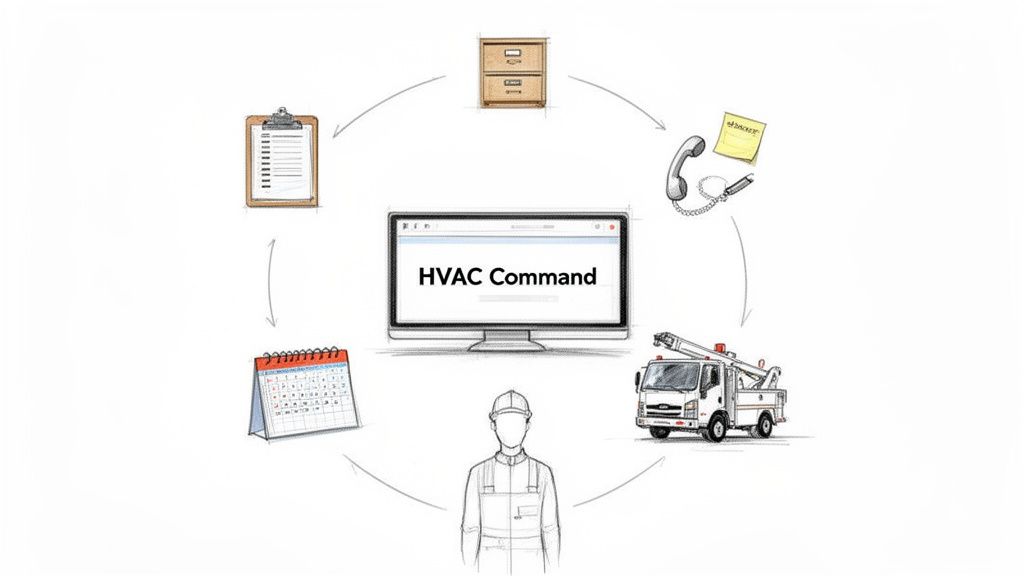
Think of it as the control room for your whole business. It’s the toolkit that gets rid of messy clipboards, overflowing filing cabinets, and the sticky notes covering your dashboard. Especially for owner-operators and teams running 1-20 trucks, this is what solves the most common—and costly—growing pains.
Without it, you’re constantly fighting little fires. A missed call during peak moving season isn’t just a lost job; it’s a customer you’ll never hear from again. A delay in getting a quote out the door gives your competitor the opening they need. Scheduling mix-ups don't just frustrate customers; they burn fuel and waste your crew's precious time.
This is the technology designed to fix those exact problems. It brings every critical part of your moving business under one roof, giving you clarity and control you just can't get with paper and spreadsheets.
From Chaos to Cohesion
The main goal here is to connect what’s happening on the trucks with what’s happening in the office, in real time. It makes sure everyone—from the dispatcher to the crew lead on-site—is looking at the same up-to-date information. No more frantic calls back to the office to confirm an address or ask about a customer's inventory.
This shift from manual chaos to a digital hub is fast becoming a must-have to stay competitive. Customers expect instant quotes and seamless communication. Shops adopting these tools are seeing huge efficiency gains, fewer dropped jobs, and much faster booking times.
Instead of wrestling with different apps and paper trails, you can manage everything in one place.
- Scheduling and Dispatch: See who’s available at a glance and send the right crew based on their location and job requirements.
- Customer Information: Pull up complete move histories, contact details, and inventory lists in seconds.
- Job Management: Track every move from the initial call to the final sign-off.
- Billing and Payments: Create professional estimates on the spot and get paid before you even leave the driveway.
Let's look at what this shift really means for your day-to-day.
Manual Operations vs Automated Management
| Task | Manual Method (The Old Way) | Automated with Software (The New Way) |
|---|---|---|
| Scheduling | Whiteboard or Google Calendar; constant phone tag. | Drag-and-drop calendar; crews see updates instantly. |
| Dispatching | Calling/texting crews one by one with job details. | Automated SMS with job info, address, and move notes. |
| Customer History | Digging through a filing cabinet for old BOLs. | Instant access to full customer history on a tablet. |
| Invoicing | Handwriting a bill of lading, hoping you don't lose it. | Generating a digital invoice on-site for immediate payment. |
| Quoting | Guessing cubic feet or calling the office for rates. | Standardized pricing ensures consistent, profitable quotes. |
The difference isn't just about convenience. It's about looking more professional, working smarter, and ultimately, booking more profitable moves.
By bringing these tasks together, the software doesn't just make your life easier—it builds a more professional, reliable, and profitable business. If you're curious about what to look for, you can learn more about how to choose the right home service business software in our guide.
The Core Features That Run Your Moving Business
At its heart, moving company software is a connected set of tools built to get rid of administrative headaches. Instead of jumping between different apps for scheduling, quoting, and customer history, these platforms pull all the essential functions together under one roof.
Think of it as the digital command center for your entire operation.
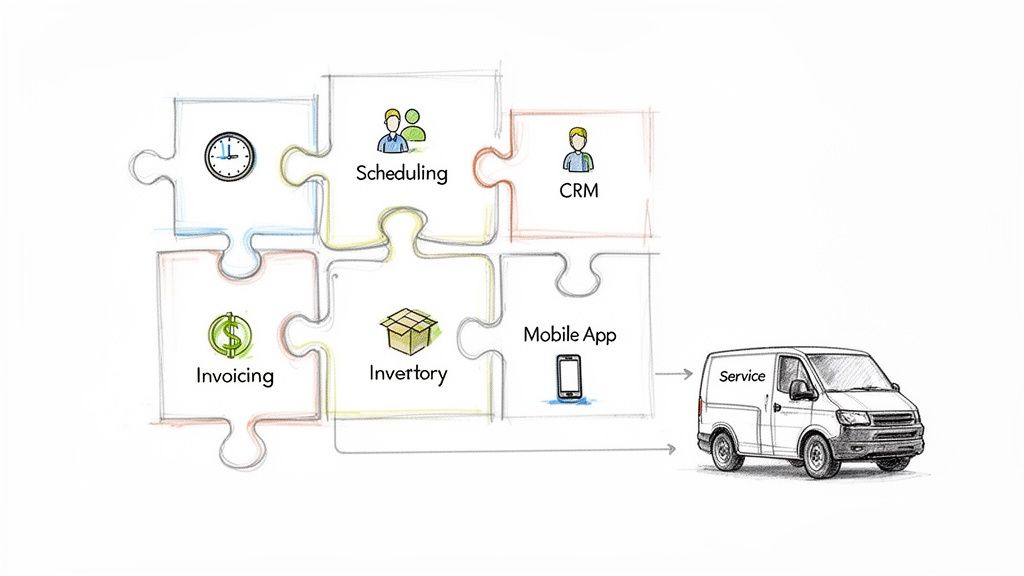
All the core pieces talk to each other, sharing information instantly so everyone—from the dispatcher in the office to the crew lead in the truck—is working off the same playbook.
Scheduling and Dispatching
This is your old whiteboard, but supercharged. It automatically prevents double-bookings, gives you a bird's-eye view of your team's day, and can even help you optimize routes. Good software turns the daily Tetris game of scheduling into a simple drag-and-drop.
If you want to go deeper, check out our guide on how the right crew schedule software can totally streamline your team's day.
Customer Relationship Management (CRM)
A solid CRM is basically your company’s brain. It remembers every customer call, every past move, and every piece of feedback, all in one place.
When a customer calls, you can pull up their entire history in seconds. This lets you sound like a pro and provide personalized service that keeps people coming back.
This isn't just a digital address book. It's about knowing a customer's history at a glance, so your crew shows up already looking like the experts who know their needs inside and out.
Mobile App for Crews
This might be the single most important piece of the puzzle. A great mobile app puts the power of the entire office right in your crew lead's pocket.
They can see job notes, pull up inventory lists, create bills of lading, and take payments right on site. Giving them this information on the spot lets them work faster, solve problems more effectively, and look way more professional.
Invoicing and Payments
Forget about waiting weeks for checks to come in the mail. With integrated invoicing, your crews can generate a professional bill of lading right from their tablet and email it to the customer before they even leave. Most of the time, that invoice includes a link for instant online payment.
Field service software built for movers can boost a team's daily job capacity just through better scheduling. On top of that, automated invoicing slashes payment times and cuts down on costly billing mistakes. That’s cash in your bank account, faster.
Quoting and Estimating
Getting job costing and bidding right is make-or-break in this business. That's why so many movers depend on good estimating software for contractors. This part of the software helps you crank out consistent, professional-looking quotes that are actually profitable. You end up winning more bids without accidentally undercutting yourself.
These aren't just a random collection of tools. They're all interconnected parts of a system designed to make your business more organized, way more efficient, and ultimately, more profitable.
How Software Can Add Revenue and Cut Down on Stress
The point of moving company software isn't about having a bunch of fancy features. It's about what it does for your bank account and your sanity. Think of it this way: every feature is designed to plug a leak where money and time are escaping your business, turning the daily chaos into something you can actually predict. It’s built to solve the exact problems that keep you up at night.
Imagine it's 9 PM on a Friday night, and a homeowner just found out their closing date moved up. Without some kind of system, their panicked call goes straight to voicemail. By the time you see it Saturday morning, they've already called three other companies and booked the first one that answered. With an automated system, you capture that lead instantly, turning a missed call into a high-value job.
Never Lose an After-Hours Job Again
This is where you see a return on your investment almost immediately. An automated front-office system is like having a receptionist who works 24/7 and never takes a break. It guarantees you never miss a lead again, whether a call comes in while you're on another line or on a holiday weekend.
- 24/7 Lead Capture: The system grabs contact info and move details from every single call, text, or web form—no matter when it comes in.
- Eliminate Voicemail Tag: It kills that frustrating and costly game of trading voicemails with a customer who is actively calling your competitors.
- Immediate Engagement: The customer gets an instant, professional text confirmation letting them know you got their request and will be in touch.
The modern customer moves fast. If you don't answer, they just move on to the next name on their Google search. An automated system guarantees you're always the first to respond, dramatically increasing your chance of booking the move.
Win More Bids with Speed and Professionalism
In today's market, the first professional quote in the customer's inbox often wins the job. If you're still relying on scribbled notes and manual calculations, it might take you hours—or even days—to send a quote. That delay gives a motivated customer all the time they need to find and book someone else.
By getting your quoting process dialed in, you can send out detailed, professional-looking estimates in minutes. That speed doesn't just impress potential customers; it locks in their business before they even have a chance to shop around. Just booking one extra move that would've otherwise been lost can easily cover the monthly cost of the entire platform.
While your moving company software gets your internal operations running smoothly, pairing it with effective marketing strategies will help you bring in even more leads.
To see how these small tweaks can make a massive difference, check out our deeper dive into improving operational efficiency for your service business.
Supercharge Your Software with Front-Office Automation
Your moving company software is the engine of your operation. It keeps everything organized. But an engine without fuel doesn't go anywhere. For your software, that fuel is booked jobs.
This is where front-office automation comes in. It's the system that pumps a steady stream of paying jobs directly into your software, turning a simple organizational tool into a revenue-generating machine. Without a reliable way to get jobs on the calendar, even the best software just sits there.
This is what a modern, automated workflow looks like—a seamless handoff from a customer's first call to a booked job in your system.
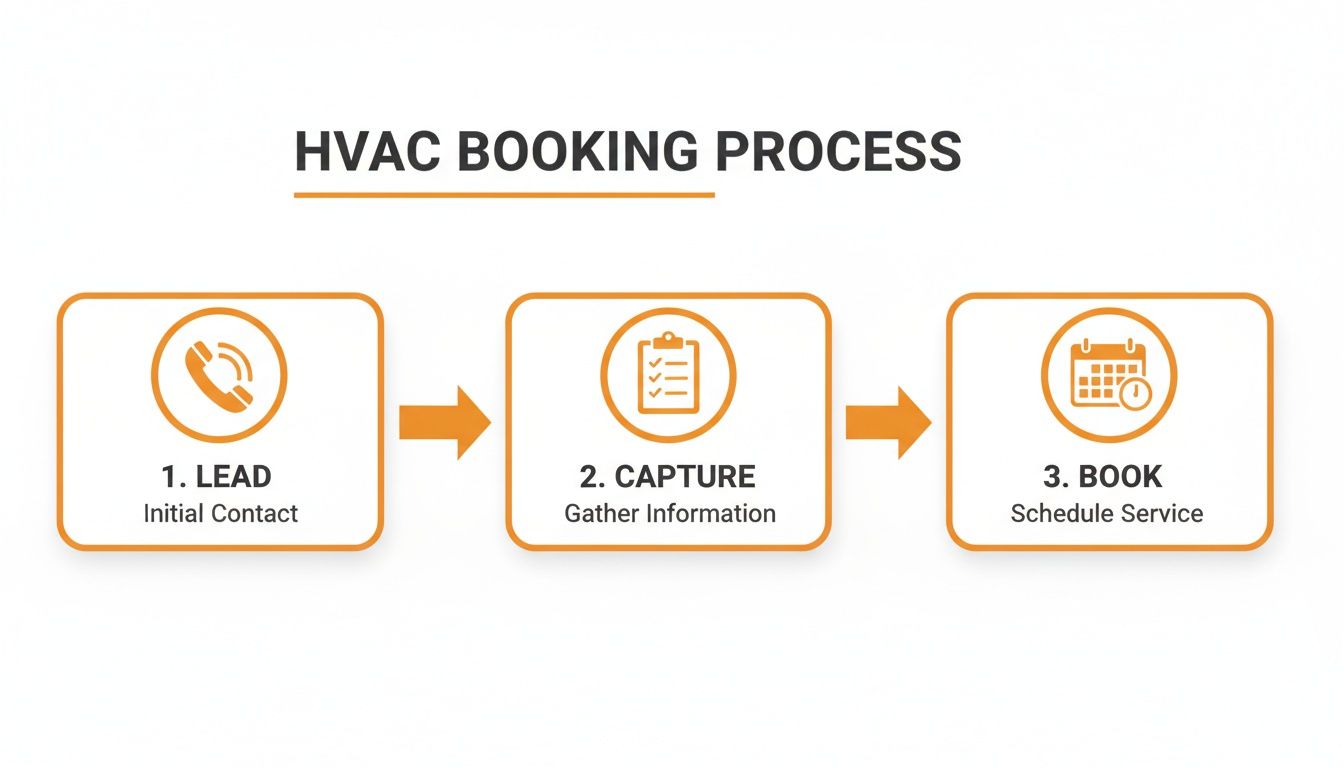
This isn't just a diagram; it's the perfect customer journey. It takes a potential lead from their first phone call and puts them directly on your calendar with zero friction and zero chance of them calling a competitor.
The Modern Automated Workflow
Picture this: A customer’s lease is up, and they need to book a move for Saturday morning. They call your number, but instead of hitting a voicemail black hole, an AI-powered assistant picks up instantly.
The assistant gets right to the point, gathering the critical details:
- Customer Information: Name, addresses, and phone number.
- Job Details: "I'm moving from a 2-bedroom apartment to a new house."
- Urgency: "I need to book for this Saturday if possible."
Here’s where the magic happens. The AI assistant talks directly to the live calendar in your moving company software. It sees an open slot that afternoon, offers it to the customer, and books the appointment—all without a single human touch.
This simple connection breaks the biggest bottleneck in any moving business: a busy or unavailable sales rep. It guarantees your expensive software is constantly being filled with qualified, booked jobs, turning your tech stack into a system that actively captures every dollar of potential revenue.
Bridging the Gap Between Calls and Cash
This integration between your front office and your management software is what separates the good operations from the great ones. You have one system handling customer intake with perfect consistency, and another managing the job from dispatch to the final bill.
This combo lets you scale your business without having to hire more office staff, especially during those crazy seasonal peaks when the phone won't stop ringing.
It’s not about adding more software for the sake of it. It’s about making the tools you already pay for work smarter. By automating that crucial first step—capturing and booking the lead—you ensure your crews’ schedules stay full and your business keeps growing. Your phone line is no longer a point of failure; it's your most reliable source of new work.
Choosing the Right Software for Your Business Size
Not all moving company software is created equal. The tool that works wonders for a guy in a single van will completely choke a 20-truck operation. The trick is to find something that solves today's fires without becoming tomorrow's dumpster fire. You need software that grows with you, not one that holds you back.
For a long time, only the big players could afford sophisticated software. Now, flexible, pay-as-you-go options are letting smaller local movers punch way above their weight class. This shift is a huge opportunity if you're ready for it.
Owner-Operators (1-3 Trucks)
When you're running one to three trucks, maybe even jumping in one yourself, your world revolves around simplicity and what you can do from your phone. You don't have time to fiddle with a clunky system back at the office. You need a tool that works as hard as you do, right from the driver's seat.
Your number one priority should be a mobile-first solution. Ask yourself this: Can I build a quote, send a bill of lading, and take a credit card payment while standing on a customer's porch? If the answer is no, keep looking.
What you should focus on:
- Simple Scheduling: A clean, no-fuss calendar you can manage from your phone between jobs.
- On-the-Go Invoicing & Payments: Getting paid the second the job is done is a cash flow game-changer.
- Basic Customer History: Pulling up past move notes and addresses without having to call back to the office (or your spouse).
Growing Businesses (4-10 Trucks)
Once you've got a handful of crews on the road, your problems change. It’s less about managing your own day and more about coordinating the whole team. Efficiency isn't just about you anymore; it's about the entire operation. Your software has to become the central nervous system for dispatch and communication.
At this stage, you're not just managing jobs—you're managing a team. Your software should give you a bird's-eye view of your entire operation, so you can make smarter dispatch decisions in real time.
Now's the time to get serious about dispatching and CRM features. You need to see who's where, who's got the right crew size for the job that just came in, and who's about to wrap up. Your CRM needs to be deep enough to track a customer's entire history, even if three different crews have served them.
Scaling Operations (11-20+ Trucks)
With a larger fleet, you're no longer just running jobs; you're running a machine. Your focus shifts to high-level numbers, profitability, and making all your systems talk to each other. You need to know which crews are most profitable, which jobs are making you money, and where the operational bottlenecks are.
What becomes non-negotiable:
- Advanced Reporting & Analytics: Dashboards that show you the real story behind your Key Performance Indicators (KPIs), like booking rates, revenue per truck, and job profitability.
- Accounting Integrations: A rock-solid link to software like QuickBooks is essential. Entering data twice is a waste of time and a recipe for errors.
- Fleet Management: You need to track every truck and piece of equipment. Knowing your assets are well-maintained prevents costly downtime.
To make it even clearer, think about your software needs like this. Here’s a quick checklist to see where your focus should be based on your company's size.
Software Feature Checklist by Business Size
| Feature | Owner-Operator (1-3 Trucks) | Growing Business (4-10 Trucks) | Scaling Operation (11-20+ Trucks) |
|---|---|---|---|
| Mobile App | Critical – Your office is your phone. | Critical – Crews need it in the field. | Critical – Essential for field operations. |
| Scheduling | Must-Have – Basic drag-and-drop. | Must-Have – Advanced dispatch board. | Must-Have – Route & crew optimization. |
| Invoicing | Critical – Need on-the-spot payments. | Must-Have – Batch invoicing, payment plans. | Must-Have – Automated billing workflows. |
| CRM | Important – Basic customer history. | Critical – Detailed move & comms history. | Critical – Customer segmentation & marketing. |
| Quoting | Important – Simple, mobile-friendly. | Must-Have – Tiered quote options. | Must-Have – Integrated pricing engine. |
| Reporting | Nice-to-Have – Basic sales reports. | Important – Crew performance dashboards. | Critical – Deep KPI & financial analytics. |
| Fleet Mgmt | Nice-to-Have – Simple truck list. | Important – Per-truck maintenance tracking. | Critical – Multi-location & compliance. |
| Integrations | Nice-to-Have – Maybe email/calendar. | Important – QuickBooks is key here. | Critical – Accounting, marketing, payroll. |
As you can see, the foundation is always a great mobile app and solid scheduling. But as you add more trucks, the focus shifts from just getting the job done to optimizing the entire business—from dispatch and customer relationships to fleet and deep financial insights. The key is to choose a platform that can handle the features you need tomorrow, not just the ones you need today.
Answering the Tough Questions About Moving Software
Bringing on new tech can feel like a huge leap, especially when you're just trying to keep up with the daily grind of running a moving business. It's totally normal to have questions about the cost, how your team will handle it, and how it all actually fits together.
Let's get right to it and tackle the big concerns I hear from owners all the time.
"Isn't This Stuff Too Expensive for a Small Mover?"
I get it. You see a price tag and immediately think "another monthly bill." But the right software isn't an expense—it's an investment that should pay for itself, and then some. Most modern, cloud-based tools are subscription-based, so you don't have to worry about a massive upfront cost.
The real question isn't "what does it cost?" but "what's the return?"
The key is to stop thinking about the monthly fee and start thinking about the return on investment (ROI). If automated scheduling helps your team book just one extra job a month, the software has likely paid for itself. Think about it this way: the cost of losing a couple of high-value moves to a competitor who simply picked up the phone is almost always higher than the software's monthly subscription.
More importantly, if the system prevents missed calls—which is where most moving companies bleed money—it can capture thousands of dollars in new business every single month. It flips the question from "Can I afford this?" to "Can I afford to keep letting these opportunities slip through my fingers?"
"My Crew Isn't Tech-Savvy. Is This Software Hard to Use?"
This is probably the most common—and most valid—concern I hear. Your crews are wizards with a dolly and moving blankets, not computer programmers. The good news is, the best moving company software is built for them, not for someone sitting in an IT department.
You want to look for platforms that have dead-simple mobile apps. Think big buttons, clear workflows, and nothing you don't need. A well-designed system lets a crew lead see their schedule, pull up an inventory list, build a bill of lading, and take a payment with just a few taps on their phone.
Most companies that build this software also provide solid training and support to make sure the transition is smooth. The whole point of this technology is to make their job easier and get rid of headaches, not create new ones.
"How Does This Fit in with How We Answer Calls?"
This is where you unlock the real power. Think of your management software as the engine of your business. Your call answering process is the fuel. They have to work together perfectly, or the whole thing sputters.
Instead of calls ringing endlessly on a cell phone in a noisy truck or going straight to a voicemail box that’s already full, you can connect your system to a 24/7 automated assistant. This creates a clean, unbroken line from the second a customer calls to the moment the job is done and paid for.
Here’s what that actually looks like:
- A customer calls your number, day or night. The AI-powered assistant picks up instantly. No ringing, no waiting.
- It gathers all the key details—name, addresses, what they're moving—in a friendly, conversational way.
- It talks directly to your management software's calendar, finds an open time slot, and books the move right then and there.
That simple connection means your schedule is constantly being filled with paying jobs, without you or your team having to lift a finger. It’s the final piece of the puzzle that turns your software from a simple filing cabinet into a machine that actively generates revenue for your moving business.
Ready to stop missing calls and start booking more jobs automatically? MoveJoy acts as your 24/7 AI receptionist, capturing every lead and scheduling appointments directly into your calendar so you can focus on running your business. Learn how MoveJoy can work for you.