
For a moving company owner, a no-show is not just an inconvenience; it is a direct hit to your bottom line. A crew sits idle, a truck is parked, and a valuable slot in your schedule goes unfilled, costing you hundreds, if not thousands, in lost revenue. This problem is especially painful during seasonal spikes when every booking is critical.
The culprit is often simple: your customer forgot. In a competitive market where clients shop fast, a weak or nonexistent reminder system can be the difference between a booked job and a lost opportunity. Faster, clearer communication consistently wins the job.
This guide provides actionable, industry-specific appointment reminder message examples designed to reduce no-shows, improve operational efficiency, and secure your revenue. We will break down not just what to send, but when and how, so you can implement these strategies today.
You will find copy-and-paste templates for SMS, email, and even automated voice calls. We will cover everything from initial booking confirmations to last-minute reminders and follow-ups for rescheduling. While you can apply these tactics manually, we will also show how simple automation is becoming a key competitive advantage, allowing you to confirm every job without lifting a finger and ensuring no lead is ever forgotten. This is how modern movers protect their schedules and maximize their earning potential.
1. The High-Engagement SMS Text Reminder with Confirmation Link
For moving company owners, a last-minute cancellation or no-show isn’t just an inconvenience; it’s a direct hit to your revenue and dispatch schedule. This is where the high-engagement SMS reminder proves its worth. It’s a concise, automated text message sent 24-48 hours before a job that gives the customer essential details and, most importantly, a simple way to confirm their appointment. This one action drastically reduces uncertainty and secures your schedule.
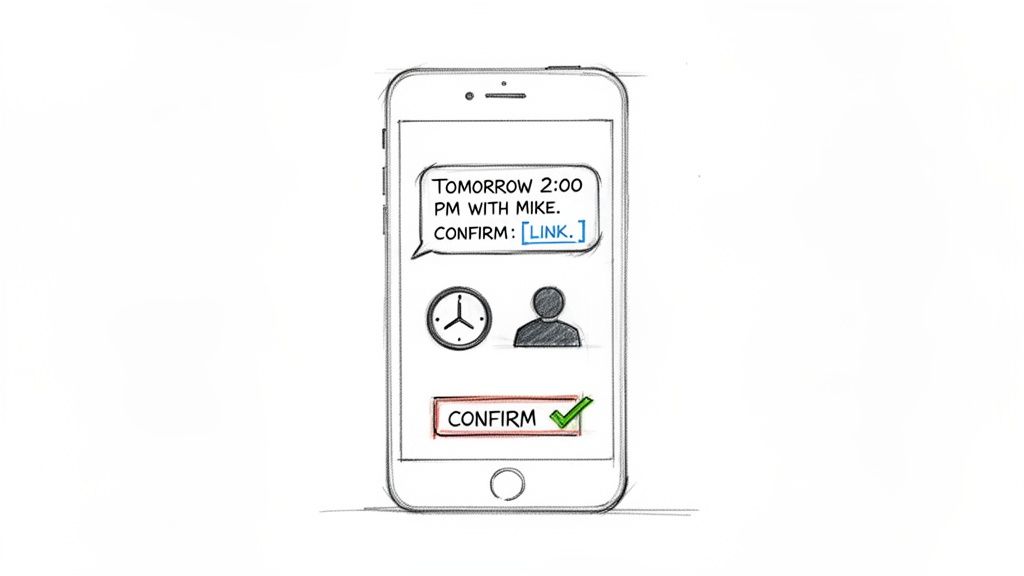
Given that text messages have a near-perfect open rate, this method is one of the most effective appointment reminder message examples for getting a quick, actionable response from your clients. It replaces phone tag and unread emails with a direct line to your customer, solidifying their commitment just before the day of service.
Strategic Breakdown & Examples
The power of this reminder is its simplicity and direct call to action. It isn’t just a notification; it’s an interactive checkpoint.
Example 1: Booked Move Reminder
“Hi [Customer Name]! Quick reminder from [Your Moving Co.] about your move scheduled for [Date] between [Time Window]. Please confirm your appointment here: [link]. Reply HELP for questions.”
- Why It Works: This template is clean and direct. It provides the three most critical pieces of information (company, date, time) and a single, clear action for the customer to take. The “[link]” is the key, as clicking it provides a definitive “yes,” which can be tracked in your system.
Example 2: In-Home Estimate Reminder
“Hi [Customer Name], this is [Sales Rep Name] from [Your Moving Co.]. Looking forward to your in-home estimate tomorrow at [Time]. Please confirm: [link].”
- Why It Works: Personalizing the message with the sales representative’s name builds a human connection and adds a layer of accountability. It reinforces the appointment’s importance and makes the customer more likely to keep it.
Actionable Takeaways for Your Moving Company
To implement this strategy effectively, follow these best practices:
- Timing is Everything: Send the SMS 24 to 48 hours in advance. This is the sweet spot where the appointment is top-of-mind, but there’s still time to adjust your schedule if the customer cancels or reschedules.
- The Confirmation Link is Non-Negotiable: The act of clicking a link psychologically reinforces the customer’s commitment. This simple step can dramatically lower your no-show rate.
- Embrace Automation: Manually sending texts is a time-waster and prone to error. An automated system can trigger these reminders directly from your calendar, ensuring every customer gets the right message at the right time without any manual effort. For more strategies on this topic, discover how to reduce no-show appointments for your business.
2. Email Reminder with Calendar Attachment
While SMS is great for immediate confirmation, email provides the space for detailed information that can prevent day-of-service confusion. An email reminder, particularly one sent 48 and 24 hours before the appointment, allows you to share comprehensive details like your crew leader’s information, service checklists, and crucial preparation instructions. The killer feature is the inclusion of an .ics calendar file, which lets customers add the appointment to their personal calendar with a single click, embedding the job directly into their daily schedule.
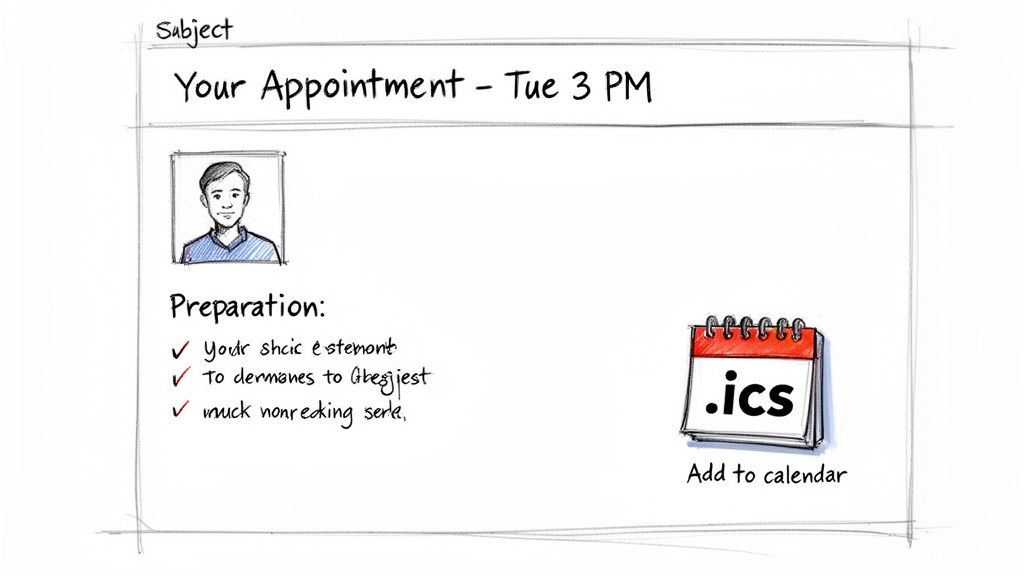
Unlike text messages, which are bound by character limits, email reminders act as a central hub of information for your customer. This approach reduces pre-appointment anxiety and minimizes last-minute questions, creating a smoother experience for both the customer and your crew. For moving companies, this type of professional communication sets you apart from competitors who rely on a simple phone call. To further refine your professional email reminders and ensure they resonate with customers, explore these top transactional email examples that boost engagement.
Strategic Breakdown & Examples
The email reminder’s strength is its depth and utility. It goes beyond a simple notification to become a valuable resource that builds trust and prepares the customer for a successful move.
Example 1: Branded Moving Day Reminder
Subject: [Your Moving Co.] – Your Move is Confirmed for [Date]!
Hi [Customer Name],
This is a reminder that your move is scheduled for [Date] at [Time]. Your crew leader will be [Crew Leader Name]. You can recognize them by their photo here: [Image Link].Please review our pre-move checklist to ensure everything is ready: [Link to Checklist].
Click below to add this appointment to your calendar.
[Add to Calendar .ics file]
- Why It Works: Including a photo of the crew leader is a powerful trust-builder. It personalizes the service and gives the customer peace of mind. The checklist link prepares them for the job, reducing delays on moving day.
Example 2: Packing Service Preparation Email
Subject: [Sarah] – Your Packing Service is Tomorrow at 9 AM
Hi Sarah,
Reminder for your packing service with [Your Moving Co.] tomorrow, [Date], at 9 AM. To help us work efficiently, please ensure the areas we’ll be packing are accessible.Have questions? Check our FAQ: [Link to FAQ]
[Add to Calendar .ics file]
- Why It Works: This is one of the best appointment reminder message examples for specific services. It proactively addresses potential access issues and provides a link to an FAQ, which empowers the customer and reduces inbound calls to your office.
Actionable Takeaways for Your Moving Company
To get the most out of email reminders, focus on providing value and building confidence.
- Double Up on Timing: Send the first email 48 hours out and a second, more concise one 24 hours before. The first gives them time to prepare; the second serves as a final nudge.
- Build Trust with Photos: Always include a high-quality photo of the assigned crew leader. This simple step makes customers feel safer and helps them recognize your team upon arrival.
- Prevent Delays with Details: Don’t forget to ask for and confirm parking, gate codes, and any specific access instructions. This saves your crew valuable time and avoids frustrating delays.
- Automate and Personalize: An automated system can create segmented email templates based on service type (e.g., local move, packing service, in-home estimate). This ensures every customer receives hyper-relevant information automatically, enhancing the client experience without adding to your workload.
3. Conversational AI Voice Call Reminder
While SMS is fast, an intelligent, automated phone call offers a higher-touch confirmation that can prevent misunderstandings and capture crucial job details. A conversational AI voice call is an automated phone call, usually sent 24 hours before a job, that mimics natural human speech. It doesn’t just read a script; it confirms appointment details, understands customer responses, asks relevant questions, and can even offer to reschedule, all without any human involvement.
This technology is a core strength for movers looking to streamline operations. It moves beyond simple notifications to become a proactive operational tool. For a moving company, this means not only confirming the move but also asking about parking access, elevator reservations, or special handling instructions for fragile items, ensuring the crew arrives fully prepared. This is one of the more advanced appointment reminder message examples, effectively acting as a 24/7 virtual assistant.
Strategic Breakdown & Examples
The real power here is the AI’s ability to have a two-way conversation, gather information, and react to the customer’s needs in real-time. It’s the difference between a one-way alert and an interactive pre-service check-in.
Example 1: Move Confirmation Call
AI: “Hi [Customer Name], this is an automated call from [Your Moving Co.] to confirm your move with us tomorrow, [Date], between 8 and 10 AM. Does that time still work for you?”
Customer: “Yes, it does.”
AI: “Great. To help our crew, are there any special instructions for parking the truck or accessing your building, like a gate code or reserved elevator?”
- Why It Works: This script confirms the key details (date, time window) and then asks an open-ended question to collect valuable logistical information. This simple exchange prevents on-site delays and shows the customer you are detail-oriented.
Example 2: Rescheduling Call with Hesitation Detection
AI: “Hi [Customer Name], I’m calling from [Your Moving Co.] to confirm your move for this Saturday at 9 AM. Is that still correct?”
Customer: “Umm, I’m not sure if we’ll be ready by then…”
AI: “I understand. I see we have another opening next Tuesday morning between 8 and 10 AM. Would you like me to book that for you instead?”
- Why It Works: The AI detects hesitation in the customer’s voice and proactively offers a solution instead of just ending the call. This ability to adapt turns a potential cancellation into a rescheduled, secured job, directly protecting your revenue.
Actionable Takeaways for Your Moving Company
- Train with Real Scenarios: Your AI should be trained on conversations specific to moving. It needs to understand terms like “COI” (Certificate of Insurance), “long carry,” and “disassembly.”
- Capture Special Instructions: Use the call to ask for gate codes, elevator reservations, or notes about fragile items. Call transcripts can give your crew a full briefing before they even arrive on-site.
- Offer a Human Fallback: For complex issues, the AI should provide a seamless way to connect to a human team member. This prevents customer frustration and ensures difficult problems are handled correctly.
- Monitor Performance: Keep an eye on your answer and hang-up rates. If many customers are disconnecting early, your script or call timing might need adjustment. Test calls during business hours versus early evenings to see what works best for your client base.
4. The Dual-Channel Reminder (SMS + Email + Voice)
Not all customers live in their text messages. Some prefer a detailed email, while others respond best to a direct phone call. A dual-channel reminder strategy covers all bases, using a coordinated sequence of SMS, email, and even voice calls to ensure your message gets through. For a moving company, this multi-touch approach is essential for high-value jobs or when dealing with customers who may be less tech-savvy. It layers communication to nearly guarantee a response.
This method acknowledges that a single channel isn’t foolproof. An SMS might get missed, an email could land in spam, but a coordinated effort across platforms dramatically increases the odds of connection. This approach transforms a simple notification into a robust communication workflow, securing your schedule and reinforcing your company’s professionalism. It’s one of the most thorough appointment reminder message examples for minimizing no-shows.
Strategic Breakdown & Examples
The strength of a dual-channel strategy is its persistence and adaptability. By staggering messages across different platforms, you create multiple opportunities for the customer to confirm their move without being overbearing.
Example 1: The Standard Move Confirmation Sequence
(48 Hours Before – SMS): “Hi [Customer Name], this is a reminder from [Your Moving Co.] about your move on [Date] at [Time]. Please reply YES to confirm or call us at [Phone Number] with questions.”
(36 Hours Before – Email): “Subject: Your Upcoming Move with [Your Moving Co.] on [Date]!
Hi [Customer Name], this email confirms your move scheduled for [Date] between [Time Window]. Our crew is scheduled to arrive at [Customer Address]. For a smooth moving day, please review our preparation checklist: [Link to Checklist]. You can confirm your appointment by replying to this email.”
(24 Hours Before – Automated Voice Call): “This is an automated reminder from [Your Moving Co.] for [Customer Name]’s move tomorrow, [Date]. To confirm, please press 1. To speak with our office, please press 2.”
- Why It Works: This sequence builds momentum. The SMS is a quick nudge, the email provides valuable details and a second confirmation point, and the voice call is the final, direct touchpoint. It caters to different communication preferences and shows a high level of organization.
Example 2: High-Value or Complex Job Reminder
(48 Hours Before – SMS): “Hi [Customer Name]. Quick confirmation for your move with [Your Moving Co.] on [Date]. We’re all set on our end. Please confirm access details for our truck here: [Link].”
(24 Hours Before – Email): “Subject: Final Details for Your [City to City] Move
Hi [Customer Name], your crew leader, [Crew Lead Name], will call you upon arrival tomorrow. Please ensure the designated parking area is clear. We’ve attached your final service scope for review. No action is needed if all looks correct!”
- Why It Works: For larger jobs, the focus shifts from a simple “yes/no” to confirming critical logistics. The SMS pushes for an interactive confirmation on access, while the email provides assurance and introduces the crew leader, adding a personal touch that builds confidence.
Actionable Takeaways for Your Moving Company
- Stagger Your Channels: Never send all reminders at once. A good rule is to space them 12-24 hours apart. An SMS at 48 hours, an email at 36, and a voice call at 24 hours creates a natural, non-intrusive cadence.
- Set Up Smart Escalations: Your system should be intelligent. If a customer confirms via the first SMS, the subsequent email and voice reminders should be automatically canceled. This prevents customer annoyance and makes your operation look sharp.
- Use Each Channel for Its Strengths: Keep SMS messages brief and to the point (essentials only). Use email for detailed information like checklists, terms of service, and crew details. Reserve voice calls for final, high-priority confirmations.
- Automate the Entire Workflow: Manually managing a multi-channel sequence is not practical. An automated system can build these workflows, triggering the right message on the right channel at the right time based on the appointment details. This ensures every customer gets a consistent, professional experience without your team lifting a finger.
5. The Service-Specific Reminder with Preparation Checklist
When a crew arrives at a job site only to find it unprepared, the entire day’s schedule can be thrown off. This is a common and costly problem for movers. The service-specific reminder with a preparation checklist directly addresses this by turning a simple notification into a powerful tool for job site readiness. This message is tailored to the exact service booked and gives the customer a short, clear list of tasks to complete before your team arrives.
This approach transforms the customer from a passive recipient into an active participant in the success of the move. By guiding them through simple preparations like labeling boxes, clearing pathways, or reserving the elevator, you significantly reduce on-site delays. This proactive communication demonstrates professionalism, improves crew efficiency, and ensures your team can get straight to work, maximizing their efficiency and your revenue per job.
Strategic Breakdown & Examples
The effectiveness of this reminder comes from its customized, actionable nature. It’s not just a generic “we’re coming” message; it’s a specific set of instructions that empowers the customer and streamlines the job.
Example 1: Local Move Reminder
“Hi [Customer Name], reminder from [Your Moving Co.] about your move on [Date] at [Time]. To help us work efficiently, please:
- Label boxes with their destination room.
- Clear pathways to all major furniture.
- Reserve a parking spot for our truck if needed.
Thanks for your help! Reply HELP for questions.”
- Why It Works: This message preps the customer for an efficient move. Knowing boxes are labeled and paths are clear saves your crew significant time. It sets a collaborative tone and manages customer expectations.
Example 2: Packing Service Reminder
“Hello [Customer Name], this is [Your Moving Co.]. For your packing service tomorrow at [Time], please take a moment to:
- Set aside items you’ll need immediately (keys, wallet, medicine).
- Separate items you do not want us to pack.
Don’t worry if you can’t, we’ll confirm with you! See you then.”
- Why It Works: This reminder focuses on preventing common packing mistakes. It ensures the customer doesn’t have essential items packed away, a frequent source of stress. The reassuring closing line reduces customer anxiety, making them more likely to do the prep work.
Actionable Takeaways for Your Moving Company
To use service-specific checklists in your appointment reminder message examples, follow these best practices:
- Keep It Short and Simple: Limit your checklist to 3-5 essential, easy-to-complete items. Use clear language and avoid industry jargon that could confuse the customer.
- Segment by Service Type: Your booking system should trigger the correct reminder based on the job type. A packing service reminder is useless for a simple furniture delivery. Automation here is key to sending the right message every time.
- Include Reassurance: Add a line like, “Don’t worry if you can’t do all of this – we’ll take care of it.” This prevents customers from feeling pressured or canceling if they can’t complete the checklist. The goal is to help, not to create a burden.
6. The Location-Based / Geofencing Reminder
For a moving company, the time window you provide is often just an estimate. A location-based reminder, triggered by geofencing, closes that uncertainty gap. This automated message sends a real-time notification to the customer when your crew is just a few minutes away, turning a vague arrival window into a precise, actionable heads-up. It allows the customer to handle last-minute preparations like securing pets, clearing a path, or opening a gate, ensuring your team can start work immediately upon arrival.
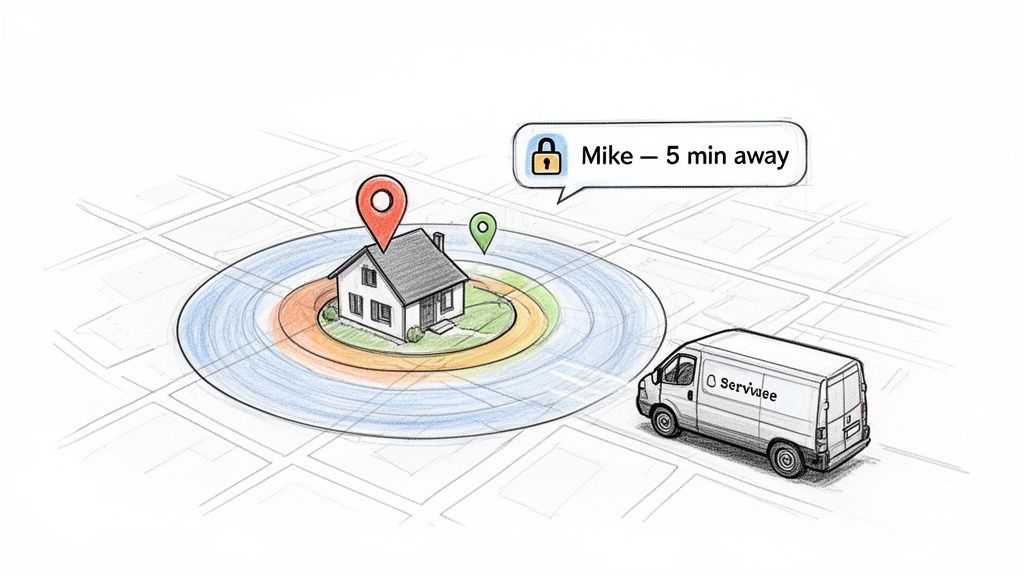
Popularized by services like Uber and DoorDash, this “on the way” alert is now an expected part of modern service delivery. For movers, it reduces on-site delays, improves customer experience, and demonstrates a professional, tech-forward operation. This approach is one of the more advanced appointment reminder message examples, showing your company is efficient and values the customer’s time.
Strategic Breakdown & Examples
This reminder isn’t just a notification; it’s a tool for operational efficiency. It prompts the customer into action at the exact moment it’s needed, preventing delays that can throw off an entire day’s schedule.
Example 1: Standard Arrival Alert
“Hi [Customer Name]! Your crew from [Your Moving Co.] is just a few minutes away. Please prepare for their arrival. Reply HELP for questions.”
- Why It Works: It’s simple, direct, and creates a sense of immediacy. The message gives the customer a final chance to get ready, minimizing the time your crew spends waiting at the curb.
Example 2: Gate Access Reminder
“Your [Your Moving Co.] team is arriving in 10 minutes. Please have the front gate open or reply with the access code. Thanks!”
- Why It Works: This message is highly specific and problem-oriented. It preemptively solves a common access issue for moves in gated communities or apartment complexes, preventing wasted time and frustrating phone calls.
Example 3: Live Map Tracking
“Your mover, John, is almost there! See his live location and ETA here: [link]. He is in a white [Your Moving Co.] truck.”
- Why It Works: Providing a live map link gives the customer full transparency and control, significantly boosting their confidence and reducing “where are you?” calls. Including the vehicle description adds a layer of security and helps them spot your truck easily.
Actionable Takeaways for Your Moving Company
To use geofencing reminders effectively, you need a smart setup.
- Set an Appropriate Radius: A geofence should be set to a practical distance. In a dense city, a 0.5-mile radius might be enough, but in a rural area, a 2-mile radius gives a more appropriate heads-up.
- Integrate with Routing Software: To avoid false triggers, your geofencing tool must be connected to your dispatch and routing software. An automated system can ensure alerts are only sent when a truck is actively en route to the correct job site. This is especially vital for companies managing multiple crews across different areas.
- Provide an ‘Out’: Always include a way for the customer to get help or call the driver directly if they aren’t ready. A simple “Reply HELP or call the crew at [number]” can prevent confusion and frustration.
- Test and Refine: Before going live, test the geofence accuracy in your primary service areas. GPS can be unreliable in certain zones, so having a manual override for your crew to trigger the alert is a smart backup plan.
7. The Post-Appointment Follow-up with Review Request
The job isn’t truly over when the truck drives away. The window immediately following a successful move is a golden opportunity to secure your company’s reputation and future growth. This is the moment when customer satisfaction is at its peak, and a well-timed follow-up message can convert that positive feeling into a powerful marketing asset: a public review. This message, sent within 24 hours of service completion, is a strategic tool for gathering feedback, generating social proof, and driving word-of-mouth referrals.
Unlike a simple reminder, this follow-up message closes the loop on the customer experience. By making it easy for happy customers to share their experience, you build a library of positive reviews on sites like Google, which directly influences new customers choosing your company over a competitor. This is one of the most high-ROI appointment reminder message examples because it turns a single completed job into a long-term asset.
Strategic Breakdown & Examples
The effectiveness of this message lies in its timing and frictionless design. It arrives while the positive experience is fresh and provides a direct, one-click path for the customer to leave a review, capturing momentum that would otherwise be lost.
Example 1: The Direct SMS Review Request
“Thanks for choosing [Your Moving Co.]! How did our crew do today? Please take 30 seconds to share your experience on Google, it helps our family business a lot: [link]. We appreciate you!”
- Why It Works: This message is personal, quick, and links the action (leaving a review) to a direct benefit for your business (“it helps our family business”). The link goes straight to the Google review submission page, removing any friction.
Example 2: The Smart-Filtered Feedback & Referral Request
“Hi [Customer Name], thanks for moving with us. How would you rate your experience? [1-5 star rating links]. Your feedback is important!”
If 4-5 stars: “Great to hear! Would you mind sharing that on Google? [link]. Know someone who needs help moving? Refer them for a $50 credit! [referral link]”
If 1-3 stars: “We’re sorry we didn’t meet your expectations. A manager will call you shortly to make things right.”
- Why It Works: This automated, two-step approach is brilliant. It routes happy customers directly to public review sites while capturing negative feedback internally. This allows you to protect your online reputation and perform immediate service recovery, turning a potentially negative review into a salvaged customer relationship.
Actionable Takeaways for Your Moving Company
To turn post-job follow-ups into a review-generating machine, follow these steps:
- Strike While the Iron is Hot: Send your request within 24 hours of job completion. The positive emotions are strongest in this window, dramatically increasing the likelihood of a positive review.
- Make It Effortless: The link you send must take the customer directly to the review platform’s submission form. Don’t make them search. One click should be all it takes.
- Automate and Filter: Manually tracking and messaging every customer is impossible to scale. An automated platform can handle this entire workflow, sending out requests and intelligently routing customers based on their star rating. This ensures positive reviews go public while service issues are handled privately.
- Personalize the Message: Mentioning the crew lead’s name (“How was your experience with Mike’s crew?”) makes the request feel more human and less like a generic blast, improving response rates.
8. The Emergency/Urgent Service Confirmation with Priority Lane
For moving companies that offer last-minute or same-day service, a standard reminder is not enough. When a customer’s original mover cancels or a closing date changes suddenly, every minute counts, and a lack of communication creates panic and lost trust. This specialized protocol confirms the urgency, provides real-time dispatch updates, and shows the customer they’ve been moved into a priority scheduling lane, transforming anxiety into confidence.
This method is essential for movers who capitalize on high-margin, short-notice jobs, where speed and clear communication are critical competitive advantages. It’s not just a reminder; it’s a lifeline that keeps the customer informed from the moment they call until the crew is at their door.
Strategic Breakdown & Examples
The power of this confirmation lies in its ability to manage customer expectations and convey a sense of control during a stressful situation. It provides assurance, critical updates, and a direct line of contact.
Example 1: Last-Minute Move Dispatch
“We received your urgent request for a move today. A crew will be there between 2-4 PM. You are #1 in our priority queue. Crew leader Mike will call you 30 minutes before arrival. Emergency #: [direct line]”
- Why It Works: This message accomplishes four things immediately: it confirms receipt of the urgent request, sets a realistic ETA, validates the customer’s priority status, and provides a direct contact number. It turns a chaotic situation into a managed process.
Example 2: Urgent Furniture Delivery
“Your same-day delivery has been confirmed and prioritized. Our crew is scheduled to arrive in 60-90 minutes. You can track their progress here: [link]. Direct contact: 555-MOVERS”
- Why It Works: Including a live tracking link is a brilliant move for urgent jobs. It gives the customer a sense of control and reduces anxious “where are you?” calls to your office. This small feature makes the customer feel valued and improves their experience dramatically.
Actionable Takeaways for Your Moving Company
The principles of rapid confirmation and heightened communication are what secure high-value, short-notice opportunities that your competitors miss.
- Set Realistic ETAs: For urgent jobs, providing a window like “60-90 minutes” is always better than a specific time you might miss. It’s about under-promising and over-delivering.
- Provide a Direct Contact: In high-stress situations, an automated system feels impersonal. A direct number to dispatch or the assigned crew leader bypasses frustration and builds immediate trust.
- Automate Priority Communication: Your system should differentiate between a standard booking and a high-priority job. An AI-powered system can create separate scripts and notification workflows for urgent requests, ensuring these valuable clients receive immediate, white-glove communication without manual intervention from your team. This is one of the appointment reminder message examples that can turn a potential disaster into a display of your company’s professionalism.
8-Point Appointment Reminder Message Comparison
| Reminder Type | Implementation Complexity 🔄 | Resource Requirements 💡 | Expected Outcomes 📊 | Ideal Use Cases | Key Advantages ⭐⚡ |
|---|---|---|---|---|---|
| SMS Text Reminder with Confirmation Link | Low — simple SMS gateway + scheduling integration | SMS provider, opt-in management, short-template library | Very high open rate (~98%); reduces no-shows ~25–50% | High-volume movers needing quick confirms for local jobs and estimates | Immediate action, cost-effective, universal device reach |
| Email Reminder with Calendar Attachment | Medium — .ics generation, templates, deliverability tuning | ESP, calendar-file support, design assets, deliverability monitoring | Moderate open rate (20–30%); improves prep & calendar sync | Moves requiring preparation (packing, COIs) or for corporate clients | Rich content, professional branding, detailed instructions |
| Conversational AI Voice Call Reminder | High — NLP, telephony, compliance and fallback flows | Voice AI platform, telephony carrier, training data, transcript storage | High answer rate (60–80%); reduces no-shows 40–60%; captures details | Complex moves, high no-show risk, jobs needing pre-move info (parking, elevators) | Human-like conversation, immediate rescheduling, richer customer intel |
| Dual-Channel Reminder (SMS + Email + Voice) | High — orchestration, escalation logic, unified CRM sync | All channel services, analytics, opt-in/consent tracking, routing rules | Highest confirmations; no-shows drop 50–70%; multi-touch analytics | High-value/long-distance moves or for a diverse customer base | Broad reach, flexible confirmation paths, robust confirmation rates |
| Service-Specific Reminder with Preparation Checklist | Medium — dynamic content rules per service type | Content library, service taxonomy, crew input, templating | Shorter job times, fewer delays, higher customer satisfaction | Companies offering diverse services (packing, storage, local vs. long-distance) | Improves job efficiency and quality; sets clear customer expectations |
| Location-Based / Geofencing Reminder | High — GPS integration, geofence management, routing sync | Crew GPS devices/smartphones, mapping APIs, privacy controls | Reduces "customer not home" incidents; improves arrival accuracy | Moves in gated communities, dense urban areas, or for time-sensitive arrivals | Real-time ETA, automation, reduced waiting and delays |
| Post-Appointment Follow-up with Review Request | Low–Medium — automated workflows and review links | Review platform links, messaging automation, optional incentives | Captures fresh feedback; response rates ~5–15%; boosts reviews/SEO | All moving companies focused on building local reputation and getting referrals | Drives reviews/referrals, surfaces service issues for recovery |
| Emergency/Urgent Service Confirmation with Priority Lane | High — priority dispatching, real-time updates, after-hours support | Dedicated dispatch infrastructure, live tracking, trained staff | Faster response times; reduced customer anxiety; higher perceived value | Movers offering last-minute or same-day emergency services | Immediate confirmation, real-time ETA, secures high-margin jobs |
Turn Reminders into Revenue: The Power of Automation
Throughout this guide, we’ve broken down numerous appointment reminder message examples, from simple SMS confirmations to detailed pre-move checklists. We’ve analyzed the strategy behind each one, providing you with a playbook to dramatically reduce no-shows, a problem that costs moving companies thousands in lost revenue every month.
The core takeaway is clear: a well-crafted reminder is far more than a simple courtesy. It is a critical business tool. It confirms the customer’s commitment, manages their expectations, and solidifies your schedule, directly protecting your bottom line. Implementing even a few of these templates manually will almost certainly prevent a costly last-minute cancellation or a forgotten appointment.
From Manual Effort to Automatic Success
But let’s be realistic. As a moving company owner or operator, your time is your most valuable and scarcest resource. Manually sending texts, emails, and making reminder calls for every single job, especially during the peak season, is an operational bottleneck waiting to happen. It’s a task that’s easily forgotten when you’re busy handling inbound leads or managing crews on-site. This is where the true competitive advantage is found.
The most successful, fastest-growing moving companies aren’t just using reminders; they are automating them. Automation turns this essential but repetitive task into a system that works for you 24/7.
Key Insight: The goal isn’t just to send reminders. The goal is to build a reliable communication system that secures revenue and frees up your team’s time. One booked job saved from a no-show often pays for an entire month of an automation platform.
Imagine this workflow:
- A job is booked and automatically added to your calendar.
- The customer instantly receives a professional confirmation email with a calendar invite.
- Two days before the move, a friendly SMS reminder is sent, asking for a simple “YES” to confirm.
- The day before, an email with a pre-move checklist and crew arrival window is automatically dispatched.
- One hour before arrival, the customer gets a final “we’re on our way” text.
This entire sequence happens perfectly every time, without anyone on your team lifting a finger. This is how you build a scalable, professional operation that instills confidence in your customers and makes your business more resilient and profitable. To effectively implement a robust reminder strategy and convert more appointments into revenue, consider leveraging advanced marketing automation strategies to structure your communication flows.
By systemizing your appointment reminder message examples, you’re not just buying software; you are buying back time, eliminating human error, and creating a seamless customer experience that sets you apart from the competition. For a moving business, where every booked job counts and every missed call is lost revenue, this isn’t a luxury. It’s the modern way to secure your schedule and grow your business.
Tired of chasing down confirmations and losing jobs to no-shows? MoveJoy automates your entire front office, from 24/7 AI call answering to sending the perfect reminder every time. See how MoveJoy can turn your appointment schedule into a reliable revenue engine.