A Guide to Dispatch Software for Moving Companies
At its core, dispatch software is the digital brain of a moving company. It’s the central hub that takes the chaos of scheduling, assigning, and tracking jobs and field crews and puts it all in one organized place. It replaces the frantic scramble of whiteboards, spreadsheets, and endless phone tag with real-time visibility and smart automation, helping you book more moving jobs without the operational headache.
How Modern Dispatching Wins More Moving Jobs
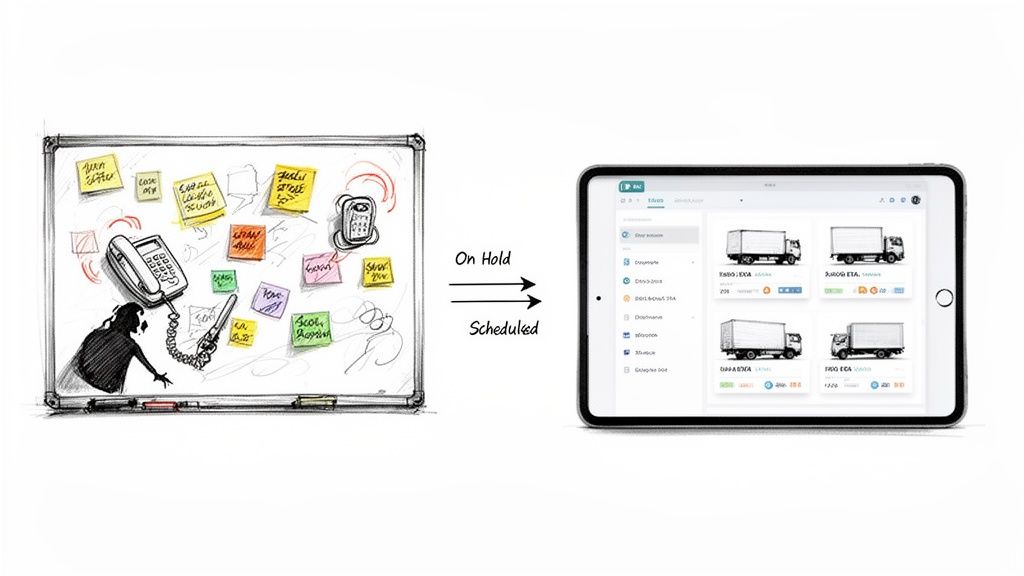
If you run a moving company with anywhere from 1 to 20 trucks, you know the feeling. It's the middle of June, the phone won't stop ringing, and your scheduling board looks like a Jackson Pollock painting. A potential customer is on hold while you’re squinting at scribbled notes on a calendar, trying to figure out if you can possibly squeeze in "just one more job."
This daily scramble is where good money disappears. It's where a missed call becomes a job booked with your competitor down the street. It’s where one simple scheduling mistake snowballs into a scathing one-star review. The old way of managing dispatch—relying on spreadsheets, sticky notes, and constant phone tag—just can't keep up with what customers expect today: speed and professionalism.
The Shift from Manual Chaos to Digital Control
Modern dispatch software is built to solve this exact problem for movers. It’s not just another complicated tool to learn; it’s a system designed to bring order to the madness. Think of it as the air traffic control for your entire operation, connecting every piece of the job from the first call to the final invoice.
Instead of trying to piece together a schedule by hand, a dispatch system gives you a clean, visual calendar showing every crew's availability at a glance. This means you can book jobs faster and more accurately, often while the customer is still on the phone. This speed is critical because when customers are shopping for a mover, the first company to give a confident "yes" usually wins the job.
The real magic happens when you shift from reactive problem-solving to proactive management. Here’s what that actually looks like:
Before: Frantically calling your crew to get an ETA for an anxious customer who’s called three times.
After: The customer automatically receives a text message with a real-time truck tracking link as the crew heads their way.
Before: Juggling three different spreadsheets and praying you didn’t double-book a truck during the end-of-month rush.
After: Looking at a single dashboard that instantly shows available slots, preventing those costly scheduling disasters.
The goal isn't just about sending trucks to the right addresses. It’s to build a reliable, repeatable process that lets you book more jobs without adding more stress or needing more staff to manage the chaos.
More Than Just Scheduling
At the end of the day, a slick dispatch operation is a massive competitive advantage. When a potential customer calls three local movers for a quote, the company that can confidently book them on the spot almost always wins the job. Slow, uncertain responses scream disorganization and send customers running to your competitors.
By swapping manual guesswork for an automated system, you tighten up your entire workflow. Your existing crews can handle more jobs, your office staff spends less time putting out fires, and your customers get the kind of seamless, professional experience they expect. The result is a stronger bottom line and a business that’s actually built to handle growth—especially during those crazy seasonal peaks.
The Core Features That Power Your Moving Operations
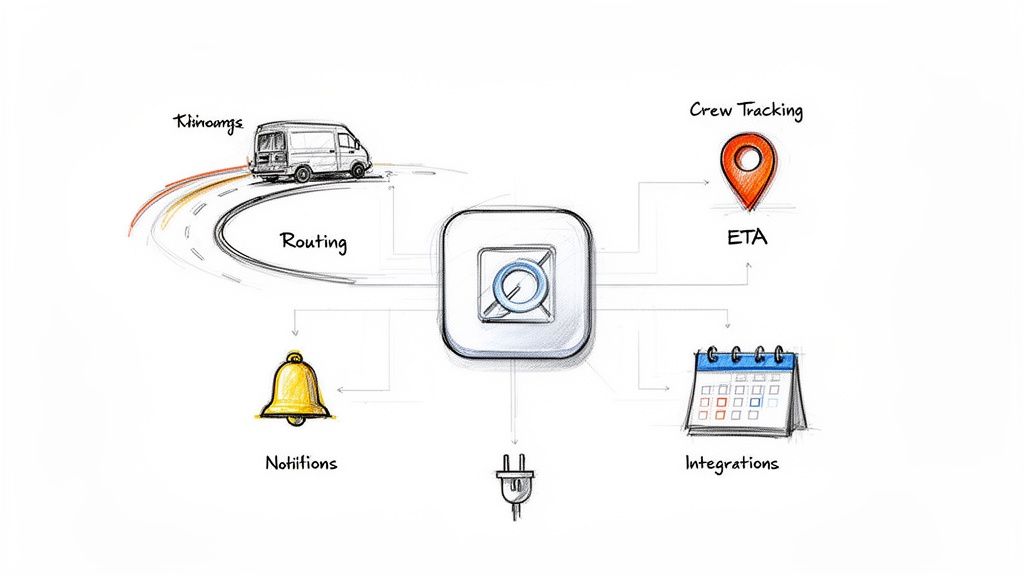
If you hear “dispatch software” and just picture a digital calendar, you’re only seeing a tiny piece of the puzzle. The best systems are the central nervous system of your entire operation, packed with features designed to solve the very real, day-to-day headaches of running a moving business.
Let's pull back the curtain on the features that actually matter and what they do for your crew, your customers, and your bottom line.
Dynamic Scheduling and Automated Routing
At its heart, good dispatch software starts with a smart, visual scheduling calendar. But this isn't just a prettier version of the whiteboard hanging in your office. It's an interactive command center.
Dynamic scheduling gives you a real-time, bird's-eye view of every crew's availability. A new job comes in? You can instantly spot the right crew and time slot without flipping through binders or making a half-dozen "are you free?" calls. You can drag and drop jobs to handle last-minute changes, and the system instantly updates everyone involved. No more confusion.
Automated routing is where the magic really happens. Instead of your dispatcher manually punching addresses into Google Maps, the software builds the most efficient route between jobs for them. It automatically factors in things like traffic and travel time. This sounds small, but the ripple effect is huge:
- Slash Your Fuel Bill: Shorter routes mean less gas burned. Across a whole fleet, this adds up to thousands of dollars saved each year.
- Fit More Jobs In: When you shave 20-30 minutes of drive time off each crew's day, you create openings. That's how you squeeze in one more job and boost daily revenue.
- Happier Crews: Less time stuck in traffic means more time on billable work. Your teams are less frustrated, and your business is more profitable.
Real-Time Crew and Vehicle Tracking
"Where's my crew?" It's the question that can completely derail your dispatcher's day. Real-time GPS tracking makes that question obsolete.
With this feature, you see the exact location of every truck on a live map. This isn't about micromanaging your guys; it's about having the visibility to run a tight ship and give customers a great experience.
When a customer calls asking for an ETA, your dispatcher can give them a precise answer in seconds. Better yet, the best systems let you automatically text the customer a tracking link. They can watch the truck's approach on their own phone, just like an Uber. This one feature builds massive trust and cuts down on inbound "where are you?" calls.
Automated Customer and Crew Notifications
Professionalism is built on communication. Automated notifications make your moving company look like a finely tuned machine without anyone in your office having to lift a finger.
Think about the standard job flow, completely automated:
- Job Confirmation: The moment a job is booked, the customer gets an email or text confirming all the details.
- Appointment Reminders: A day before the move, an automatic reminder goes out, drastically reducing no-shows.
- "On Our Way" Alerts: When your crew hits "en route" on their app, the customer gets a heads-up with an ETA.
- Job Completion Updates: Once the work is done, a final notification can be sent out, maybe with a convenient link to leave a review.
These simple touchpoints keep everyone on the same page, prevent misunderstandings, and free up your office staff from making hundreds of repetitive phone calls.
Seamless Integrations with Other Systems
Your dispatch software can't be an island. To get the most out of it, it has to talk to the other tools you rely on, especially whatever handles your front-end customer interactions.
The single most important connection is with your lead capture and booking system. When a lead calls and books a job, that information needs to flow straight into your dispatch calendar—no manual data entry required. This is where tools like an AI receptionist become a force multiplier for your dispatch software. Imagine an AI answering your calls 24/7, gathering all the job details, and placing the appointment directly onto the right crew’s schedule.
This seamless handshake means no leads fall through the cracks and no booked jobs are missed. Your dispatch system is constantly fed with accurate, real-time job data, which is exactly what you need to run an efficient operation. The industry is catching on fast; the global service dispatch software market is projected to grow from $3.32 billion in 2025 to $3.62 billion in 2026, all driven by this demand for efficiency. You can explore more about these market trends and see where the industry is heading.
Connecting Dispatch Efficiency to Your Bottom Line
It’s easy to get lost in features like route optimization and real-time tracking. But what does any of that actually mean for your bank account? The real value of dispatch software isn't the tech itself—it's the direct, measurable impact it has on how much money you make and how much you spend.
Think of it this way: what if you could book just one extra job, per truck, per week? If you’re running a 5-truck operation, that’s 20 more high-value jobs every single month. That’s not a fantasy. It’s what happens when you have tighter schedules, smarter routes, and the ability to say "yes" to a customer while your competitor is still fumbling with a calendar.
This isn't just about cramming more jobs into the day. It's about making every single job you do more profitable.
From Operational Gains to Financial Growth
The line between a smooth dispatch operation and a healthy bank balance is short and straight. Every minute you save, every gallon of gas you don't burn, every mistake you avoid—it all shows up on the bottom line. Your dispatch is the engine of your moving business, and tuning it up fuels everything else.
Here’s how those operational tweaks turn into real dollars:
- Reduced Crew Downtime: An optimized schedule means your crews aren't sitting in a parking lot waiting for their next assignment or driving zigzag routes across town. Less idle time means more billable hours logged each day, without running your team into the ground.
- Lower Fuel and Maintenance Costs: Automated routing doesn't just save time; it literally cuts down on the miles you drive. Over a year, that adds up to thousands of dollars in fuel savings and less wear and tear on your fleet.
- Fewer Costly Screw-Ups: Double-bookings and missed appointments are expensive. They cost you the revenue from the job, the wages for the crew you sent, and a piece of your reputation. A central dispatch system makes these kinds of errors almost impossible.
If you're curious about how automation extends beyond just dispatch, it's worth checking out some powerful workflow automation examples to see how other parts of the business can be tightened up.
Dispatch Software ROI Breakdown for a 5-Truck Moving Company
To make this crystal clear, let's break down the numbers. The table below shows the tangible financial benefits of implementing dispatch software, illustrating how small operational improvements translate directly into revenue gains and cost savings for a typical 5-truck moving company.
| Operational Challenge | Manual Process Cost | Impact with Dispatch Software | Estimated Monthly Gain/Savings |
|---|---|---|---|
| Missed/Delayed Bookings | Losing 2-3 jobs/week due to slow quoting & scheduling | Tighter scheduling allows for 1 extra job/truck/week | +$24,000 (20 jobs @ $1200 avg.) |
| Excessive Fuel Usage | Inefficient routes add 15 extra miles/truck/day | Route optimization saves ~75 miles/day across the fleet | -$825 (at $4/gallon) |
| Crew Idle Time | 30-45 minutes of unproductive time/crew/day | Reduced idle time by 75%, adding ~3 hours/day of billable time | +$4,500 (at $50/hr billable rate) |
| Scheduling Errors | 1 double-booking or missed job per month | Centralized calendar eliminates 99% of scheduling errors | +$1,200 (revenue from one saved job) |
| Admin Time (Manual Dispatch) | Dispatcher spends 2 hours/day on manual routing & calls | Automation reduces admin time by ~1.5 hours/day | -$900 (at $30/hr salary) |
| Total Estimated Monthly ROI | ~$31,425 |
As you can see, the value isn't just in one area. It’s a compounding effect across your entire operation, from the new jobs you book to the money you save on fuel and labor.
The Compounding Value of a Happy Customer
A smooth dispatch operation doesn't just look good on a spreadsheet—it feels good to your customers. When your crew shows up on time, the customer gets clear communication, and the whole process feels professional, you’re not just finishing a job. You’re building a reputation.
Happy customers are your best marketing engine. A five-star review is free advertising. A referral from a satisfied client is the highest-quality lead you can possibly get. This word-of-mouth growth is a direct result of the reliability your dispatch software creates.
This is especially true in a crowded local market where a solid reputation is often the only thing that separates you from the competition. There's a reason the computer-aided dispatch (CAD) market—the tech that powers this software—is expected to hit $5.06 billion by 2032. This growth is fueled by real results. For example, modern systems have been shown to cut response times by 35%, a massive edge that customers notice.
Maximizing Your Software Investment from Day One
Here’s the thing: the world's best dispatch system is useless if it has no jobs to manage. This is where a smart front-office operation becomes critical. If you’re still losing 20-30% of your leads to voicemail, your shiny new dispatch software is just sitting there, waiting.
By connecting an automated front-office system—like an AI receptionist that works 24/7 answering calls and booking jobs—you create a seamless pipeline. Leads get captured and turned into booked jobs that flow right into your dispatch calendar. This makes sure your investment is firing on all cylinders from day one. To learn more, check out our guide on moving company crew schedule software and its impact.
At the end of the day, the math is simple. The revenue from just one newly booked job—a job you otherwise would have missed—often pays for an entire month of automation. Every job after that is pure profit, powered by an operation that finally runs as smoothly as you always wanted it to.
How to Choose the Right Software for Your Moving Company
Picking the right dispatch software for your moving company isn’t about finding the one with a hundred features you’ll never use. It’s about finding the one that fixes your most expensive headaches and is so simple your team actually wants to use it. A clunky, confusing system just becomes another password to forget. The goal is to find a tool that feels like it was built just for your operation.
Before you even book a demo, stop and think about your biggest daily fires. Is it the constant, maddening game of Tetris with the schedule every morning? Is it watching your fuel budget get torched by zigzagging routes? Or is it the endless stream of “where’s my crew?” calls from customers who are already stressed out?
Nailing down your biggest pain points is the single most important first step. It changes your search from a vague hunt for “software” into a laser-focused mission to solve a real, costly problem.
Focus on Simplicity and User-Friendliness
The most powerful software on the planet is worthless if your dispatcher needs a PhD to use it and your crews can’t figure it out on their phones. Look for a clean, dead-simple interface. Can your dispatcher see the whole day at a glance without their eyes glazing over? Can a crew leader update a job status with two taps?
The best software is the one that requires the least amount of training. If a system looks like it needs a week-long certification course to master, it's not the right fit for a busy moving company where every minute is money.
Ask these gut-check questions during any demo:
- Is it actually mobile-friendly? Your crews live on the road, not behind a desk. The app has to be fast, reliable, and easy to read in a bright truck cab.
- How fast can I book a job? It should take seconds to get a new move on the calendar, not a five-minute data-entry marathon.
- Can I drag-and-drop to reschedule? Last-minute changes are a guarantee in this business. The software needs to make it painless.
Ensure It Can Grow with Your Business
The software that works for you today with five trucks has to work for you when you have fifteen. Scalability is non-negotiable. The last thing you want is to go through the agony of switching systems in two years because you outgrew the cheap one you started with.
Be blunt with any vendor you talk to. Ask them how their pricing changes when you add more trucks or users. Does it punish you for growing? Can the system handle a chaotic Saturday in July without crashing? Your software should be pushing you forward, not holding you back. To learn more about software built for growth, check out our guide on home service business software.
Prioritize Smart Integration Capabilities
Think of your dispatch software as the heart of your operation—it needs to connect to everything else to keep the business alive. The most vital connection is to your booking system. When a lead calls and books a move, that information has to flow straight into the dispatch calendar without anyone having to re-type it.
This is where the money is saved and mistakes are avoided. No more missed jobs because someone forgot to add it to the schedule. No more wrong addresses because of a typo. It’s about creating a seamless path from the first call to the final invoice. When choosing dispatch software, it's vital to consider the unique operational demands of service providers, such as removalists Perth, to ensure a seamless integration. A system that automates that handoff gives you a massive leg up, especially when you're trying to book jobs faster than the competition.
Don't Overlook Customer Support
Last but not least, remember you’re not just buying a tool; you’re buying a partnership. When something breaks on a Friday morning—and something always breaks on a Friday morning—you need to know you can get a real human on the phone. Not a chatbot, not a ticket number, but a person who understands your business and can fix the problem.
Read the reviews, especially the bad ones. Ask vendors about their support process. Great tech is always backed by great people who actually care if you succeed.
Connecting an AI Front Office to Your Dispatch Workflow
Think of your moving business operations like a relay race. Every single job is a lap, and winning that race depends on two key runners: your front-office team that captures the lead, and your back-office team that dispatches the crew.
You could have the best dispatch software on the planet, but it can't help you if the baton gets dropped before the race even starts.
And for most moving companies, that’s exactly where the problem is. The world’s greatest dispatch system can’t schedule a job that was lost to voicemail when a customer called during a seasonal spike or after hours. That lead is gone in sixty seconds. This is where plugging an AI front office into your workflow makes all the difference.
From First Call to Final Mile, Automatically
An AI front office acts as the perfect receptionist—one that works 24/7 to catch every single call. It doesn’t just answer the phone, either. It qualifies the lead, gathers all the necessary job details, and then puts the booked appointment right onto your calendar.
From there, your dispatch software takes over. What used to be a messy, manual process full of sticky notes and potential for error becomes one smooth, connected system.
- Step 1: Call Capture. A customer calls at 8 PM on a Friday. Your AI receptionist answers instantly.
- Step 2: Automated Booking. The AI qualifies the job, checks your calendar for real-time availability, and books it on the spot.
- Step 3: Seamless Handoff. The booked job, with all its details, appears automatically in your dispatch software's schedule. No one has to type a thing.
- Step 4: Dispatch & Execution. Your dispatcher sees the new job, assigns it to a crew, and your normal workflow takes over.
This is the kind of integrated workflow you should be aiming for when choosing your tools.
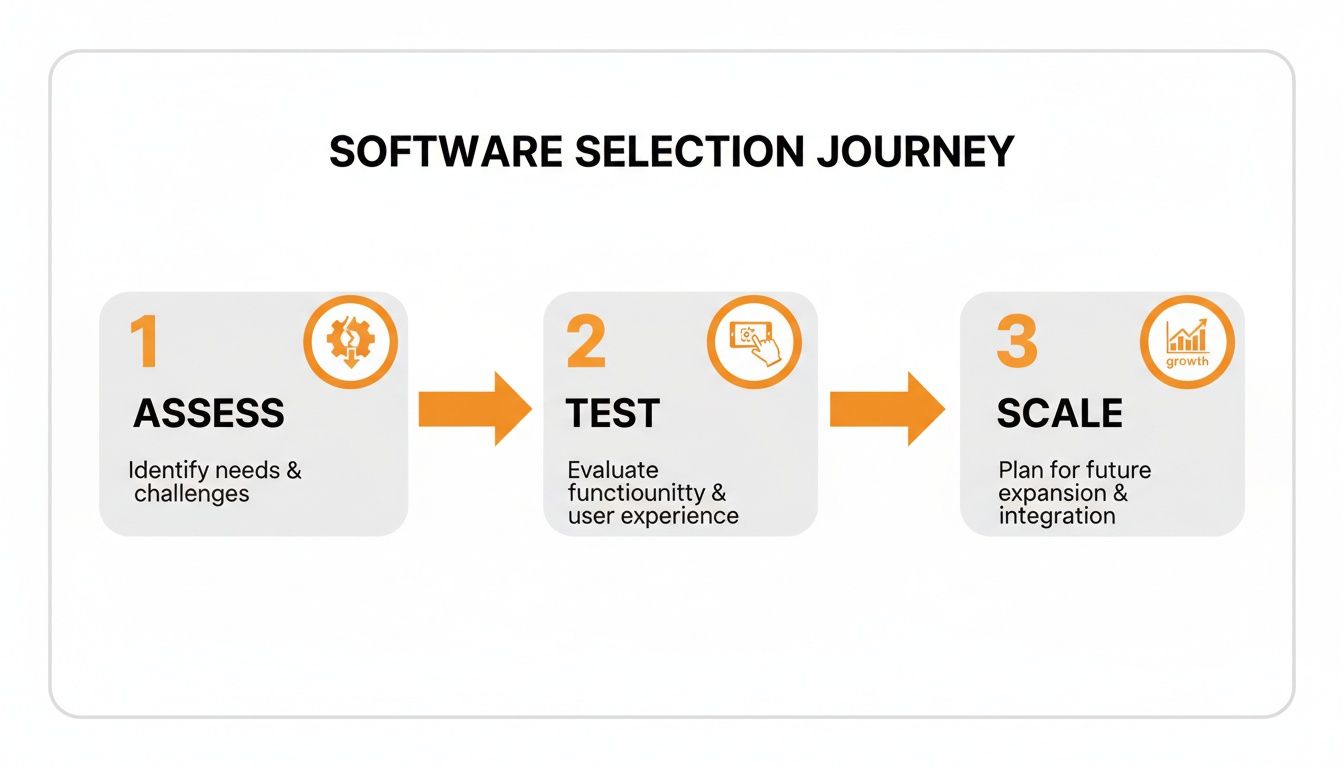
The key is to pick software that doesn’t just patch today's holes but can grow with you as you bring in more automation.
Why This Connection Is a Game-Changer
This kind of end-to-end automation means you’re not just more organized—you're squeezing every drop of revenue out of the leads you're already getting. The market for transportation dispatch software is expected to hit $2.5 billion by 2025, growing at 15% a year. That’s a huge sign that efficiency is no longer optional.
For moving companies, the numbers are even more telling. Businesses with multiple crews can miss 25% of their overflow calls. But here's the flip side: automated intake tools can boost booking rates by 20-30% just by being available to answer the phone and hold calendar slots. And after the job is done, automated follow-ups drive 4x higher engagement on review requests, which fuels your reputation and brings in new business.
By integrating an AI front office, you’re not just buying another tool. You're building a system that keeps your dispatch schedule full of high-quality, booked jobs. It turns a simple software investment into a reliable engine for growth.
This connection makes sure all the efficiency you gain from your dispatch software isn't built on a leaky foundation. Every optimized route and perfectly scheduled crew is backed by a front-end system that never, ever misses an opportunity to fill the calendar.
To see how this works in practice, check out our guide on how an AI receptionist for small business can completely transform your front-office operations.
Answering Your Top Dispatch Software Questions
Bringing in any new tech can feel like a big leap, especially when you're already neck-deep in the daily chaos of running a moving business. It's totally normal to have questions about the cost, the time sink, and whether it’s actually going to make your life any easier.
We hear the same gut-check questions from moving company owners every single day. Let's tackle them head-on, no fluff.
How Long Does It Take to Train My Team?
This is usually the biggest worry for busy owners. You don't have weeks to pull people off jobs for training, and your crews need something they can start using yesterday.
The good news? Modern dispatch software is built for exactly that reality. Forget those clunky, outdated systems that look like they were designed in the 90s. Today’s best platforms have clean, intuitive interfaces that feel more like using a maps app on your phone than some complex piece of enterprise software.
Most moving companies find that:
- Dispatchers can get the hang of the core scheduling features in just a few hours. The visual, drag-and-drop calendars are designed to feel instantly familiar.
- Field crews usually need about 15-20 minutes of training, tops. If they know how to use their smartphone, they can learn to update a job status and get their next route.
The goal isn't to turn your movers into tech wizards. It’s to give them a tool that makes their job less of a headache from day one.
Is This Software Affordable for a Small Moving Company?
Absolutely. The days of needing a massive, five-figure check just to get your hands on powerful software are long gone. Most dispatch tools for moving companies run on a subscription-based model, which is a lifesaver for small and growing businesses.
You pay a predictable monthly fee, usually based on how many trucks or users you have on the system. This makes it incredibly easy to scale. If you're running just three trucks, you pay for three trucks. When you grow to ten, your software cost grows right along with you.
Think of it this way: It's an operating expense, not a capital one. Often, the profit from booking just one extra job—one you would have otherwise missed—is enough to cover the entire month’s subscription.
Does My Crew Need Special Equipment in the Field?
Nope, and this is a game-changer. Your crews don't need to carry around bulky, expensive, or custom-built hardware. Modern dispatch systems are built around mobile apps that run on the phones your team already has in their pockets.
The software works seamlessly on any standard:
- Android smartphone
- iPhone (iOS)
This means zero new equipment to buy, manage, or replace if it gets dropped. Your crew just downloads an app, logs in, and they have everything they need—job details, customer notes, optimized routes—right there. That accessibility is what gets your whole team on board without a fight.
How Does It Handle Last-Minute Schedule Changes?
This is where dispatch software really earns its keep and leaves the old whiteboard-and-Sharpie method in the dust. Life in the moving business is one big last-minute change—a customer calls in a panic to reschedule, a job runs two hours over, a truck gets a flat tire.
With good dispatch software, these curveballs are painless. A dispatcher can just drag and drop the job to a new time or assign it to a different crew on the calendar. The second they do, the whole system updates in real time.
- The new crew gets an instant notification on their phone with the updated job info.
- The original crew sees the job vanish from their schedule.
- The customer can even get an automated text or email confirming the new plan.
It completely eliminates the frantic chain of phone calls, the "he-said-she-said" miscommunications, and the nightmare scenario of a crew showing up for a job that isn't there anymore. It replaces chaos with calm, coordinated control.
A perfectly organized dispatch schedule is only as good as the jobs that fill it. If you’re still losing high-value moving leads to voicemail, your crews will have downtime no matter how efficient your software is. MoveJoy ensures you never miss a call again by providing a 24/7 AI-powered receptionist that captures, qualifies, and books jobs directly onto your calendar, creating a seamless flow of work for your dispatch team. See how it works at MoveJoy.