Electrical Contractor Software to Streamline Your Moving Business

Think of electrical contractor software as your digital command center, but for your moving company. It’s like the best project manager, sharpest bookkeeper, and most organized dispatcher you’ve ever had, all rolled into one system that just works. It's built to get rid of the daily chaos that comes with running a moving business, especially when you're managing 1-20 trucks.
The Shift from Whiteboards to Digital Command Centers
If you’re still running your moving company with a mix of spreadsheets, stacks of paper invoices, and a dispatch whiteboard that looks like a crime scene map, you're not just disorganized. You're actively leaving money on the table. The old way of doing things worked just fine when competition was a little friendlier and customers didn't expect instant everything. Those days are gone.
In today's market, customers expect a professional response, and they expect it now. Relying on outdated methods means you’re already a step behind. A missed call isn't just a missed call; it's a high-value move you just handed to a competitor who was faster on the draw. A miscalculated quote doesn’t just sting your pride; it slowly eats away at the profit margin of the entire job.
Why Software Matters More Than Ever
The moving industry isn't just "adopting" technology as a nice-to-have. It’s becoming a core requirement for survival, let alone growth. This isn't some passing trend; it's a fundamental change in how profitable moving companies are run.
The numbers back this up. The market for this kind of software is set to explode, projected to hit USD 6,780.80 million by 2032 on the back of a 9.4% annual growth rate. That growth is being driven by movers who are tired of operational headaches and need better tools to handle increasingly complex jobs. If you want to see where things are headed, you can read the full research about this industry shift to understand the competitive landscape.
This software is the answer to the operational chaos that chips away at your bottom line. It directly tackles the most common headaches for owners of small to mid-sized moving companies:
- Inaccurate Quotes: It swaps guesswork for data-driven calculations, so you bid with confidence.
- Scheduling Conflicts: No more double-bookings or sending a crew across town for a job that could have been handled by a team two blocks away.
- Delayed Payments: It automates invoicing and follow-ups, fixing the cash flow gaps that keep you up at night.
- Lost Leads: It makes sure every single customer inquiry is captured, tracked, and followed up on, especially during the busy season.
At its core, this type of software is designed to give you back control over your time and your profits. It handles the repetitive, front-office stuff so you and your crews can focus on what actually makes you money: booking more moves and providing great service.
Manual Methods vs. Electrical Contractor Software
The difference between running your moving business by hand and using dedicated software is night and day. One creates bottlenecks that eat up your day, while the other creates efficiency and opens doors to growth. It's the difference between being reactive and being in control.
Here’s a quick look at how daily tasks change when you make the switch.
| Operational Task | Manual Method (The Old Way) | Electrical Contractor Software (The New Way) |
|---|---|---|
| Scheduling | A messy whiteboard, constant phone tag, and handwritten notes that get lost. | A centralized, color-coded calendar with drag-and-drop dispatching and real-time updates. |
| Quoting | Time-consuming calculations on spreadsheets with hourly rates you hope are still accurate. | Professional, accurate quotes generated in minutes using up-to-date pricing. |
| Invoicing | Creating invoices by hand at the end of the week and making awkward calls to chase payments. | Instant, automated invoicing sent right from the field with integrated online payment options. |
| Customer Data | Information scattered across notebooks, phone contacts, and random emails you can never find. | A central CRM that stores every customer's history, jobs, and communication in one place. |
When you see it laid out like this, the choice becomes pretty clear. The old way relies on memory and scraps of paper, while the new way provides a single source of truth that keeps your entire moving operation running smoothly.
The Core Components of an All-In-One Platform
A solid software platform for a moving company isn't just one tool. It's more like a digital Swiss Army knife for your business—a suite of integrated modules that talk to each other. This is the key. When everything works together, you stop wasting time entering the same information into five different spreadsheets and programs, which is where costly mistakes always seem to happen.
Each piece is built to solve a specific headache in your daily workflow, from the second a customer calls for a quote to the moment their payment hits your account. These tools connect your office staff with your movers in the field, making sure everyone is on the same page, all the time. Let's break down the essential parts that actually make a difference.
Dispatching and Scheduling
Think of this as the air traffic control for your entire moving operation. A good dispatching module gets rid of the chaotic whiteboard and replaces it with a clean digital calendar. With one glance, you get a bird's-eye view of your whole team—which crew is free, where they are, and what their skillset is.
Assigning jobs becomes a simple drag-and-drop that takes seconds. The really smart systems even offer route optimization, automatically figuring out the most efficient way for your crews to get from job to job. This feature alone can slash your fuel costs and drive time, often making it possible to squeeze one more paying move into every crew's day.
Quoting and Invoicing
Let’s be honest, manual quotes are slow, inconsistent, and a breeding ground for lost profit. A dedicated quoting module lets you build professional, accurate quotes in minutes, not hours. These tools come loaded with up-to-date labor and material cost databases, so you can bid with confidence, knowing your numbers are solid.
Then, once the job's done, the system instantly flips that approved quote into an invoice. Movers can often create and send the invoice right from their phone on-site, with a link for the customer to pay online immediately. This simple switch can cut your payment collection time from weeks down to just a few days, giving your cash flow a massive boost.
The diagram below shows how these core functions—scheduling, quoting, and payments—are the bedrock of a modern moving company's software.
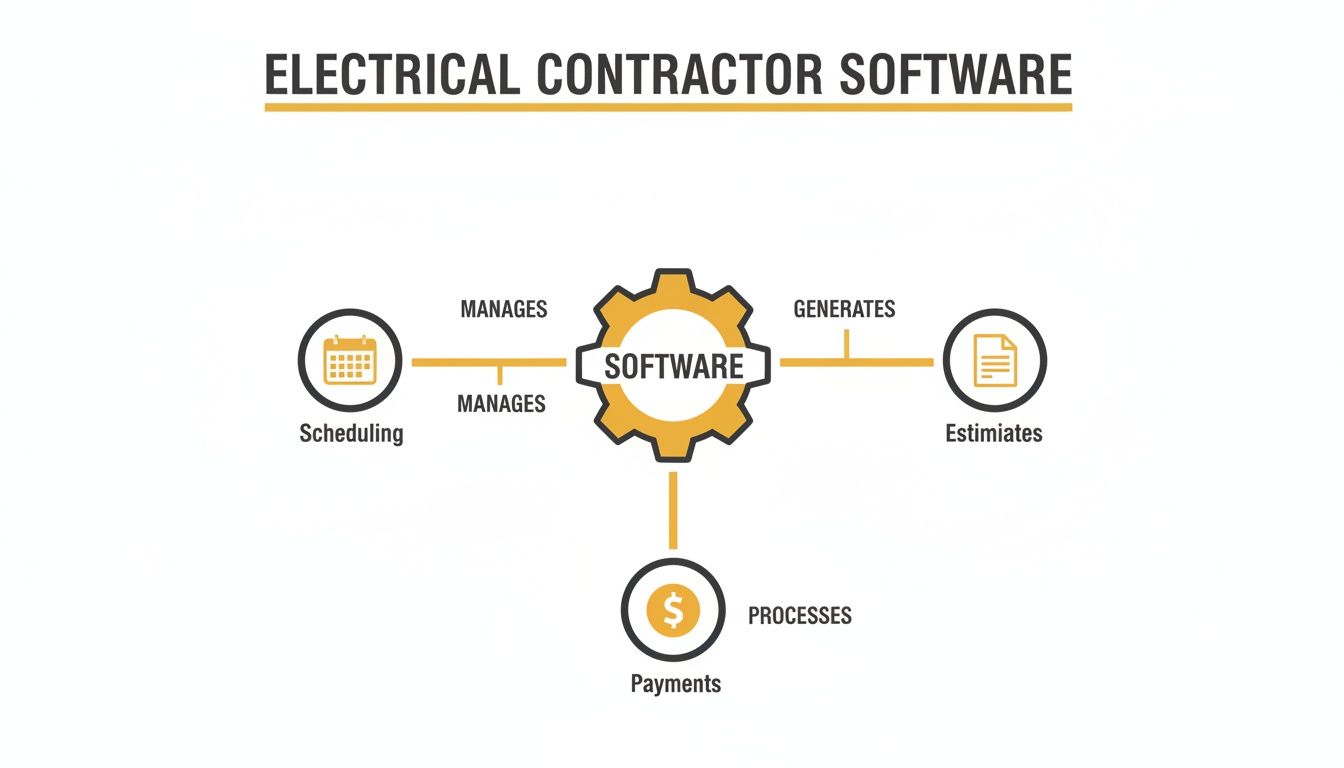
You can see how interconnected it all is. Each function feeds the next, creating a smooth workflow from start to finish.
Inventory Management
Losing track of valuable materials and equipment is a silent profit killer. An inventory management module helps you track every single item—from moving blankets in your warehouse, to a crew's truck, and finally to the customer's job site. You can set up automatic alerts for low stock levels, making sure you never run out of critical supplies and have to delay a project.
This real-time tracking stops you from over-ordering, cuts down on waste, and ensures your crews have the right equipment on their truck before they show up to a job. No more wasted trips back to the shop.
Customer Relationship Management (CRM)
A CRM is basically your company's digital brain. It stores every shred of information about your customers in one central place that anyone on your team can access.
This includes things like:
- Contact Info: Names, addresses, phone numbers, and emails.
- Job History: A full record of every move, packing service, and storage job.
- Communication Logs: Notes from calls, emails, and any other conversations.
- Invoices and Payments: A complete financial history for every client.
Having this data at your fingertips means you can offer a much more personal and professional service. When a repeat customer calls, your team can instantly pull up their entire history. It makes them feel like you actually know who they are. This module is a fundamental part of all kinds of home service business software for one simple reason: it builds loyalty that keeps customers coming back.
Field Service Mobile App
The mobile app is the glue that holds your field and office teams together. It puts all the power and information your movers need to do their jobs right in the palm of their hand.
A mobile app turns every mover's smartphone into a mobile command center. It eliminates frantic calls back to the office for job details or customer information, making your entire field operation more self-sufficient and productive.
With a good mobile app, your movers can:
- See their daily schedule and get turn-by-turn directions.
- Access the customer's entire history and detailed job notes.
- Build quotes and invoices on the spot.
- Take credit card payments as soon as the work is done.
- Upload photos of their work for your records.
This constant flow of information means the office always knows the status of every job without having to hound your crews for updates. It just works.
What's the Real Payback on This Software?
Features and fancy modules are nice, but let's cut to the chase: Is this software actually going to help you book more moves? It’s easy to get lost in the tech specs, but the only thing that really matters is the financial return. The true value of good software isn't just about making your day-to-day less chaotic; it's about how it plugs the hidden leaks that are quietly draining your bank account.
When you're looking at the cost, think beyond the monthly subscription. The real return on investment (ROI) comes from fixing all the small, costly inefficiencies that add up. We're talking about the extra moves you can suddenly fit into the schedule, the healthier profit margins on each project, and getting paid faster.
Turning Wasted Time into Actual Profit
The first thing you’ll notice is how much time you get back. But in the moving business, time isn’t just a concept—it's billable hours. Every hour your team spends wrestling with a spreadsheet to build a quote or chasing down an overdue invoice is an hour they could have been on-site, generating revenue.
The whole point of this software is to automate the low-value administrative grind so your team can focus on high-value, billable work. Honestly, booking just one extra move a week can often cover the entire monthly cost of the software.
Let's put some real numbers to this.
- Smarter Bids: Imagine your quotes are suddenly 15% more accurate because you’re pulling real-time labor costs, not using rates from a spreadsheet you made last quarter. That precision stops you from underbidding and losing your shirt on a job, or overbidding and losing the work to a competitor.
- Tighter Schedules: What if you could cut drive time and fuel costs by 20% just by scheduling jobs more intelligently? Even better, what if that efficiency meant each of your crews could squeeze in just one more move each day? That’s dozens of extra jobs a month without hiring a single new person.
- Faster Cash Flow: Sending invoices from the field and letting customers pay online is a game-changer. Instead of waiting weeks—or months—for a check to show up in the mail, you can get paid in days. This frees up your cash, giving you the breathing room to buy materials or invest in growing the business.
A Deeper Look at the Financial Wins
The financial upside doesn't stop with just being more efficient. The right software gives you a solid foundation to scale your moving business without the usual growing pains. It helps you win more of the profitable jobs you actually want.
Here’s a breakdown of where the money really comes from:
| ROI Category | The Old Way's Bottleneck | The Software-Driven Gain |
|---|---|---|
| Job Profitability | Guessing at labor hours and using outdated material prices leads to razor-thin (or negative) margins. | Every job is priced for profit from the get-go with accurate, data-driven quotes. |
| Labor Efficiency | Crews waste billable time driving back to the shop for equipment or calling the office for customer history. | Mobile apps put all the job info in their pocket, so they spend more time working and less time driving. |
| Customer Retention | Messy records mean you miss chances for follow-up work and provide impersonal service. | A central CRM lets you be proactive, build relationships, and drive the repeat business that keeps you profitable. |
| Admin Costs | Your office staff spends hours on double-data entry, chasing paperwork, and fixing manual errors. | Automation gets rid of redundant tasks, meaning you can grow your revenue without needing to hire more office staff. |
At the end of the day, the software pays for itself by giving you better control over the three things that matter most: your pricing, your people, and your processes. To get a clearer picture of how these small tweaks can lead to big returns for your specific numbers, you can play around with this moving company ROI calculator to model the potential impact.
The real ROI isn't just about saving a few bucks—it's about building a stronger, more profitable moving business that can handle whatever comes next.
How to Pick the Right Electrical Contractor Software
Choosing software for your moving business feels like a huge decision, and honestly, it is. But it doesn't have to be overwhelming. The trick is to stop thinking about it as "buying technology" and start thinking about it as finding a partner that gets how you work and can actually help you grow.
If you rush this, you can end up with a tool that just creates more headaches. A systematic approach, however, guarantees you’ll land on a platform your team will actually use—one that delivers a real return on your investment. Let's walk through what should be on your buyer's checklist.
First, Figure Out What You Actually Need
Before you even think about watching a demo, you need a crystal-clear picture of your business's real problems. The perfect software for a local residential moving company is usually a terrible fit for a team focused on long-distance commercial moves. Get brutally honest about your biggest operational bottlenecks.
Start by asking yourself these questions:
- What’s our bread and butter? Are we doing quick local moves, multi-day long-distance jobs, or a mix of everything?
- Where’s the biggest logjam? Is it slow, inaccurate quoting? Is scheduling a chaotic mess? Or is it the endless grind of chasing down payments?
- Where are we headed? Are we planning to add two more trucks next year or break into a new service area?
Answering these questions first helps you cut through all the marketing fluff and focus only on solutions built for a moving business that looks and feels like yours.
Prioritize Software That Can Grow With You
The software you pick today can’t become a ball and chain tomorrow. Scalability isn't a buzzword; it's a must-have. Think about where you want your company to be in three to five years. Can the software you’re looking at handle more crews, more jobs, and more complex workflows without breaking a sweat?
A truly scalable platform should grow with you effortlessly, from your current two-truck operation to a future fleet of twenty. Steer clear of solutions with rigid user limits or pricing that punishes you for growing. The right choice is a system that supports your ambition, not one that forces you to switch platforms right as you’re hitting your stride.
Insist on the Right Integrations
Your new software shouldn't be an island. It has to talk to the other tools you already depend on to run your business. Forcing your team to manually enter data between systems is a surefire way to introduce errors and waste a ton of time.
A lack of integration locks your team into a cycle of double work—entering the same customer and job info into your scheduling tool, then typing it all over again into QuickBooks. It's a recipe for mistakes that can screw up everything from payroll to job profitability.
Your checklist for essential integrations has to include:
- Accounting Software: Direct connections to platforms like QuickBooks or Xero are non-negotiable. This makes sure invoices and payments sync automatically, giving you an accurate, real-time look at your finances.
- Supplier Price Books: Look for real-time integrations with major moving supply companies. This keeps your material costs up-to-date, making your quotes far more accurate and protecting your margins.
- Lead Capture Tools: The software has to connect to your website contact forms or automated phone systems. If it doesn't, you're guaranteeing that new leads will fall through the cracks.
Demand Something Your Team Won’t Hate Using
Finally, remember this: the most powerful software in the world is completely useless if your team finds it too complicated to use. The interface has to feel natural for everyone, from the dispatcher in the office to the newest mover in the field. A clunky, confusing mobile app will just get ignored by your field crew, defeating the whole purpose of the investment.
When you’re in a demo, pay close attention. How many clicks does it take to do basic stuff, like create a quote or dispatch a job? If it feels awkward to you, it’s going to feel impossible to your team on a busy Tuesday. Go with a platform that was clearly designed by someone who understands that a clean layout and a simple workflow aren't just nice to have—they're everything.
Capturing Every Lead Before Your Competitors Do
Your moving company software is a beast at managing jobs after you’ve landed them. It’s fantastic for juggling schedules, tracking equipment, and firing off invoices. But what about the moment before a job even hits your system?
What happens to the calls you miss while you’re on another line, driving to the next site, or when your phone rings at 8 PM on a Friday?
Every one of those unanswered calls is a potential high-value move that just got handed to the next mover on Google. This is the "front-office" gap where most moving companies bleed thousands of dollars in revenue without even realizing it. Speed to lead is everything in this industry.
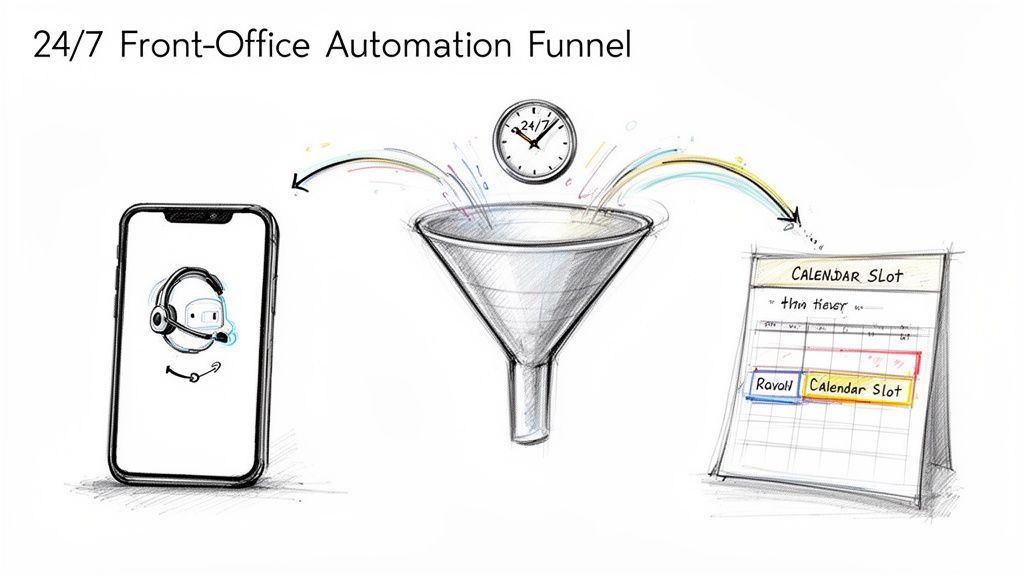
Plugging the Leaks in Your Sales Funnel
Let's be honest: modern customers don't leave voicemails. If you don't pick up, they just move on to the next name on their list. This is where front-office automation becomes your secret weapon, working hand-in-glove with your core management software.
Imagine having an AI receptionist that works 24/7. It never takes a lunch break, never calls in sick, and never lets a potential customer slip through the cracks, especially during the summer rush. Its only job is to grab and qualify every single lead that comes your way.
This isn't just about answering the phone; it’s about kickstarting the sales process the second a customer reaches out. It can:
- Answer calls and web chats instantly.
- Ask the right qualifying questions ("How many bedrooms are you moving?").
- Check your real-time availability and book appointments right on your calendar.
- Send out automatic text confirmations and follow-ups so you look professional and organized.
This system keeps your pipeline full, feeding a constant stream of booked, qualified jobs directly into the electrical contractor software your team already relies on for the actual work.
The biggest mistake I see moving company owners make is spending a fortune on tools to manage booked jobs while completely ignoring how those jobs get captured in the first place. If your lead capture process is a leaky bucket, even the world's best software can't keep it full.
Core Software vs. Front-Office Automation
It’s really important to see these as two different tools solving two different problems. Your core software manages the work you have; front-office automation gets you more work. One is about logistics and execution, the other is about lead capture and sales.
To see how this works in practice, you need a clear sales process flowchart showing how a lead goes from a first call to a paid invoice.
Here’s a simple table to break down the difference in their roles.
Core Software vs. Front-Office Automation
| Function | Electrical Contractor Software | Front-Office Automation (e.g., MoveJoy) |
|---|---|---|
| Primary Goal | Manage booked jobs efficiently (dispatching, invoicing, inventory). | Capture and book new leads before competitors can. |
| Key Activity | Operational execution and project management. | 24/7 lead intake, qualification, and scheduling. |
| Main User | Office staff, dispatchers, and movers in the field. | An automated system that works before human interaction. |
| Business Impact | Increases job profitability and operational efficiency. | Increases lead volume and booking conversion rates. |
A truly effective system doesn't stop at just answering calls. It integrates modern communication tools to meet customers where they are. For example, using text messaging for lead generation can be a game-changer, giving you a massive advantage with customers who'd rather text than call.
When you integrate these channels, you ensure that no matter how a customer tries to contact you, their request is captured and acted on immediately. That keeps your schedule packed, so your core software—and your talented crews—can get to work.
Your Implementation Roadmap for a Smooth Transition
Picking the right software is a huge step, but the best tool in the world is useless if your team doesn't actually use it. A clunky rollout can create frustration and kill momentum before you even start seeing the benefits. A thoughtful plan, on the other hand, makes for a smooth transition that gets your team on board and your business reaping the rewards faster.
The key is to treat this as a project, not just a software update. It’s about managing change and showing your team how this new tool makes their jobs easier, not harder.
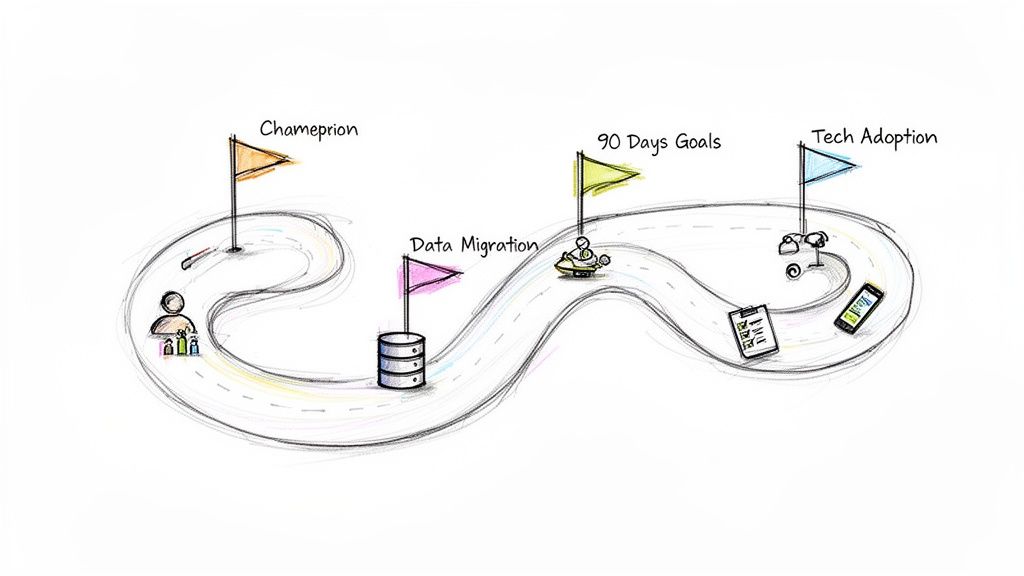
Appoint a Software Champion
Every successful transition has a champion—someone on your team who is genuinely excited about the software and can lead the charge. This person doesn't have to be your top tech wizard, but they do need to be respected, organized, and a great communicator.
Think of them as the go-to person for questions. They’ll be the bridge between your team and the software provider, keeping everyone motivated and making sure the training stays on track.
Set Clear 90-Day Goals
Don't try to boil the ocean. Instead of trying to master every single feature from day one, set clear, achievable goals for the first 90 days. A phased approach is your best friend here; it keeps your team from feeling completely overwhelmed.
Your 90-day plan could look something like this:
- Month 1: Get scheduling and dispatching live. That's it. The goal is simple: get everyone comfortable using the digital calendar and mobile app for their daily jobs.
- Month 2: Introduce quoting and invoicing. Train the team to build quotes and process payments right there in the system for all new work.
- Month 3: Tackle inventory management and reporting. Start tracking supplies from the trucks and run your first few profitability reports to see the impact.
A well-planned implementation isn't about speed; it's about building confidence. Small, early wins create momentum and prove the software's value, which is crucial for getting everyone on board for the long haul.
Get Your Movers On Board
Your moving crews are the most critical part of this equation. If they don't adopt the mobile app, the whole system falls apart. The key to winning them over is to focus relentlessly on "what's in it for them."
Frame the training around how the software solves their biggest daily headaches:
- "No more calling the office for addresses." Show them how the app gives them all job details and turn-by-turn directions.
- "No more messy paperwork at the end of the day." Highlight how they can wrap up invoices and take payments on-site in seconds.
- "Get paid faster on commission jobs." Explain how instant invoicing and payment processing speeds up the entire payroll cycle.
When movers see the tool as something that helps them, rather than something that monitors them, adoption happens naturally. For a deeper dive into making your software transition seamless, consider these proven implementation strategy examples. With the right plan, your new software will quickly become an indispensable part of your operation.
Your Questions, Answered
You’ve got questions. It’s a big decision. Here are some straight answers to what I hear most often from moving company owners trying to figure this out.
What's This Going to Cost Me?
Look, the price is all over the map. You can find basic plans for a solo operator starting around $100 a month. For bigger outfits with multiple crews, you’re looking at something closer to $500 a month or more. Most of these companies charge you based on how many trucks or users you have on the system.
But don’t just look at the monthly sticker price. You have to ask about the other costs they don’t always advertise:
- Setup Fees: Is there a one-time charge just to get everything turned on?
- Training & Support: Will they walk you through it, or are you on your own? Is ongoing help free or an extra line item on the bill?
- Data Migration: Getting your customer list out of your old system and into the new one can be a headache. Will they help, and what's the price for that service?
The goal isn't to find the cheapest software. It’s about value. Think about it this way: if the software helps you book just one extra move a month, it’s probably already paid for itself.
How Long Until My Team is Actually Using It?
For a smaller crew of 2-5 movers, you should plan on 14 to 30 days to get everyone comfortable with the basics like scheduling and sending invoices from the field. If you’re running a larger operation, a full rollout could take up to 90 days.
Honestly, this all comes down to two things: how easy the software is to use and how good the company's training is. Find a platform known for its customer support and guided onboarding. It makes a world of difference in getting your team to stop fighting the change and actually start using the tool.
Does This Software Work with QuickBooks?
Yes. And if it doesn't, walk away. Any software worth its salt will connect directly with both QuickBooks Online and QuickBooks Desktop. This isn’t a "nice-to-have" feature; it's a dealbreaker.
Why? Because it kills the soul-crushing job of entering data twice.
When your crew sends an invoice from a customer's driveway or logs a payment in the app, that information should flow straight into your accounting software. No exceptions. This keeps your books accurate in real-time and frees up your office staff from hours of tedious data entry every single week.
Ready to stop missing calls and start booking more jobs? MoveJoy acts as your 24/7 AI receptionist, capturing and qualifying every lead so your pipeline stays full. Learn how MoveJoy can fill the gaps your software leaves open.