
Peak season exposes every weak spot in a moving company’s front office. A phone rings with a solid lead for a larger home. Your dispatcher is already buried, trying to build a quote from a spreadsheet, old notes, and whatever rate logic lives in one person’s head. While that happens, another caller hits voicemail, and a third submits a web form that won’t get touched until later.
That’s the moment a “good enough” system starts costing real money.
The loss usually doesn’t come from one dramatic failure. It comes from smaller leaks that stack up fast. A missed after-hours call. A quote sent too late. A quote sent fast but priced wrong. A lead that gets captured but never booked. For many moving company owners, that gap between lead capture and a booked job is where growth stalls.
That’s why a real moving company software review shouldn’t start with shiny feature lists. It should start with one question: does this system help your team close profitable work without adding more manual steps?
Owners running multiple trucks don’t need another dashboard that looks clean in a demo. They need software that can handle intake, quoting, scheduling, staff coordination, and follow-up in one operating flow. If your team also relies on room-by-room survey details, a tool like Vorby’s inventory for moving is worth reviewing because inventory quality directly affects quote quality, and quote quality affects both close rate and margin.
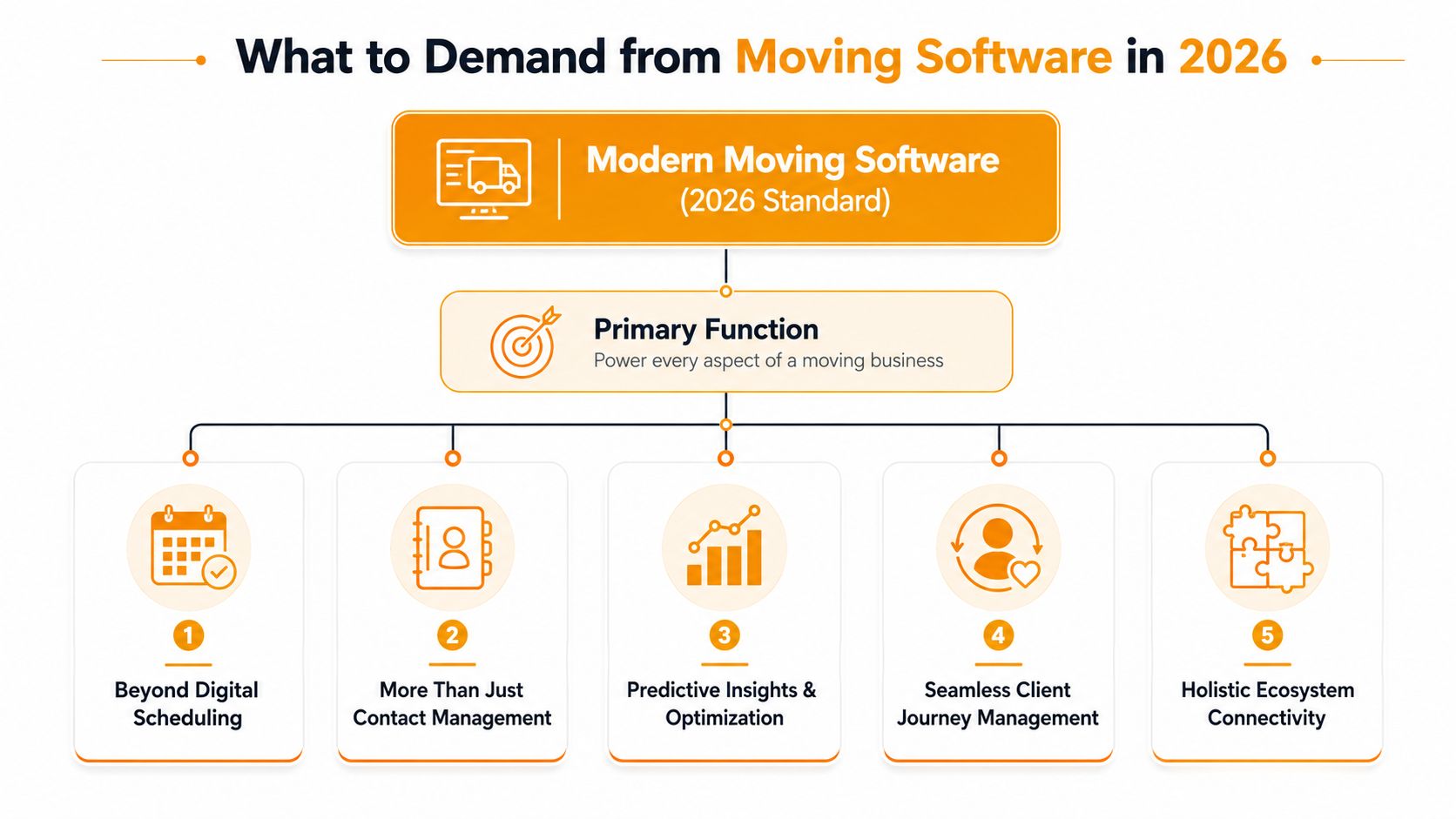
What to Demand from Moving Software in 2026
Moving software isn’t just a dressed-up CRM anymore. G2 introduced a dedicated Moving Company Software category in 2024, which matters because movers need tools to plan and schedule moves, manage staff, and generate estimates in one system, not in disconnected apps or generic field-service tools (G2 research on moving company software).
That shift tells you something important. Buyers aren’t asking whether they should digitize. They’re asking which platform best fits a moving-specific workflow.
The category has changed
A weak review process looks at generic items like notes, tasks, or whether the calendar view looks nice. A strong review process looks at the actual path from first contact to completed job.
For a moving company owner, the software has to do more than store information. It has to support the way movers sell and operate:
- Lead intake: Phone calls, web forms, and after-hours inquiries need a clean path into the system.
- Estimate creation: The system should support move-specific pricing logic, not just general sales notes.
- Scheduling and dispatch: Office staff need to turn approved work into crews, trucks, and daily execution.
- Operational continuity: Data shouldn’t break when the job moves from sales to dispatch to billing.
The new standard is revenue-grade automation
In practice, the best systems are judged by outcomes, not modules. I’d call that revenue-grade automation. It means the platform helps you capture demand, price it correctly, and move it into the schedule without making your staff retype everything.
Practical rule: If your team still has to answer, quote, follow up, and manually re-enter the same lead data across multiple steps, the software isn’t reducing front-office drag. It’s hiding it.
What should you demand now?
Every lead gets handled
Business hours aren’t enough in this industry. Prospects call on lunch breaks, evenings, and weekends. If the system depends on one office person being available, it’s fragile.
Quotes reflect your real rate logic
“Fast quote” sounds good in demos. It means nothing if the result ignores stairs, long carries, add-ons, storage, or service type.
Booking happens inside the workflow
A quote that lives in email but never turns into a scheduled job creates extra labor and extra failure points. Your intake flow should connect to your CRM or calendar. If you’re evaluating what strong estimate workflow looks like, this guide to moving company estimate software is useful because it frames estimation around booking, not just quote generation.
Follow-up is built in
A lot of revenue dies in the gap between “quote sent” and “customer decided.” Software should help your team recover those opportunities instead of relying on memory.
The system reduces manual judgment where it matters
Your best salesperson shouldn’t be the only person who knows how to price a tricky move. Good software turns tribal knowledge into repeatable process.
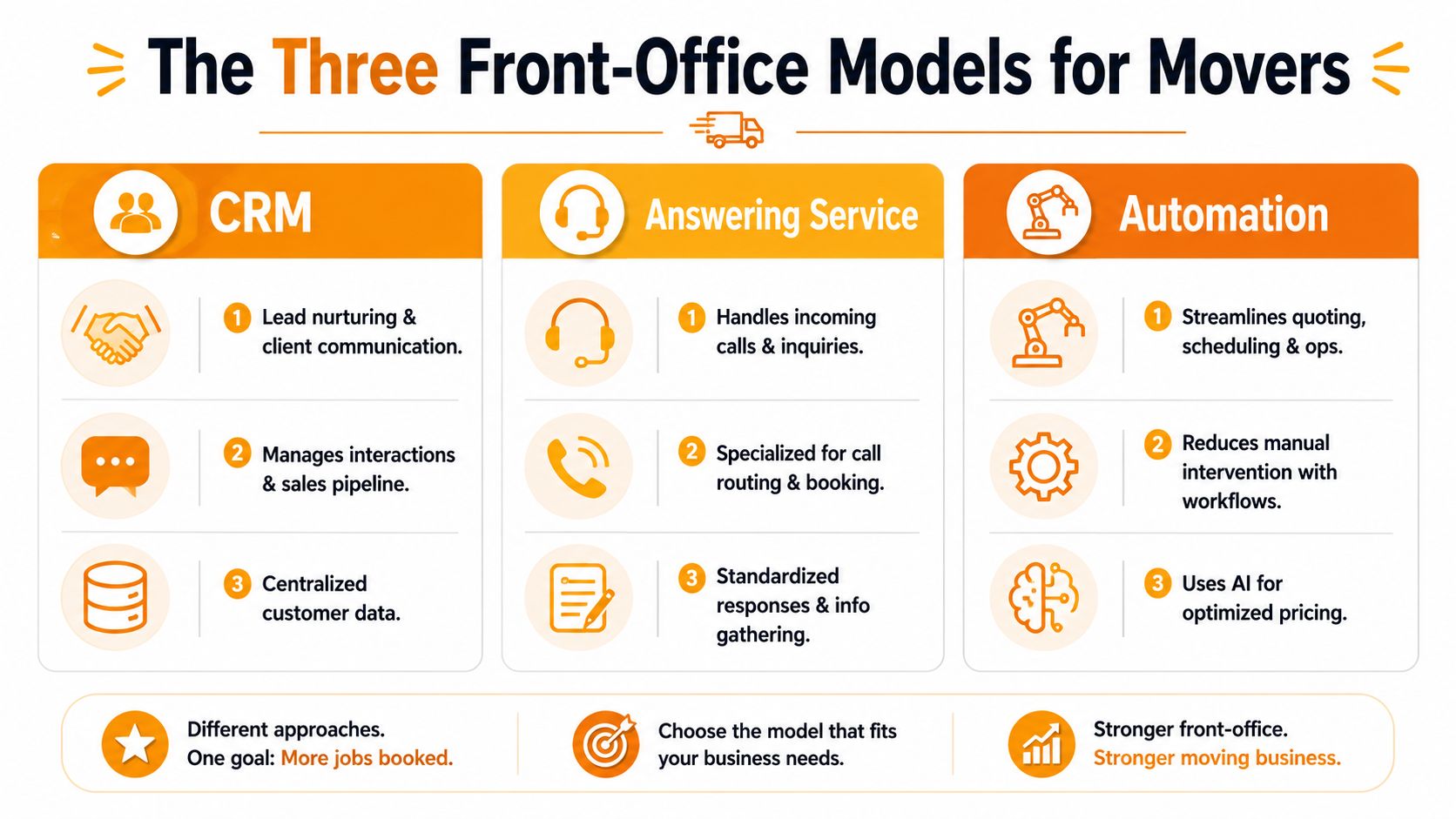
The Three Front-Office Models for Movers
Most moving companies end up with one of three front-office models. None is automatically wrong. The issue is that each model solves a different problem. If you pick the wrong one, you create a gap between answering the phone and winning the job.
Comparison table
| Model | What it does well | Where it breaks | Best fit |
|---|---|---|---|
| CRM-centric | Organizes leads, jobs, dispatch, and customer records | Often depends on staff to answer, quote, and follow up in real time | Movers that already have strong office coverage |
| Human answering service | Prevents some missed calls and takes messages | Usually captures the lead but doesn't price or book complex jobs | Teams mainly trying to patch after-hours phone coverage |
| Automated quoting and booking layer | Handles intake, quoting logic, and booking flow with less manual effort | Requires careful setup around rate cards and workflow rules | Movers trying to close the gap between call volume and booked work |
Model one, the CRM-centric setup
This is the most common path for established movers. The company runs sales, estimates, dispatch, storage, payments, and reporting inside a moving-specific platform. That makes sense. Pricing guidance published by SmartMoving also shows how software budgets scale by fleet size, from under $4,000 per year for starter firms with 1 to 2 trucks up to $25,000+ per year for operators with 20+ trucks, and notes that most platforms now include sales, estimates, dispatch, storage, payments, and reporting, while more advanced products add functions like AI sales assistants and review management (SmartMoving's moving software cost guide).
The upside is obvious. Your jobs, notes, schedules, and billing all live in one place. For companies with a disciplined office team, this model can run well.
The problem shows up at the front edge. A CRM usually manages demand well. It doesn't automatically convert demand well unless your people stay on top of every inbound call, quote, and follow-up. When call volume spikes, the CRM becomes a container for missed opportunities.
If you're sorting through broader software categories and where CRM fits in service businesses, a practical comparison of CRM options for service businesses can help clarify that distinction.
Model two, the human answering service
A human answering service fixes one thing. Someone picks up.
That can absolutely help when the owner is in the field, dispatch is overloaded, or the office closes before the phones stop ringing. It's better than voicemail, and for some operators that alone feels like progress.
But this model usually stalls at message-taking. Most answering services follow a script, collect contact details, and pass the lead back to your team. That means the actual revenue-critical work still sits with your staff:
- Quoting the move correctly
- Explaining pricing confidently
- Checking availability
- Handling objections
- Following up before the shopper calls someone else
An answered call is not the same thing as a booked job.
For simple inquiries, a message may be enough. For a real moving lead, especially one with variable pricing, this model often creates delay right where speed matters most.
Model three, the automated quoting and booking layer
This is the model more operators are now looking for, especially those running lean office teams with multiple trucks. The idea is simple. Don't stop at capturing the lead. Build a front-office layer that can handle intake, apply rate logic, and move the customer toward a booking without waiting on a salesperson to become available.
This works best when it is connected to the rest of your operation, not sitting beside it. The strongest setups support your own rate card, your own service rules, and your own scheduling workflow.
What works well here:
- After-hours responsiveness
- Faster quote turnaround
- Cleaner handoff into the calendar or CRM
- More consistent follow-up
What doesn't work is fake automation. If the tool only collects information and then dumps the task back onto the office, it hasn't solved the revenue gap. It has only changed where the delay happens.
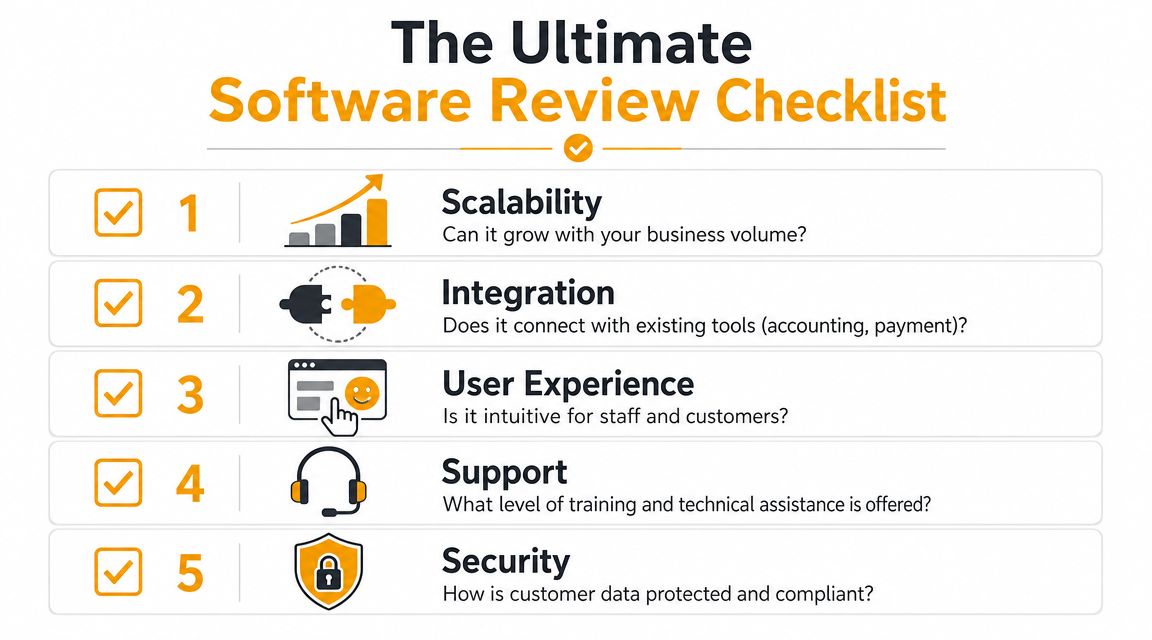
The Ultimate Software Review Checklist
Most software demos are designed to make the product feel easy. That's not the same as proving it will hold up under actual move complexity.
The most important thing to test is whether the platform can handle your pricing logic without creating rework. Supermove's guidance says buyers should verify support for an “advanced billing engine” that can price complex moves, and that evaluation should include tariffs, distance and weight inputs, add-on services, and digital estimates without forcing manual re-entry between survey, quote, and billing workflows (Supermove's moving software guide).
Test quoting logic first
Don't start with the homepage. Start with your ugliest quote.
Bring real scenarios into the demo. Use a local move with stairs, a long carry, packing labor, storage, or a commercial job with special access. Then ask the vendor to build that quote live.
Use questions like these:
- Can it handle multiple move types? Local, commercial, interstate, and intrastate work should not require awkward workarounds.
- Can it reflect accessorial pricing? Stairs, walkups, long carries, shuttle needs, storage, extra stops, and packing all need a clean place in the logic.
- Can your team adjust assumptions? Estimators need control when the job doesn't fit the default.
- Does data flow forward? Survey details should carry into quote, dispatch, and billing without duplicate entry.
If a vendor dodges live quoting and only shows polished sample screens, that's a warning sign.
Inspect what happens before and after the quote
Most buyers spend too much time on the quote screen and not enough on the surrounding workflow. That's backwards. The front-office leak often happens on either side of the estimate.
Check these areas carefully:
- Lead capture coverage: What happens when a prospect calls after hours, during lunch, or while your office staff is tied up?
- Unbooked estimate recovery: Does the system support follow-up after the quote goes out, or does your team have to remember every next step?
- Booking path: Can the accepted job move directly into SmartMoving, Supermove, MoveitPro, or your calendar without more admin?
- Dispatch clarity: Once booked, can operations see the exact services, notes, and pricing assumptions that sales used?
If software captures a lead but leaves your staff to chase, quote, re-enter, and book manually, it's still expensive, even when the subscription looks reasonable.
This is also where support tools matter. If you're building an internal process for handling exceptions, escalations, and office requests, reviewing broader resources on best open source helpdesk solutions can be useful. Not because a helpdesk replaces moving software, but because it sharpens how you think about ticket ownership, response flow, and handoffs.
Review implementation, support, and payoff
The final layer is operational fit. Great-looking software can still fail because onboarding is weak, permissions are messy, or no one on the vendor side understands how movers work.
Ask direct questions:
- Who handles onboarding? You want people who understand moving workflows, not generic software trainers.
- How is the rate card configured? If setup is vague, quoting problems will surface later.
- What breaks when volume spikes? Busy season reveals weak intake and follow-up design fast.
- What's the fallback for exceptions? No system handles every edge case automatically.
- How many staff touches does it remove? That's where the return shows up.
A practical moving company software review should end with one simple test. Can this system reduce chaos in the office while helping you win and price the right jobs? If the answer is fuzzy, keep looking.
Software in Action Comparing Performance in Real-World Scenarios
A software stack can look fine in a quiet week. The true test is what happens when the office is under pressure and leads are coming in faster than people can process them.
Movegistics' 2026 comparison is useful here because it evaluates platforms across lead attribution, automation depth, service-type-driven pricing, dispatch, crew app, warehouse and storage, and more, framing the strongest systems as end-to-end tools rather than isolated feature bundles (Movegistics moving software comparison).

The Saturday night lead
A prospect calls at 9 PM on Saturday. They want to move soon and they're calling multiple movers.
In a CRM-centric office, nobody answers unless you've staffed nights. The lead may create a record later, but the buying moment is already cooling off. With a human answering service, someone answers, takes a message, and promises a callback. That's better than voicemail, but the shopper still leaves without a real quote or booking path.
The automated model performs best here because it doesn't stop at intake. It can gather details, apply pricing logic, and keep momentum. That matters in local markets where whoever responds clearly and quickly often gets first consideration.
The June call surge
A busy summer week exposes whether your process scales. Dispatch is juggling crew changes, sales is quoting, and calls keep coming.
A CRM helps the team stay organized, but only if enough people are available to work the queue. A human answering service can absorb some overflow, but it still creates a pile of callbacks and quote requests. By mid-afternoon, the office may have “handled” a lot of leads without advancing them.
Software should remove front-office bottlenecks, not document them more neatly.
The stronger setup is the one that keeps intake, quoting, and handoff moving without forcing staff to restart the same lead three times. If you're comparing how broader service platforms handle this handoff problem, this field service management software comparison is a useful reference point.
The quote that went quiet
A lead got a quote three days ago. No reply. Many systems often fail unacknowledged in such situations.
The CRM-centric office can recover the job if someone has a disciplined follow-up habit. Some teams do. Many don't, especially when the office is already busy. A human answering service usually plays no role here. They were built for call handling, not quote recovery.
The automated model has an advantage because follow-up can be part of the workflow, not a separate memory task. That doesn't mean every silent quote turns into a booking. It means fewer opportunities disappear because no one had time to chase them.
Making the Right Choice for Your Moving Company
The right choice depends less on brand and more on where your revenue is leaking now.
If your office already runs a decent CRM and your dispatch process is stable, your biggest issue may not be software breadth. It may be the front-end gap between inbound demand and a completed booking. That's where many owners get fooled by demos. Detrack's review angle points out that most reviews ask whether software is “easy to use,” not whether it can reflect a company's own rate card without forcing manual rework, and for independent movers that matters more because a quote that is fast but wrong can lead to lost jobs or underpriced jobs (Detrack on moving company software).
For growth-focused operators
If you're running a smaller multi-truck operation and trying to grow, prioritize speed first. Not generic speed. Booking speed with pricing control.
That usually means asking:
- Can every inbound lead be handled, even after hours?
- Can the quote reflect your actual rate card?
- Can the customer move toward a booking without waiting on office staff?
If those three things aren't true, your growth plan still depends on human availability. That's risky during busy months.
For operators cleaning up internal chaos
If you're larger and the office feels overloaded, focus on reducing duplicate work.
That means choosing systems that:
- Carry lead data into operations cleanly
- Prevent re-entry between estimate, schedule, and billing
- Give dispatch the same job context sales used
- Reduce callback piles and quote backlog
Sometimes the right answer is not replacing your core moving CRM. It's adding the missing layer that fixes intake, quoting, and follow-up.
What to decide before you buy
Before you sit through another demo, answer these three questions internally:
| Question | Why it matters |
|---|---|
| Where do we lose jobs now? | Missed calls, delayed quotes, weak follow-up, or pricing inconsistency each point to a different fix |
| What pricing complexity must the system handle? | If your real-world jobs include accessorials and variable service rules, generic tools will create margin problems |
| What should happen automatically? | If your team can't define the desired workflow, vendors will sell you features instead of outcomes |
Voice is part of this decision too. If your phone setup itself is messy, dropped, or hard to route, it's worth stepping back and reviewing your telecom foundation with resources like this review VoIP guide. Clean call flow doesn't solve quoting on its own, but broken phone infrastructure makes every other fix weaker.
Good software should act like a dependable operations hire. It should help your team answer faster, quote more accurately, and book without friction. If it only stores information after the opportunity has already cooled off, it's not solving the problem that matters most.
If your moving company is losing jobs in the gap between inbound calls and booked work, MoveJoy is worth a look. It's built for movers that need accurate quotes using their own rate card, direct booking into tools like SmartMoving, Supermove, MoveitPro, or Google Calendar, and a front office that keeps working when the team is busy, off-hours, or in the field.